In the Calendar app, you can send meeting and event invitations. iCloud, Microsoft Exchange, and some CalDAV servers also let you send meeting invitations, though not all calendar servers support every feature.
Before you invite people, you make sure your calendar accounts are turned on. You can invite people to an event you’ve already scheduled, and quickly email everyone who’s attending.
Here’s how to send invitations in Calendar on iPad.
Before you begin
You need to turn on your calendar accounts before you can invite people to events you’ve scheduled.
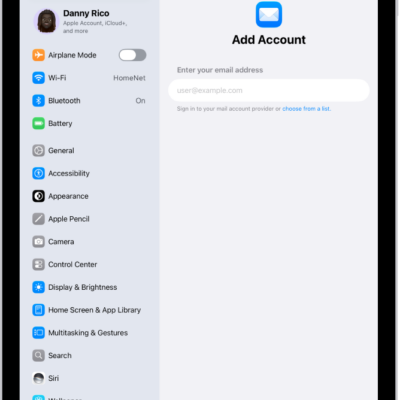
- Start the Settings app on your iPad.
- Tap Apps and then tap Calendar.
-
Tap Calendar Accounts and select an account. Then check to see if Calendar is turned on.
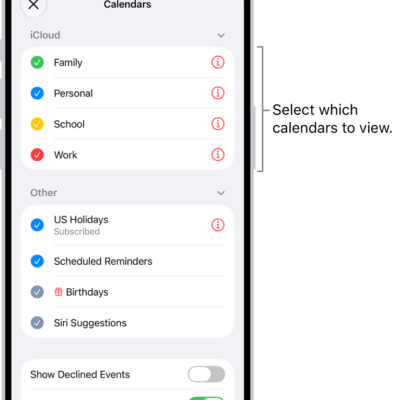
For more information about how to add calendars, see Set up multiple calendars.
Invite others to an event
You can invite people to an event you’ve scheduled.
- Start the Calendar app on your iPad.
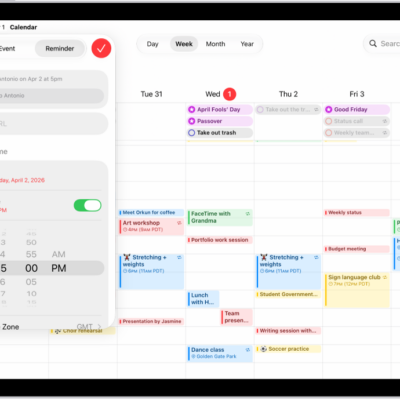
- Tap the event. Then tap Edit near the top of the screen.
- Tap invitees.
-
Do any of the following:
-
Add a name from your contacts: Enter a contact’s name, tap the name, and then tap the Done button.
You can also tap the Add button to select contacts.
Note: The contact must have an email address or phone number (supported in China and India). See Add and use contact information.
- Add an email address: Enter an email address, tap Return, and tap the Done button.
-
Add a phone number: Enter a phone number, tap Return, and then tap the Done button.
Note: Sending a calendar invitation to a phone number is supported only in China and India.
-
Add a name from your contacts: Enter a contact’s name, tap the name, and then tap the Done button.
- To make an invitation optional, tap Invitees, swipe left on an invitee, and then tap Make Optional.
If you don’t want to be notified when someone declines a meeting, go to Settings > Apps > Calendar, then turn off Show Invitee Declines.
Note: You can invite people to an event you didn’t schedule if you’re using Microsoft Exchange or some other exchange servers.
Quickly email attendees
To share event details, for instance, you can email all attendees of an event.
- Start the Calendar app on your iPad.
- Tap an event that has attendees.
- Tap Invitees and tap the Send Mail to Invitees button.
See also