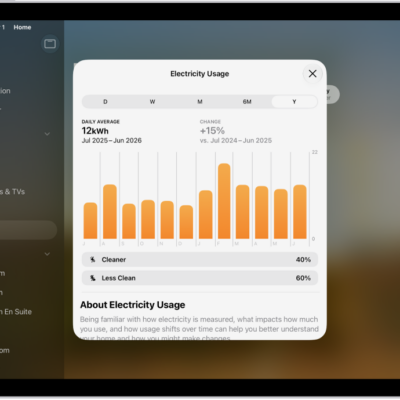
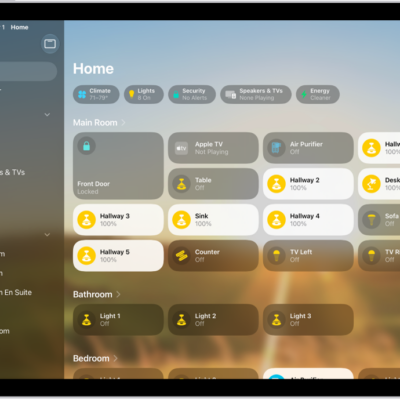
You can view electricity usage and rates on iPad with participating U.S. providers only. You can set up electricity usage and rate information, set up electricity usage and rate for multiple utility accounts, and disconnect your account from electricity usage and rate information.
You can get insight into your home electricity usage and electricity rate information by connecting your utility account to the Home app. This allows you to:
- View your home electricity usage over time and see how it’s trending.
- View how much electricity you used during cleaner and less clean periods, and find opportunities to shift your usage to help the environment.
- Learn more about your electricity rate plan, and if you’re on a time-of-use (TOU) plan, see if it’s currently a peak or off-peak time to help you decide when to use electricity, and see how much electricity you used during lower- and higher-cost periods.
- If you have rooftop solar, know when you used electricity from the grid and when you had a surplus and sent it back, as well as how your imports and exports varied across different rate periods and during cleaner and less clean times.
Electricity usage data is typically displayed with a lag of 24 to 72 hours.
Note: To use these features, you need to have a residential electrical service with a participating utility provider, and you must be the utility account owner or authorized user of the utility account.
Set up electricity usage and rate information
- Open the Home app on your iPad.
- Tap the Home tab and tap the More button. Then tap Home Settings.
-
Tap Energy and tap Connect Account.
Note: Participating utility providers are listed under Available Providers. If your utility provider isn’t listed, this feature isn’t currently supported in your area.
- Follow the onscreen instructions to link your compatible electricity account.
Set up electricity usage and rate for multiple utility accounts
You can add multiple utility accounts or providers to the Home app by creating an additional home.
- Open the Home app on your iPad.
- Tap the Home tab, tap the add button, tap Add New Home, and then tap Save.
- From the Home tab, tap the More button. Tap Home Settings.
-
Tap Energy and tap Connect Account.
Note: Participating utility providers are listed under Available Providers. If your utility provider isn’t listed, this feature isn’t currently supported in your area.
- Follow the onscreen instructions to link your additional compatible electricity account.
Disconnect your account from electricity usage and rate information
- Open the Home app on your iPad.
- Tap the Home tab and tap the More button. Then tap Home Settings.
- Tap Energy and tap your linked electricity account.
- Tap Disconnect Account.
See also