After you set up a Sleep Focus, you can quickly turn it on or off in Control Center. A Sleep Focus helps reduce distractions before and during bedtime. For example, it can filter out notifications and phone calls, and it can signal to others that you’re not available.
You can allow interruptions from people important to you, and customize the Lock Screen and Home Screen. It switches back on or off at your next scheduled bedtime or wake up time, and you can share its settings with your other devices.
Set up a Sleep Focus
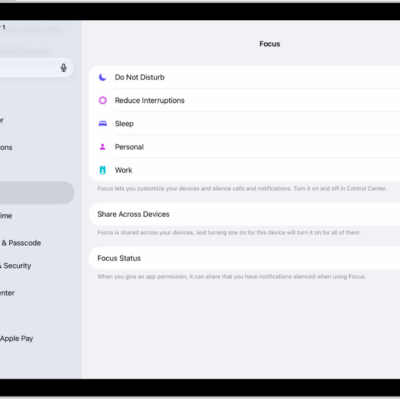
- Open the Settings app on your iPad.
- Tap Focus and tap Sleep.
-
Customize your Focus.
For example, you can allow interruptions from people important to you, customize the Lock Screen and Home Screen, and customize how apps and your devices behave when a Sleep Focus is on.
Quickly turn your Sleep Focus on or off
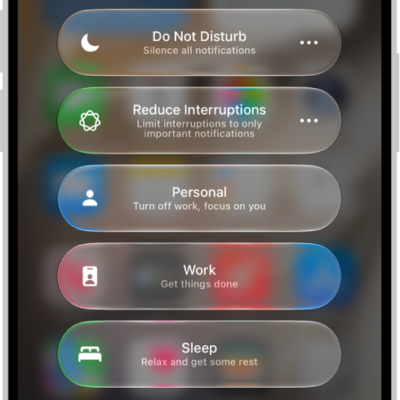
- Open Control Center on your iPad.
- Do one of the following:
- Turn the Sleep Focus on: Tap Focus and tap Sleep.
- Turn the Sleep Focus off: Tap Sleep, then tap Sleep again.
Quick tip: When your Sleep Focus is on, you can also turn it off quickly: Touch and hold Sleep on the Lock Screen, and then tap Sleep.
The next scheduled bedtime or wake up time turns your Sleep Focus on or off again.
To share your Sleep Focus settings with your other devices, make sure you have Share Across Devices turned on. Go to the Settings app, tap Focus, then tap Share Across Devices.
See also