Got a tip for us?

Chris Smith

Chris Smith is a senior editor at GeeksModo based in Canada. He likes to think of himself as a jack of all trades (and a master of at least a few), though he mainly focuses on iPhones and Macs. Often covering both at the same time. When not surrounded by various Apple devices while putting them through their paces, Chris can be found streaming the latest movies or series, gaming on his PS5, or getting fresh air on a hike in the beautiful wilderness of British Columbia.

Chris Smith's Articles

An iPad screen showing work in progress across two Notes windows and one Mail window.

How to work with multiple windows at the same time on iPad

You can work with multiple windows at the same time on iPad, and resize, move, and add windows as you work.
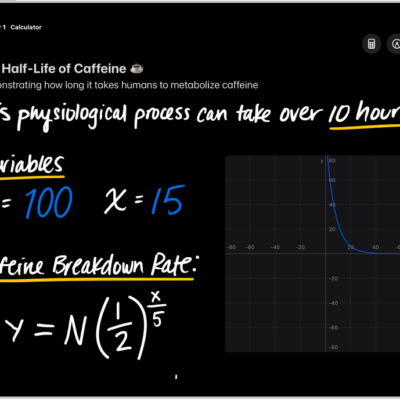
A Math Note open in Calculator, with a declared variable, an equation, and a graph.

How to work with graphs in Math Notes in Calculator on iPad

You can work with graphs in Math Notes in Calculator on iPad, in two or three dimensions, and overlay multiple equations.

Apple Pencil (USB-C).

How to pair and charge Apple Pencil (USB-C) with iPad

You can pair and charge Apple Pencil (USB-C) with iPad through the USB-C connector, and check its battery level.
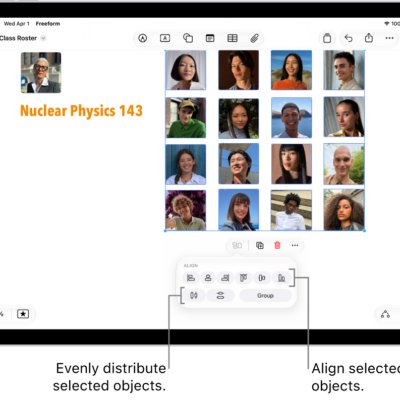
A Freeform board filled with a grid of photos. Several photos are selected, and the alignment and grouping tools appear below them.

How to position items on a Freeform board on iPad

You can position items on a Freeform board on iPad, move, rotate, and resize them, and align, group, or lock them.
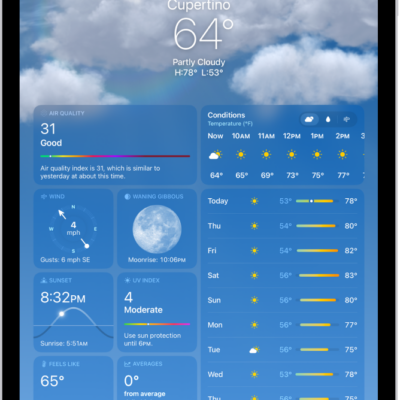
The Weather screen, showing the location, current temperature, the high and low temperatures for the day, hourly forecast, and 10-day forecast on the left side of the screen and a precipitation map and air quality scale on the right side of the screen.

What the Weather app icons mean on iPad

You can learn the weather icons on iPad and what each one means in the Weather app, from sunrise to fog and haze.
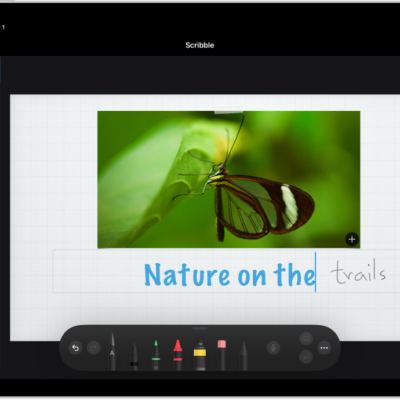
A title is being added to a Keynote slide. As text is handwritten using Apple Pencil, the words turn into typed text.

Ways to do more with Apple Pencil on iPad

You can do more with Apple Pencil on iPad, turn handwriting into typed text, mark up screenshots, and gather ideas in Freeform.
The Clear History menu. Below Clear Timeframe, Last hour is selected. All Profiles is selected below Clear For Profile. The Clear History button is at the bottom of the screen.

How to clear your cache and cookies on iPad

You can clear your cache and cookies on iPad by clearing your browsing history in Safari, and choose how much history to clear.
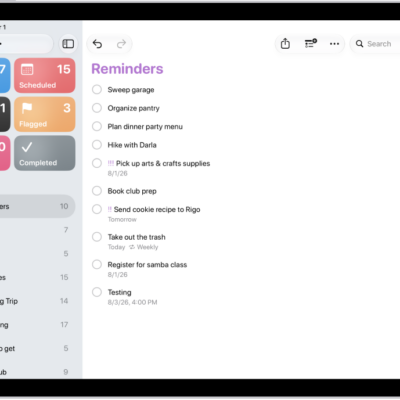
The Reminders app, showing a new task being added to the Reminders list.

How to create reminders on iPad

You can create reminders on iPad in Reminders or Calendar, from any app, or from a description with Apple Intelligence.
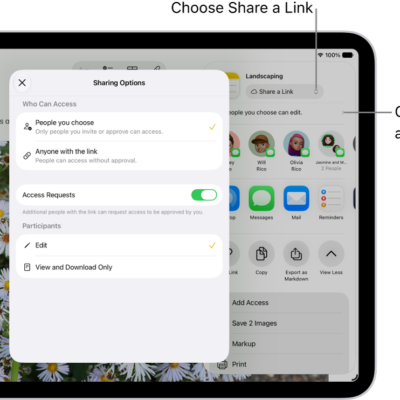
A collaboration invitation to a brainstorm in Notes, showing Share a Link for the share option and "People you choose can edit" as the access and permission setting. Four possible recipients, including a group, form a row below that. The next row offers different ways to share the note: AirDrop, Messages, Mail, and Reminders. The last row contains buttons to copy, export, and save the note.

How to collaborate on projects with Messages on iPad

You can collaborate on projects with Messages on iPad, invite people to a shared file, and manage or stop the collaboration.

The Add menu in Messages on iPad, listing several iMessage features: scheduled send, audio messaging, the App Store, GIF images, Digital Touch, location sharing, and music.

How to use iMessage apps in Messages on iPad

You can use iMessage apps in Messages on iPad to send polls, play games, record audio messages, and share songs.