









Kevin Hollington
Kevin Hollington's Articles
Contacts disappeared from iPhone after IOS 26 update? Fix
Did you update your iPhone to iOS 26 and now some or all of your contacts disappeared from your iPhone? If contacts aren’t showing up on your iPhone after iOS 26 update, you can use
How to fix iPhone black screen issue on iOS 26
Black screens might appear if your iPhone overheats, encounters a major error, or the screen itself breaks. To fix iPhone black screen on iOS 26, you should first plug your phone into a charger to
Apps Keep Crashing on Your iPhone After iOS 26 Update? Fix
Did you update your iPhone to iOS 26 and now your apps keeps crashing? So, why are your iPhone apps suddenly crashing on iOS 26? There are many reasons why you may be experiencing this
iPhone Not Vibrating After iOS 26 Update? How to Fix it
When your iPhone is in your pocket or bag, a vibration helps to inform you about an incoming call or text if you’re unable to hear the sound of your alert tone. If you’re in
How to fix notifications not showing up after iOS 26 update!
Notifications are not showing up on your iPhone after iOS 26 update and you don’t know what to do. You’re even starting to miss important messages, emails, and other alerts. Sometimes, you might not even
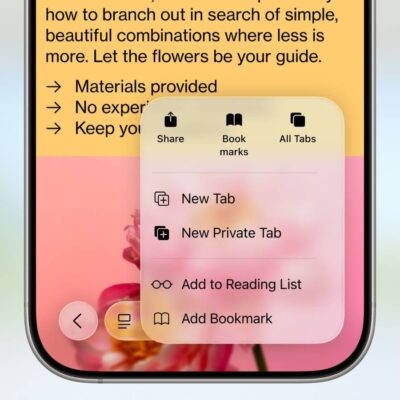
How to Troubleshoot Safari if It’s Running Slow on iOS 26
In iOS 26, Safari has received several notable changes. There’s a new look, an updated layout, and a new feature set. Some iPhone users have reported that Safari is running slowly after upgrading to iOS
Is your iPhone slow after iOS 26 update? Here’s the fix!
If your iPhone is running slow after iOS 26 update, making a few tweaks in the settings can significantly improve performance. Common fixes include restarting your iPhone and updating to the latest iOS version. You
How to fix iPhone dictation not working after iOS 26 update
Is your iPhone dictation not working after iOS 26 update? Or perhaps the dictation icon is nowhere to be found at all? Don’t worry; these are several simple troubleshooting steps you can follow when dictation
How to Fix iPhone Flashlight Not Working After iOS 26 Update
Many users have faced the frustrating issue of their iPhone flashlight not turning on after updating to iOS 26. For example, you might have seen that the flashlight button is grayed out in Control Center,

How to fix Face ID not working on iPhone after iOS 26 update
If Face ID is not working after iOS 26 update, start by making sure it’s enabled in Settings for any features you want it to unlock. You can create a second appearance in Face ID