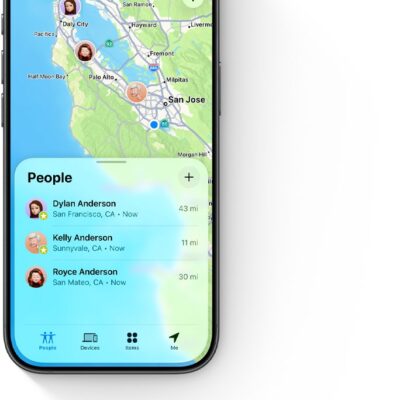
What if you’ve lost your Apple hardware and it’s in a place where it can’t reach a Wi-Fi network and either has no active cellular data plan or can’t reach a cellular base station? What if it’s stolen, and the thief has disabled network access through Control Center? What if you stuck an AirTag or other Find My item on your backpack and left it where you can’t remember—or it was taken from you at an unknown time?
Apple’s solution is anonymity-preserving crowdsourcing that relies on the billion active devices their customers use worldwide, running recent-enough versions of iOS, iPadOS, and macOS to participate. The system relies on devices that can’t connect with the internet or a paired device to begin transmitting an anonymized, encrypted Bluetooth network signal that other Apple hardware can pick up.
Find My crowdsourcing causes every supporting device or item to emit a Bluetooth beacon that incorporates an encrypted hardware identifier.
This ID changes at regular intervals to prevent the privacy or safety nightmare of a third party tracking you, your devices, or your items through a persistent ID. Even Apple doesn’t really know where your devices and items are when using crowdsourcing!
When a device or item sends this beacon varies between Apple devices and Find My items:
- iPhone, iPad, Mac, or Apple Watch: Find My must be enabled on the device (including the Find My network option), and it must be unable to make a connection to the internet.
- AirTags and other Find My items as well as Apple and Beats audio hardware: If the audio hardware is within Bluetooth range of its paired device, it acts like a device, relaying its location through it. When beyond that range, it broadcasts a Bluetooth beacon as if it were a Find My item.
While 2nd-generation AirTags have minimum operating system requirements to appear in Find My apps, there is no such issue for the Bluetooth signals they broadcast. Any device that can relay a 1st-generation AirTag’s location can relay that of a 2nd-generation AirTag. (See AirTag 2 vs AirTag.)
The original AirPods rely solely on Bluetooth-based location tracking. When within Bluetooth range, they appear in the Find My app under Devices. However, they don’t work with the crowdsourced network. You can’t mark those audio devices as lost, and you can find those devices only within range of their paired iPhone or iPad.
What Apple can and cannot see
This broadcast is recognized by anyone’s iPhone, iPad, or Mac running at least iOS 13/iPadOS 13 or macOS 10.15. If a device owned by another person has an internet connection, it encrypts a package containing the beacon’s name and location information obtained or inferred, and uploads it to Apple.
That information is stored in a very particular way:
- Apple doesn’t track what IP address or device uploaded it.
- Apple doesn’t know to which device or Find My item any Bluetooth ID is associated—only your hardware retains that.
- Apple doesn’t have encryption keys to extract location information.
It’s a beautiful system, in that no one—not Apple, the other equipment’s owner, or anyone sniffing in the area near your device—can determine who the hardware belongs to.
In the right circumstances using an iPhone, iPad, or Mac native version of the Find My app (see Precision Finding), you trigger retrieval of this location and timestamped location:
- The Find My app uploads a cryptographic secret that Apple can match against the encrypted bundles they have of Bluetooth ID and location.
- Apple’s servers transmit matching entries to the requesting device.
- Using a locally stored encryption key that only your devices possess, the bundles are unlocked to determine the last location found.
What you get back
Find My provides this information in two different ways depending on the hardware you’re using:
- iPhone, iPad, Mac, or Apple Watch plus audio hardware: The current location appears as expected in the Devices view of a native Find My app. If the device has an internet connection (direct or via a paired device for audio hardware), its location is a directly provided one; if it’s not connected to the internet, the Find My location appears when you use a Find My app.
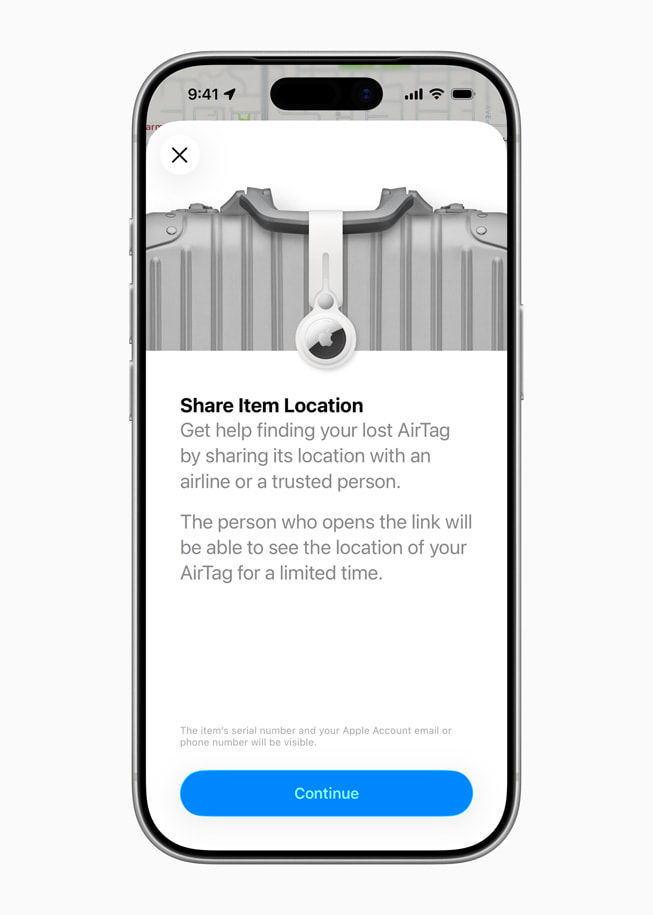
- AirTags and other items: The current or last-tracked location of a Find My network item, whether from a paired device or anyone else’s Apple device, is always shown in the Items view of the Find My or Find Items app. If you mark these devices as lost, you have more options: see what someone sees when they find your lost device.
In contrast to the Find My Device service, the Find My network is almost entirely one-way: you can determine where something is, but an owner can’t send a signal to the device unless it’s within Bluetooth range of an owner’s device. It also can’t be locked or erased as with internet-based Find My actions; See how to play a sound on a lost device or AirTag.
There are two actions you can perform as the owner of a Find My item:
- When marking an item as lost, you can provide a phone number that Apple also stores securely. Someone finding the item can retrieve that data from Apple.
- When you are near enough to connect to an item from one of your devices via Bluetooth, you can play a sound on it. This is particularly useful for finding a lost item in a classroom, home, or car, or for being notified of one nearby.
If someone’s iPhone or iPad detects that a Find My item or a Google Find Hub item is moving along with them—determined by Bluetooth proximity and across time—they are offered the opportunity to play a sound. That signal is sent via Bluetooth. (The same is true for an Android device detecting an Apple Find My item.) See what an “AirTag Found Moving With You” alert means.
Apple Designed the Find My Network To Deter Stalking
You might conclude that the design of the AirTag and other Find My items is both great for finding your own lost or stolen stuff—and a way someone might deploy tracking against you.
Fortunately, Apple included design elements in their Find My network for AirTags and third-party gear to try to protect the privacy of those who might be under observation without their knowledge, or who wind up accidentally transporting them. I dig into this in depth in Understand Stalking via Tracking.
Industry-Wide Anti-Stalking Standard Launched
Apple developed their system independently, though it offers a license and access to third parties. Facing criticism from a range of politicians and groups about stalking by tracker, Apple and Google—joined by several smaller firms—released a plan for interoperable industry support for identifying trackers across networks that went into effect in operating system and item updates in 2024. For more, see Active Stalking and an Industry Alliance.
You can also enable separation alerts. This feature notices when any Find My device or item is no longer in proximity to your iPhone or iPad. This might happen if you leave an iPhone in a coffee shop or it slips out of your pocket in a movie theater or you forget you put your iPad in an airplane seat’s unhygienic publication pocket. I explain separation alert management in Notifications for Devices and Items.
Google’s Find Hub offers a competing, non-interoperating ecosystem. Apple and Google don’t share location data with each other’s networks. But Android phones, iPhones, and iPads detect unwanted trackers across both ecosystems. See how to check whether someone is tracking you.