You can change your Activity goals and customize your Activity ring goals by the day of the week. You can also pause your Activity rings and resume them at any time.
It helps if you find your goals either too challenging or not challenging enough. And every Monday, you’re notified about the previous week’s achievements, so you can adjust your goals for the next week. Apple Watch even suggests goals based on your previous performance.
Change your goals
If your Activity goals feel either too challenging or not challenging enough, you can change them.
- Go to the Activity app on your Apple Watch.
- Turn the Digital Crown to a ring. Then tap the Change Goals button.
-
Tap one of the following:
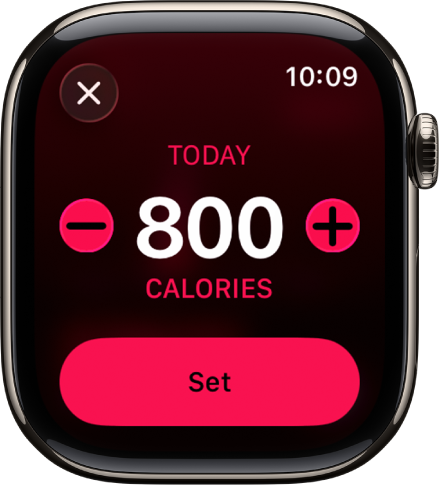
- Change for Today: Set a temporary goal for your Activity ring for today.
-
Change Daily Goal: Customize your Activity ring goal by the day of the week.
To customize your goal by the day of the week, tap the Goal Type button in the top-right corner, then tap Schedule.
- Tap the Minus button or the Plus button to adjust a goal and tap Set or Set Schedule.
You’re notified every Monday about the previous week’s achievements, and that’s when you can adjust your goals for the next week, with your Apple Watch suggesting goals based on your previous performance.
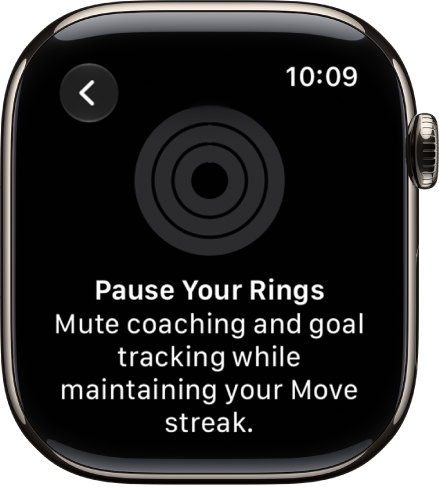
Pause your rings
Need a break? Pause your Activity rings for up to 90 days, and your award streak won’t break. You can resume at any time.
- Open the Activity app on your Apple Watch.
- Tap the Activity rings, then tap Pause Rings.
- Tap a duration, or tap Custom to set a custom duration.
To resume your rings, tap the Activity rings, then tap Resume Rings. To edit the duration of your pause, tap Edit Pause, turn the Digital Crown to set a custom duration, then tap Set.
See also