iPhone has an internal, lithium-ion rechargeable battery. Compared with traditional battery technology, lithium-ion batteries are lighter, charge faster, last longer, and have a higher power density for more battery life.
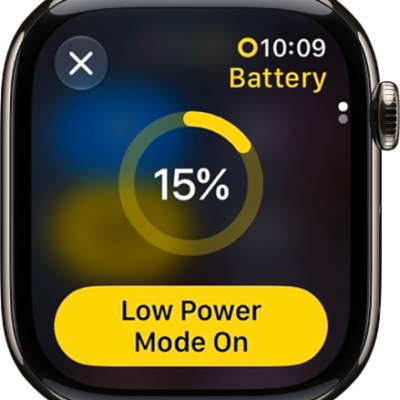
The battery icon tells you the battery level or charging status. If iPhone is very low on power, you’ll see an image of a nearly depleted battery, and it may need to charge for up to 10 minutes before you’re able to use it. You can improve charging speed and learn how charging behaves, too.
About charging the battery
The battery level or charging status appears in the battery icon. Charging can take longer while you’re syncing or using iPhone.
An image of a nearly depleted battery may appear when iPhone is very low on power, which means it needs to charge for up to 10 minutes before it’s ready to use. And when iPhone is extremely low on power as you begin charging, the display may be blank for up to 2 minutes before that low-battery image shows up.
Charge the battery
When it’s time to charge iPhone, you can do any of the following:
-
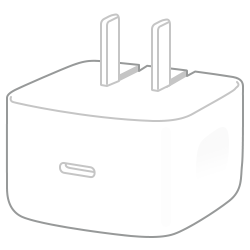
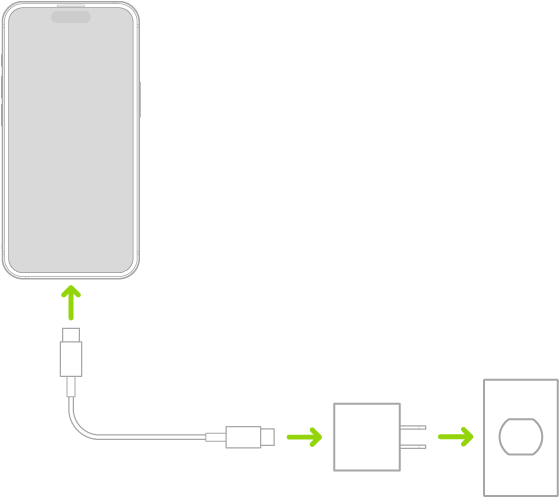
Connect iPhone to a power outlet using the charging cable (included) and an Apple USB power adapter or other compatible power adapter (sold separately).
-
Place iPhone face up on MagSafe Charger (connected to Apple 20W USB-C power adapter or other compatible power adapter) or on a Qi-certified charger. (MagSafe Charger, power adapters, and Qi-certified chargers are sold separately.)
Note: You can also use third-party power adapters and Qi-certified chargers that are compliant with applicable country regulations and international and regional safety standards.
- Connect iPhone and your computer with a cable.
A computer that’s turned off can drain the battery of an iPhone connected to it instead of charging it, so make sure your computer is turned on. To confirm your iPhone is charging, look for the Charging icon on the battery icon.
Note: Unless your keyboard has a high-power USB port, don’t try to charge your iPhone by connecting it to the keyboard.
An iCloud backup can start when you connect iPhone to a power outlet or place it on a wireless charger.
WARNING: If you suspect there may be liquid in the charging port of iPhone, don’t plug the charging cable into it.
Improve charging speed
If your iPhone is charging slowly, you’ll see a Slow Charger message in the Settings app, then tap Battery. This message appears when your iPhone supports fast charging but the connected charger isn’t capable of delivering optimal power.
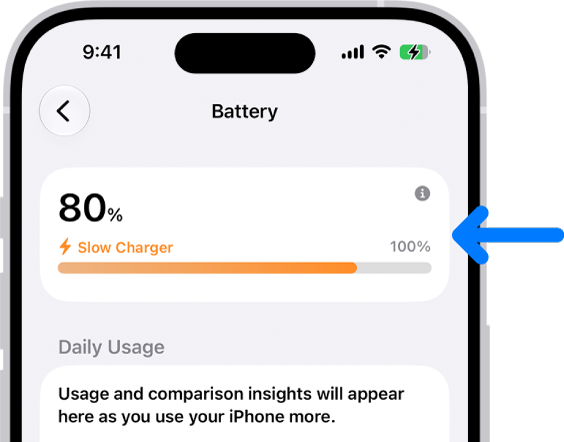
Charging can take longer than you’d expect with either of these:
- A wired charger that provides 7.5 watts or less
- A wireless charger that provides less than 10 watts, such as a Qi-certified charger
Understand charging behavior
To help preserve long-term battery health, iPhone manages how it charges, and here’s what happens along the way:
- Fast charging up to 80%: iPhone charges quickly until the battery reaches about 80%.
- Trickle charging after 80%: Charging slows to reduce battery stress and limit heat. This final stage helps maintain battery lifespan.
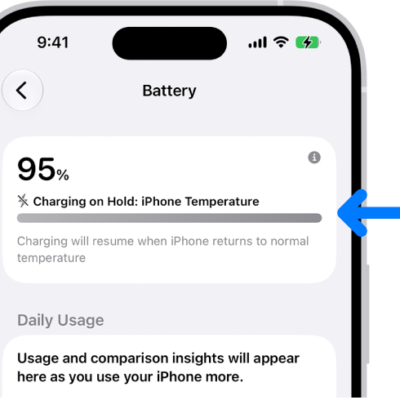
- Temperature: Charging may pause temporarily while in extreme temperature conditions, and resumes once the battery’s temperature returns to its normal operating range.
These protections happen automatically, without any changes to your settings.
About charge cycles and battery lifespan
The capacity of any type of battery will diminish after a certain amount of recharging. With lithium-ion batteries, the capacity diminishes slightly with each complete charge cycle. Apple lithium-ion batteries work in charge cycles and retain about 80% of its original capacity for a high number of charge cycles, depending on the product.
A charge cycle happens when you use a total of 100% of your battery’s capacity,* even if it’s not all at once. For example, you might use 75% of your battery’s capacity one day, then recharge it fully overnight. If you use 25% the next day, you will have discharged a total of 100%, and the two days will add up to one charge cycle.
Quick tip: Don’t worry about topping up throughout the day, since partial charging won’t harm the battery. Features like Optimized Battery Charging or Charge Limit can even help extend its life further.
Use and settings affect battery life and charge cycles.
The iPhone battery should be serviced or recycled by Apple or an Apple Authorized Service Provider.
*A complete charge cycle is normalized between 80% and 100% of original capacity to account for expected diminishing battery capacity over time.