How to enable cookies on iPad
You can enable cookies on iPad. Some websites use cookies to keep track of your activity, such as your settings, and enabling cookies allows websites that require them to work normally. You can also clear your cache and cookies on iPad.
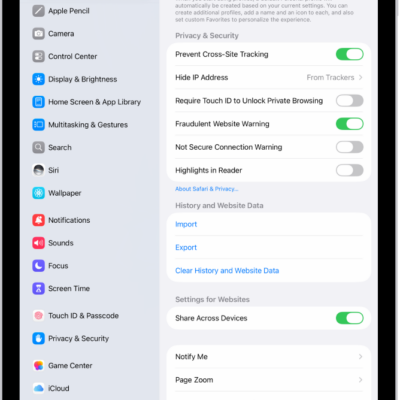
- Start the Settings app on your iPad.
- Tap Apps, then tap Safari.
- Tap Advanced and turn off Block All Cookies.
See also
Read Next
You can get a warning when you visit websites that use HTTP on iPad by turning on Not Secure Connection Warning in Safari.
You can view your Safari tabs from another Apple device on iPad, and keep tabs and Tab Groups updated across your devices.
You can customize your Safari settings on iPad, change your start page and text size, and adjust display and privacy settings.