In the Clock app, you can use the stopwatch to measure the duration of an event. It keeps timing even when you open another app or iPad goes to sleep, and you can record laps or splits. You can also switch between digital and analog stopwatch faces in portrait orientation.
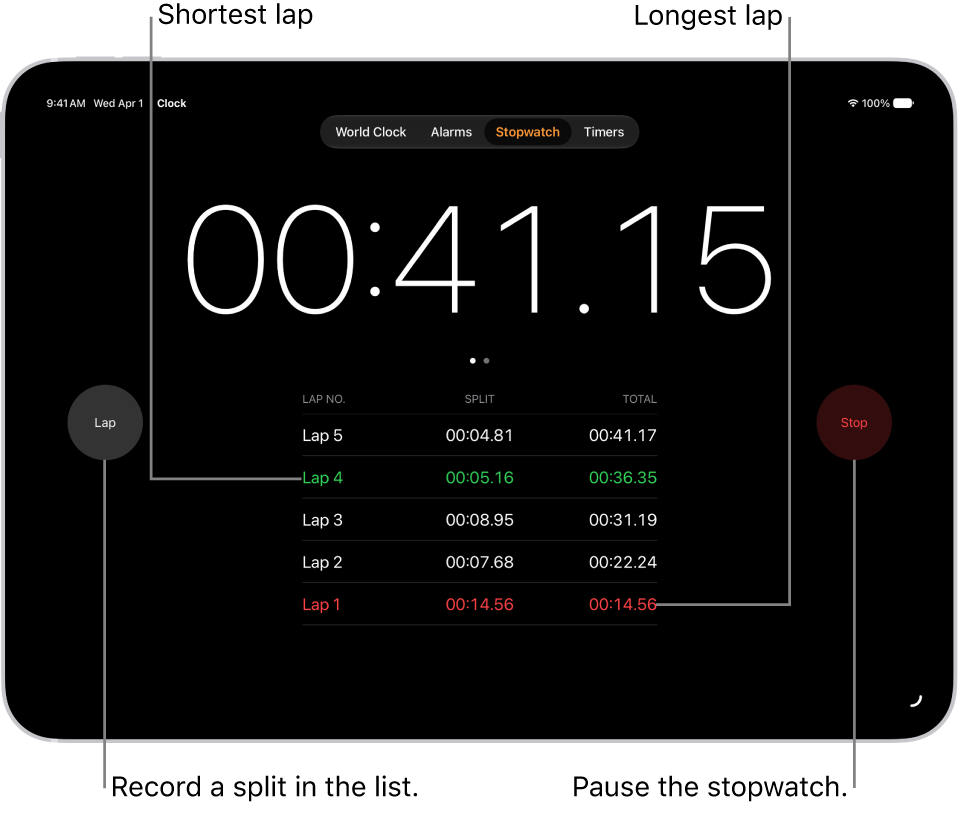
- Start the Clock app on your iPad.
-
Tap Stopwatch.
Note: With iPad in portrait orientation, you can switch between the digital and analog faces by swiping the stopwatch.
-
Tap Start.
The timing continues even if you open another app or if iPad goes to sleep.
- To record a lap or split, tap Lap.
- Tap Stop to record the final time.
- Tap Reset to clear the stopwatch.
See also
Tag: Clock