You can perform basic arithmetic calculations with the calculator. You can also quickly calculate a tip and split the check.
When you split the check, you see the tip amount, the total amount, and what each person owes. The Tip feature is not available in all countries or regions, though. And if you remove the Calculator app from your iPhone, it’s removed from your watch, too.
Here’s how to use Calculator on Apple Watch.
Siri: Ask Siri something like, “What’s 73 times 9?” See Ask Siri to get information.
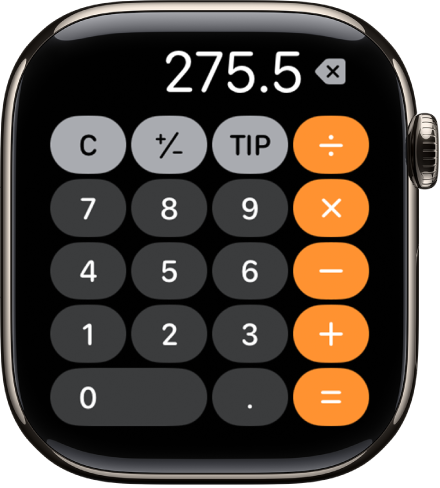
Perform a quick calculation
- Start the Calculator app on your Apple Watch.
- Tap numbers and operators to get a result.
Split the check and calculate a tip
- Start the Calculator app on your Apple Watch.
- Enter the total amount of the bill and tap Tip.
- Turn the Digital Crown to choose a tip percentage.
-
Tap People and then turn the Digital Crown to enter the number of people sharing the bill.
You see the tip amount, the total amount, and how much each person owes if the bill is split evenly.
Note: The Tip feature is not available in all countries or regions.
Note: Remove the Calculator app from your iPhone, and it’s removed from Apple Watch, too.