









By default, your iPhone 18 Pro Max takes 24MP photos. However, some settings could lower that number, and you could have enabled them without knowing. So, read on to discover how to fix this issue.
Adjust the Camera’s Aspect Ratio
If you know what aspect ratio is in photography, then you most likely don’t need this guide. Simply put, the aspect ratio is essentially the ratio of the width to the height of an image.
The default aspect ratio on the iPhone is 4:3 since the camera sensor is 4:3. If you’ve set the aspect ratio to anything else, your iPhone will use only part of its sensor, which leads to lower details and, therefore, lower megapixels. So, here’s how to change your iPhone camera’s aspect ratio:
-
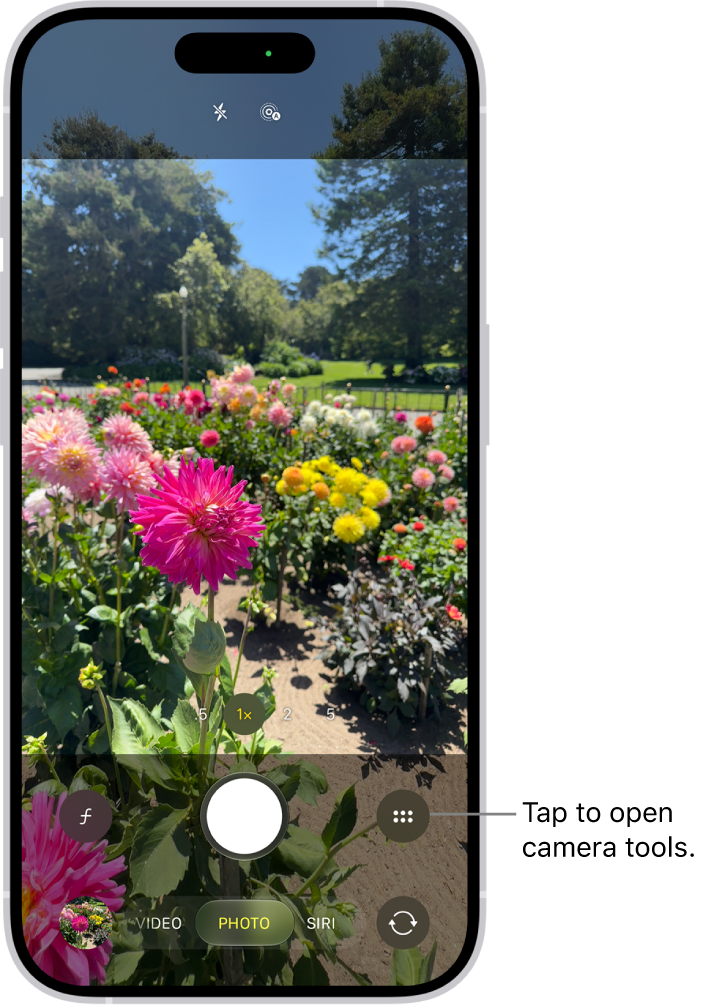
Open the built-in Camera app on your iPhone 18 Pro Max, and make sure your phone is in Photo mode.
-
Swipe up in Photo mode to reveal the camera options.
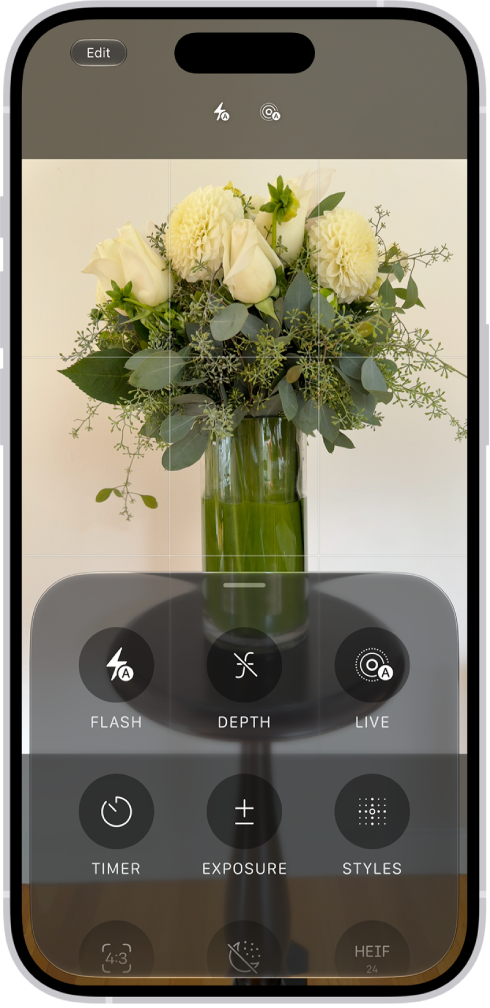
- Tap Aspect, then tap 4:3.
If your aspect ratio returns to 16:9 or 1:1 upon relaunching the Camera app, you can fix it in Settings > Camera > Preserve Settings. Toggle Creative Controls off, and your aspect ratio should return to the default every time you relaunch it.
Shoot in a Pro Format
The iPhone 18 Pro and iPhone 18 Pro Max can deliver the best possible image resolution when you shoot in a Pro format. But since it’s not enabled by default, you’ll need to follow these steps:
- Go to Settings > Camera and tap on Formats.
- Make sure Photo Mode is set to 24 MP.
- Toggle on ProRAW & Resolution Control.
- Tap ProRAW Format, then select an option.
Enjoy Better Quality Pictures on Your iPhone 18 Pro Max
While resolution and megapixels aren’t the only things you need to make a good photo, they certainly offer the minimum standard for quality. With higher megapixels, you have a photo that you can do more things with and manipulate without losing too much quality.

