You can wirelessly charge iPhone using a Qi-certified charger (sold separately). You can also use a Qi-certified charger to charge AirPods.
It works with the power adapter that came with your charger, or one the manufacturer recommends, and when iPhone is lined up properly on the charger, you’ll see the Battery Charging icon in the status bar.
Charge iPhone or AirPods with a Qi-certified charger
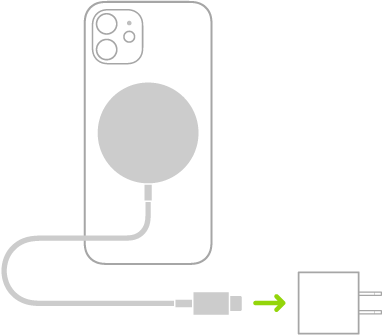
- Connect the charger to power. Use the power adapter that came with your charger or a power adapter recommended by the manufacturer.
- Do one of the following:
- iPhone: Place iPhone face up on the center of the charger. When iPhone is aligned properly with the charger, the Battery Charging icon appears in the status bar.
- AirPods 2 (with Wireless Charging Case), AirPods 3, AirPods 4 (with Active Noise Cancellation), and AirPods Pro: Place your AirPods in the charging case, close the lid. Place the case with the status light facing up on the center of the charger. When the case is aligned properly with the charger, the status light turns on for several seconds. Turns off while continuing to charge.
Tag: Battery