Got a tip for us?

Mac Products

Here are the best MacBooks for engineering students according to our testing

Apple MacBooks have always been an excellent choice for most students thanks to their power and durability.

We combined firsthand experience with research to determine our picks for the best laptops for engineering students. With that in mind, read on for our picks of the best MacBooks for engineering students.

Which is the best MacBook for engineering students now?

The best MacBook for engineering students remains the MacBook Air, which was updated for 2022. It’s also the best MacBook for computer science students and one of the best MacBooks for IT students. There are other noteworthy models we’ve gathered to help you choose the one that fits your needs best.

The best MacBooks for engineering students you can buy today

1. MacBook Air (2022)

The best MacBook for engineering students who want fresh design and excellent internals
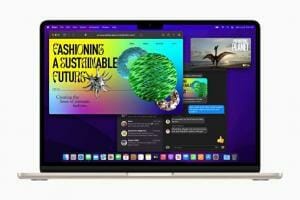
MacBook Air in starlight showcasing M2 running multiple applications.  

Specifications

CPU: M2 GPU: M2 (Integrated) RAM: 8GB/16GB/24GB Size: 11.97 x 8.46 x 0.44 inches Display: 13.6-inches, 2560 x 1600 pixels Weight: 2.7 pounds Storage: 256GB/512GB/1TB/2TB

Why it’s the best MacBook for engineering students

The MacBook Air for 2022 has received an incredible design change and updated internals, making this the Apple laptop most engineering students should purchase to start the new school year. Featuring an Apple M2 chip, the MacBook Air (2022) offers a 13.6-inch Liquid Retina display for the first time and provides up to 18 hours of battery life between charges. It’s also available in two fabulous new colors, Starlight and Midnight, although it’s still available in Space Gray and silver.

The M2 chip makes this MacBook Air up to 1.4 times faster than the previous model. It features an 8-core CPU, up to 10-core GPU, and a 16-core Neural Engine. In addition, the entry-level model comes with 8GB of unified memory, which can be increased to 16GB or 24GB. On the storage side, you can purchase one with 256GB, 512GB, 1TB, or 2TB.

This MacBook Air also comes with a MagSafe port that connects easily and quickly releases if the charging cable is accidentally pulled. There’s also an all-new 1080p FaceTime HD camera for those critical video online presentations. At just 2.7 pounds, this is the lightest MacBook Air you can currently buy, making it easy to carry it to lecture halls and library.

If there’s one negative about the MacBook Air (2022) is its price. For many years, this model started at $999. However, the entry-level model is now $1,199, which pushes it very close to the entry-level MacBook Pro, which starts at $1,299.

The MacBook Air is a gorgeous machine and a practical choice for most engineering students today. It’s also our favorite Mac of the year.

Pros

  • Apple M2 chip
  • 13.6-inch Liquid Retina display
  • Up to 18 hours of wireless web between charges
  • MagSafe
  • Lightweight

Cons

  • Only two Thunderbolt 3 (USB-C) ports
  • Maximum storage is 2TB
  • No longer "cheap."

2. 13-inch MacBook Pro M2 (2022)

The best MacBook for engineering students who want an excellent battery life
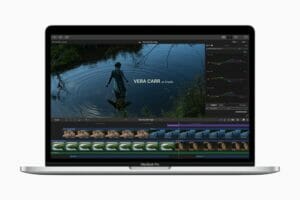
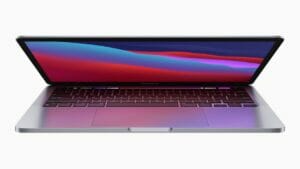
The M2-powered 13-inch MacBook Pro.

Specifications

CPU: Apple M2 (8-core) GPU: Apple M2 GPU (10-core)RAM: 8GB/16GB/24GB sSize: 12 x 8.4 x 0.6 inches Display: 13.3 inches, 2560 x 1600 pixel Weight: 3.1 pounds Storage: 256GB/512GB/1TB/2TB

Why it’s the best MacBook for engineering students

Like the MacBook Air (2022), the 13-inch MacBook Pro (2022) includes an Apple M2 chip. It has an 8-core CPU, 10-core GPU, and 16-core Neural Engine. You can purchase one with 256GB, 512GB, 1TB, or 2TB of storage and up to 24GB of unified memory. This model also includes Apple’s Touch Bar, which can be viewed as a pro or con, depending on your preferences. It’s the last MacBook to have the Touch Bar.

The recently updated 13-inch MacBook Pro is very similar to the MacBook Air (2022) in terms of its internals. However, critical differences on the outside keep this from being our favorite MacBook for engineering students.

But unlike the MacBook Air (2022), the 13-inch MacBook Pro (2022) spots a 13.3-inch Retina display, a 720p FaceTime HD camera, and no MagSafe. It also weighs more at 3 pounds vs. the Air’s 2.7 pounds.

On the positive side, you’ll get up to 20 hours between battery charges on this model, so if you want a MacBook with an excellent battery life, you may opt for this one.

There’s much to love about this machine, which offers ever-so-slightly better internals than the MacBook Air.

Pros

  • Same internals as MacBook Air
  • Apple M2
  • 20 hours between battery charges

Cons

  • No MagSafe
  • Older design
  • Slightly smaller display

3. 16-inch MacBook Pro (2023)

The best MacBook for engineering students who want extremely powerful laptop

14 and 16 inch MacBook Pro devices are shown

Specifications

CPU: 3.3GHz Apple M2 Pro 12 cores (8P/4E) Gam: 32GB LPDDR5 Size: 0.66 by 14 by 9.8 inches Display: 16-inch 3,456×2,234 254ppi 3:2 aspect ratio; 500 nits SDR, 1,600 nits HDR Weight: 4.7 lbs/2.2kg Storage: 2TB Apple SSD AP2048Z, SD card slot

Why it’s the best MacBook for engineering students

Internally, the third-generation 16-inch MacBook Pro (2023) is the best MacBook engineering students can currently buy. Like the 14-inch MacBook Pro (mentioned below), this model offers an M2 Pro or M2 Max SoC with up to 96GB of unified memory and 8TB of SSD storage. That’s a lot of storage for your photos and videos. In addition, you get a 12-core CPU and up to 38-core GPU.

But there’s much more. The latest 16-inch MacBook Pro comes with a Liquid Retina XDR display (3456 by 2234 pixels) with ProMotion technology for adaptive refresh rates up to 120Hz. It’s also packed with up to 22 hours of battery life between charges and comes with an all-new 1080p FaceTime HD camera with an advanced image signal processor and computational video.

The 14-inch and 16-inch MacBook models (2023), some of the best MacBooks available, also include MagSafe, an HDMI port, and an SDXC card slot, besides its three Thunderbolt 4 (USB-C) ports. If you’re looking for any negatives, understand this is the heaviest MacBook Pro in many years (4.7 pounds). It’s also costly, even at the base level.

Pros

  • Class leading performance
  • Crisp retina display
  • Excellent battery life

Cons

  • Very expensive
  • Heavy (4.7 lbs)

4. 14-inch MacBook Pro (2023)

The best MacBook for engineering students who want versatility at a lower price

14 inch MacBook Pro device is shown

Specifications

CPU: M2 Pro (10-core CPU, 16-core GPU or 12-core CPU, 19-core GPU), with optional M2 Max with up to 12-core CPU and 38-core GPU GPU: 16GB to 96GB Size: 12.3 x 8.7 x 0.6 inches Display: 14.2-inch Liquid Retina XDR display (3024×1964 pixels, 254ppi) Weight: 3.5 pounds (M2 Pro) – 3.6 pounds (M2 Max) Storage: 512GB to 8TB

Why it’s the best MacBook for engineering students

The new MacBook Pro 14-inch 2023 raises the bar for laptop performance, with the M2 Pro chip delivering incredible speed in our testing. The M2 Max is even faster, especially when it comes to graphics performance. You also get a stellar mini-LED display, plenty of ports and over 14 hours of battery life. Yes, it’s pricey, but the new MacBook Pro cannot be beat.

This is the best MacBook for engineering students who want everything on the 16-inch MacBook Pro but with a smaller display. In addition, it offers similar internals for less. Nonetheless, it’s still an expensive computer, which is something to keep in mind.

Our best advice for students is to buy as much memory and storage as they can afford. And remember, you can’t change these options after purchase since upgrades aren’t possible. With this in mind, consider the option of an Apple M1 Pro with a 10-core CPU, 16-core GPU, and 16-core Neural Engine that comes with 1TB of storage and at least 32GB of unified memory.

The 14-inch MacBook Pro is nearly identical to the 16-inch model except for the smaller display and price.

Pros

  • Blistering performance
  • Vibrant mini-LED display
  • Superb battery life
  • Good port selection includes HDMI and SD Card
  • Faster Wi-Fi 6E

Cons

  • Expensive
  • Notch is distracting
  • No Face ID support

5. MacBook Pro 2021 (16-inch)

Best MacBook for engineering students who want a machine that delivers best-in-class performance

SPECIFICATIONS

CPU: M1 Pro (10-core CPU) | M1 Max (10-core CPU) GPU: Integrated 16-core GPU) RAM: 16GB to 64GB Size: 14 x 9.8 x 0.7 inches Display: 16.2 inches; 3456×2244 pixels Weight: 4.7 pounds (M1 Pro) | 4.8 pounds (M1 Max) Storage: 512GB to 8TB

Why it’s the best MacBook for engineering students

The MacBook Pro 2021 (16-inch) is an across-the-board improvement over its predecessor, so if you’ve been considering investing in a 16-inch Pro this is unquestionably the model to buy. With its remarkable battery life, outstanding speed, smartly redesigned chassis and big, beautiful screen, this is a versatile pro laptop that will serve you equally well in your engineering studies. And if you’re willing to pay the price, configuring it with one of Apple’s brawny new M1 Max chips will guarantee you some of the best performance you can buy in a MacBook.

The 2021 MacBook Pro replaces the Touch Bar with function keys, continues the resurgence of Mac keyboard with an excellent scissor-switch design, and adds more ports – including the long-absent SD card slot.

It even brings back MagSafe, and finally overhauls the 720p camera system we’ve had for far too long, all while expanding the power of the M1 with the M1 Pro or M1 Max – magnitudes more powerful than even last year’s laptops. Apple is even happy for the laptop to be a little on the heftier side, with increased thickness and weight.

All of this extra power makes it perfect for resource intensive tasks, which is why we’re it as one of the best MacBooks for engineering students.

It feels like a MacBook mea culpa, and it’s better for it – and that’s without getting to the gorgeous new display which absolutely blows away premium Windows models. It even makes the prior MacBook Pro’s screen look a little old-fashioned. Some will scoff at the notch that houses the camera, but as far as accuracy and vibrancy goes, it’s the best laptop display out there.

Pros

  • Gorgeous Liquid Retina XDR display
  • Outstanding battery life
  • Great speakers
  • Extremely powerful
  • Plenty of ports

Cons

  • Display is sub-4K
  • Camera notch
  • Expensive, especially with M1 Max

Engineering students pet

In 2023, our best MacBook for engineering students is the MacBook Air (M2, 2022). It’s the best choice for most students. This incredible device offers Apple’s new M2 SoC processor and includes Touch ID, Magic Keyboard, Force Touch trackpad, and two Thunderbolt 3 ports. There’s also a 1080p FaceTime HD camera and MagSafe. It’s also pretty lightweight and has 18 hours of battery life, so you can attend lectures uninterrupted.

If the Air doesn’t have you convinced, perhaps the 13-inch MacBook Pro (M2, 2022) is a an excellent choice. There’s a Touch Bar, two more hours of battery life, and a better GPU at the entry point. Finally, if money is less than an object and you want maximum internals, consider the 14-inch or 16-inch MacBook Pro models. They each feature a powerful M2 Pro or M2 Max chip.

How we test the best engineering students laptops

To find the best Apple laptop for engineering students, we run each through our gauntlet of benchmarks and real-world tests, and then use them as our main computer for as well. Only then are we comfortable recommending them (or not) for your purchase.

We use a Klein K-10A colorimeter to test each MacBook’s screen to find its average brightness and color quality (so we don’t just assume Apple’s ratings are correct). When it comes to general performance, we use the Geekbench 5 (CPU performance) benchmark, and time how long the Macs will take to transcode a 4K video to 1080p.

We also run the BlackMagic storage speeds test to see how fast these MacBooks’ SSDs are (spoiler alert: they’re all pretty fast). Then, we run our custom battery test to see how long each MacBook (at 150 nits of brightness) can last browsing the web over Wi-Fi until it runs out of juice.

We’ve also tested various computer games on MacBooks, with Civilization VI: Gathering Storm being one of our current favorites to run because it runs well on both macOS and Windows, giving us a good point of comparison.

No matter which Apple MacBook you buy, be sure to check out these MacBook Ventura tips and tricks to make the most of your Apple laptop.
These are the best MacBooks for media students according to our testing

Apple MacBooks have always been an excellent choice for media students thanks to their power and durability.

We combined firsthand experience with research to determine our picks for the best laptops for media students. With that in mind, read on for our picks of the best MacBooks for media students.

Which is the best MacBook for media students now?

The MacBook Air (M2, 2022) is the best MacBook for media students. It has enough power to face almost any academic challenge. There are other MacBooks to consider depending on your situation, as you can see below.

These are the best MacBooks for media students you can buy today

1. MacBook Air (M2, 2022)

The best MacBook overall for media students

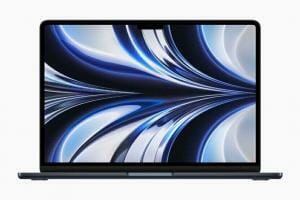
MacBook Air in midnight displaying a wallpaper.  

Specifications

CPU: M2 GPU: M2 (Integrated) RAM: 8GB/16GB/24GB Size: 11.97 x 8.46 x 0.44 inches Display: 13.6-inches, 2560 x 1600 pixels Weight: 2.7 pounds Storage: 256GB/512GB/1TB/2TB

Why it’s the best MacBook for media students

In mid-2020, Cupertino announced Apple silicon, starting with an impressive M1 processor. The 2022 MacBook Air, which we gave five stars, is the first to house the second-gen M2 processor. The 2022 MacBook Air is the best MacBook for media students, along with being our favorite Mac for all users, because it packs a punch for anyone on a smaller budget, starting with its battery life — up to 18 hours between charges, depending on what you’re doing.

At 2.7 pounds, the MacBook Air is the lightest Mac on the market despite having the same screen size as the smallest MacBook Pro model. Besides being less weighty, the MacBook Air also contains the same essential internals, including Apple’s all-new M2 SoC. The laptop also features a backlit Magic Keyboard and a Touch ID sensor.

No doubt, the MacBook Air is appealing. However, it has drawbacks, including fewer Thunderbolt 3 ports, less display brightness, and more inferior speakers than most MacBook Pro models. It also offers two hours less battery life between charges than the 13-inch MacBook Pro (M2, 2022). None of the disadvantages should stop you from buying it, however.

Pros

  • Same screen size as 13-inch MacBook Pro
  • Up to 18 hours of wireless web battery between charges
  • Relatively low price
  • Apple M2!

Cons

  • Only two Thunderbolt 3 (USB-C) ports
  • Lower display brightness than other models

2. 16-inch MacBook Pro (2023)

Best MacBook for media students who need extremely powerful laptop

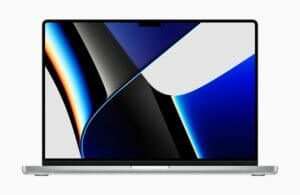
14 and 16 inch MacBook Pro devices are shown

Specifications

CPU: 3.3GHz Apple M2 Pro 12 cores (8P/4E) Gam: 32GB LPDDR5 Size: 0.66 by 14 by 9.8 inches Display: 16-inch 3,456×2,234 254ppi 3:2 aspect ratio; 500 nits SDR, 1,600 nits HDR Weight: 4.7 lbs/2.2kg Storage: 2TB Apple SSD AP2048Z, SD card slot

Why it’s the best MacBook for media students

Apple’s 2023 flagship, the MacBook Pro 16-Inch marries a proven, immaculate design with a fireball M2 Max CPU for fierce power in media creation, gaming, and high-end professional tasks. (Plus, it lasted nearly 27 hours on our battery test.)

The 16-inch MacBook Pro is the computer to get if you need the most power possible. You can configure it with several options, whether you need that M2 Max processor, 96GB Unified Memory or 8TB of storage.

Even at its base configuration, a 12-core M2 Pro with 16GB of RAM, 512GB of storage, and a 19-core GPU, the 16-inch model will handle any task a student throws at it. So if you want a no-doubt-about-it machine, get this MacBook Pro.

Pros

  • Unmatched laptop power
  • Exceptional battery life
  • Top-class mini LED display
  • Unbelievable speakers
  • Apple’s best laptop design

Cons

  • Expensive across the board
  • Limited upgradability
  • Camera notch still takes getting used to

3. 13-inch MacBook Pro (M2, 2022)

The best MacBook for media students who want long battery life

The Liquid Retina XDR display is shown on 14 Inch MacBook Pro.

Specifications

CPU: Apple M2 (8-core) GPU: Apple M2 GPU (10-core)RAM: 8GB/16GB/24GB sSize: 12 x 8.4 x 0.6 inches Display: 13.3 inches, 2560 x 1600 pixel Weight: 3.1 pounds Storage: 256GB/512GB/1TB/2TB

Why it’s the best MacBook for media students

The 13-inch MacBook Pro (M2, 2022) is a great middle-ground. It packs an M2 processor, excellent graphics, more ports, and a long battery life.

Three factors stand out when comparing the 13-inch MacBook Pro (M2, 2022) with the MacBook Air (M2, 2022). First, the Pro model offers a Touch Bar, while the Air only has a Touch ID. Second, the former offers up to two more battery life hours. The Pro model also offers more screen brightness and better speakers. You’ll pay at least $200 extra for these extras, but it may be worth it depending on your needs.

Pros

  • Comes with potential extras
  • Great battery life
  • Touch Bar included
  • Slightly better display than MacBook Air

Cons

  • Dated design
  • Touch Bar might not be for you
  • Price can rise quickly as you add components

4. MacBook Air (M1, 2020)

The best MacBook for media students on a budget

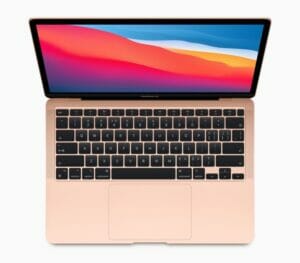
The M1-powered MacBook Air in rose gold.

Specifications

CPU: M1 GPU: M1 (integrated) RAM: 8GB/16GB Size: 12 x 8.4 x 0.6 inches Display: 13.3 inches, 2560 x 1600 pixel Weight: 2.8 pounds Storage: 256GB/512GB/1TB/2TB

Why it’s the best MacBook for media students

One of the first Apple silicon Macs, the MacBook Air (M1, 2020), still packs a punch, even though there’s a newer model now that’s a better choice for most media students. The No. 1 reason to get the 2020 model? Price — assuming you can find one with a huge discount.

The MacBook Air (M1, 2020) still contains plenty of power for the media students on a smaller budget, starting with its battery life. When we reviewed this device two years ago we were impressed with its up to 18 hours of battery life between charges, depending on what you’re doing. At 2.8 pounds, this model is one of the lightest laptops on the market. Besides an M1 chip, it offers a backlit Magic Keyboard and a Touch ID sensor.

Pros

  • Incredible performance-per-watt
  • Huge battery improvement over Intel-based MacBook Air
  • Classic design with new scissor-switch keyboard

Cons

  • Not that much cheaper than 2022 model
  • Older design
  • Poor webcam

5. 14-inch MacBook Pro (2023)

The best MacBook for media students who are looking for the most potent MacBook current available but need a slightly smaller display

14 inch MacBook Pro device is shown

← Back

Thank you for your response. ✨

Specifications

CPU: M2 Pro (10-core CPU, 16-core GPU or 12-core CPU, 19-core GPU), with optional M2 Max with up to 12-core CPU and 38-core GPU RAM: 16GB to 96GB Size: 12.3 x 8.7 x 0.6 inches Display: 14.2-inch Liquid Retina XDR display (3024×1964 pixels, 254ppi) Weight: 3.5 pounds (M2 Pro) – 3.6 pounds (M2 Max) Storage: 512GB to 8TB

Why it’s the best MacBook for media students

Powered by the new M2 Pro and M2 Max chips, the new MacBook Pro 14-inch is faster and more powerful than any 14-inch on the market. Throw in over 14 hours of battery life in you’ve got a nearly perfect laptop on your hands.

The current 16-inch and 14-inch MacBook Pro are identical inside and offer the same chip, RAM, and storage options. Therefore, the 14-inch MacBook Pro is an excellent choice for media students who are looking for the most potent MacBook current available but need a slightly smaller display. That’s a 14.2-inch Liquid Retina XDR display with 3024-by-1964 pixels.

No matter what your configuration, the MacBook Pro 14 is in a class of its own. The laptop retains its stunning good looks, powerful speakers, high-resolution camera, and comfortable keyboard. But the real stars of this story are the M2 Pro and M2 Max chips, which bring even more power and efficiency to the table.

There are a few noticeable negatives to consider regarding this MacBook, including the price (it’s still super expensive), weak color choices (just two), and the divisive notch that some might not like.

Still, if you want the best MacBook with a smaller screen, this is a good way of getting both without missing out too much.

Pros

  • Impressive performance
  • Over 14 hours of battery life
  • Great port selection
  • Beautifully vibrant display with crisp detail
  • Excellent audio

Cons

  • Expensive
  • Off-putting notch
  • Still no Face ID

Quite a few choices

Whether you need a new computer or want to upgrade from an existing one, the most recent MacBook Air is the best MacBook for media students this year. So whether you’re writing papers, putting together a Powerpoint, or even editing some images for a media class, the MacBook Air (M2, 2022) will be a reliable performer in your academic pursuits.

The current MacBook Air has a lot going for it, including the all-new M2 chip, a beautiful new design, fantastic color choices, and more.

If budget is your top concern, the MacBook Air (2020) is another excellent choice. It still includes a blazing-fast M1 chip, a backlit Magic Keyboard, and a Touch ID sensor. Plus, it can be found at great discounts depending on where and when you look. Although it’s not the newest Air on the market, it’s still powerful and will receive several macOS updates for years, including the latest macOS 13 Ventura.

For the media students who need the most power, consider the MacBook Pro range with the latest M2 Pro or M2 Max chip on the 2023 models, ensuring fantastic performance. It may be excessive for some, but it’s sure to last for the entirety of college years and beyond.

How we test the best media students laptops

To find the best Apple laptop for media students, we run each through our gauntlet of benchmarks and real-world tests, and then use them as our main computer for as well. Only then are we comfortable recommending them (or not) for your purchase.

We use a Klein K-10A colorimeter to test each MacBook’s screen to find its average brightness and color quality (so we don’t just assume Apple’s ratings are correct). When it comes to general performance, we use the Geekbench 5 (CPU performance) benchmark, and time how long the Macs will take to transcode a 4K video to 1080p.

We also run the BlackMagic storage speeds test to see how fast these MacBooks’ SSDs are (spoiler alert: they’re all pretty fast). Then, we run our custom battery test to see how long each MacBook (at 150 nits of brightness) can last browsing the web over Wi-Fi until it runs out of juice.

We’ve also tested various computer games on MacBooks, with Civilization VI: Gathering Storm being one of our current favorites to run because it runs well on both macOS and Windows, giving us a good point of comparison.

No matter which Apple MacBook you buy, be sure to check out these MacBook Ventura tips and tricks to make the most of your laptop.

These are the best MacBooks for teachers based on our testing

Choosing the best MacBook for teachers isn’t easy. Though there are only two MacBook lines right now — the MacBook Air and MacBook Pro — each contains a range of models. But depending on your needs, there’s a MacBook that’s most suitable for you. We’re here to help you pick the best one.

We’ve compiled a list that includes everything from relatively affordable Apple laptops suitable for most teachers to more expensive machines for heavy workloads. While these MacBooks may serve different purposes, they all have excellent battery life – which is important when you are teaching all day.

All the Apple laptops included on this list also pack the powerful Apple M1 or M2 chips. And since even older MacBooks receive the latest macOS updates, the machines we’ve listed should last you for many years.

We combined firsthand experience with research to determine our picks for the best laptops for teachers. With that in mind, read on for our picks of the best MacBooks for teachers.

What’s the best MacBook for teachers now?

The MacBook Air M2 may hold the top spot in the best laptops and best MacBooks lists, but for this particular buying guide, the MacBook Air M1 reigns supreme. Though it runs on the older M1 chip, it’s still a solid laptop with more than enough power and energy efficiency to suit your needs. Plus, it’s the cheapest MacBook, making it ideal for teachers.

But if you can afford it, the MacBook Air M2 makes an excellent choice. It’s more powerful than its predecessor and boasts a redesigned chassis that’s akin to 2021’s MacBook Pros. Plus, it has MagSafe support for charging.

Speaking of power efficiency, no Apple laptop we’ve tested outdoes the MacBook Pro M2, which lasted well over 18 hours in our testing. It’s the longest-lasting battery of any laptop on the market.

If you need an Apple laptop with power to rival a workstation, you should go for the 2021 MacBook Pros. The MacBook Pro 14-inch and MacBook Pro 16-inch are the most pricy laptops on this list, but you get what you pay for as they deliver unprecedented power with outstanding performance thanks to their respective M1 Pro and M1 Max chips. Again, they’re expensive but they will definitely last you for a long time.

The best MacBooks for teachers you can buy today

1. MacBook Air with M1

The best MacBook Air for teachers on a budget

The M1-powered MacBook Air in rose gold.

Specifications

CPU: M1 GPU: M1 (integrated) RAM: 8GB/16GB Size: 12 x 8.4 x 0.6 inches Display: 13.3 inches, 2560 x 1600 pixel Weight: 2.8 pounds Storage: 256GB/512GB/1TB/2TB

Why it’s the best MacBook for teachers

The MacBook Air M1 is still one of the best laptops even two years after its release. Though it’s been somewhat overshadowed by its latest iteration, it’s still a great Apple laptop for teachers. This is especially true for teachers who are on budget since this machine is the most affordable MacBook on the market.

Apple’s decision to replace its Intel processors with its own Apple Silicon, starting with the M1 chip in the MacBook Air, was a blessing. This laptop’s 14 hours and 41 minutes of battery life in our battery test is incredible.

The MacBook Air’s webcam has also received a notable upgrade, as the M1 chip provides signal processing tricks to improve clarity and color accuracy. And, of course, the Magic Keyboard is still here, which provides a comfy typing experience. Dolby Atmos audio support makes some movies and TV shows sound even better than before.

Though the MacBook Air M2 is our top pick, the MacBook Air M1 is still a great Apple laptop for teachers.

Pros

  • Super-fast performance
  • Excellent battery life
  • Slim unibody aluminum chassis
  • Great speakers
  • Comfortable keyboard

Cons

  • Still has thick bezels
  • Few ports

2. Apple MacBook Air M2 (2022)

The best overall MacBook for most teachers

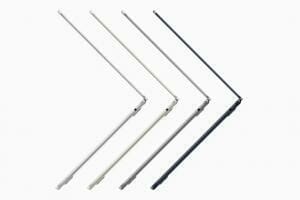
Side profiles of MacBook Air opened up in silver, starlight, space gray, and midnight.  

Specifications

CPU: M2 GPU: M2 (Integrated) RAM: 8GB/16GB/24GB Size: 11.97 x 8.46 x 0.44 inches Display: 13.6-inches, 2560 x 1600 pixels Weight: 2.7 pounds Storage: 256GB/512GB/1TB/2TB

Why it’s the best MacBook for teachers

The MacBook Air M2 is arguably the best overall MacBook for most teachers. And that’s not to say the previous MacBook Air M1 wasn’t great — it helped introduce the world to the power of Apple silicon. It’s just that cramming revolutionary performance in the same old chassis didn’t feel (or look) like a leap forward.

This new Air lives up to its name by shrinking down the design 20% by volume and measuring just 0.44 inches thick. And it’s pretty light at 2.7 pounds. And yet the M2 chip inside this laptop delivers power that outperforms most Windows machines by far. It’s a multitasking superstar, and if you ever need more graphics might you can upgrade to a 10-core GPU.

We are also astounded by the beautiful bright display on the new MacBook Air M2, which rivals the MacBook Pro M2, and it’s now bigger at 13.6 inches with slimmer bezels. Other notable features include a sharp 1080p webcam, MagSafe charging and four color options.

Lasting over 14 hours on our web surfing battery test, the MacBook Air M2 should last you most of the day on a charge. The only strikes against this system are the somewhat distracting notch and somewhat slow SSD.

Pros

  • Fast M2 performance
  • Bright, colorful display
  • 1080p webcam
  • Comfortable keyboard
  • Very long battery life

Cons

  • Notch distracting
  • SSD somewhat slower than M1 Air

3. MacBook Pro 13-inch M2 (2022)

The best MacBook for teachers who want long battery life

The M2-powered 13-inch MacBook Pro.

Specifications

CPU: Apple M2 (8-core) GPU: Apple M2 GPU (10-core)RAM: 8GB/16GB/24GB sSize: 12 x 8.4 x 0.6 inches Display: 13.3 inches, 2560 x 1600 pixel Weight: 3.1 pounds Storage: 256GB/512GB/1TB/2TB

Why it’s the best MacBook for teachers

The 13-inch MacBook Pro 2022 was the very first M2-powered Apple laptop to hit the market. While the design hasn’t changed, it’s a solid laptop with epic battery life.

And based on our tests, the M2 chip delivers, offering performance that destroys many competing Windows laptops. The M2 also beats the M1 chip by a huge margin in various benchmarks. Plus, the new MacBook Pro 2022 delivers among the longest battery life we’ve seen from a modern laptop, surpassing 18 hours of runtime.

However, while this machine features a new slice of Apple silicon, the design shows its age. You get the same form factor, same ports, same display and same webcam. Meanwhile, the new MacBook Air 2022 offers a larger display with thinner bezels, a 1080p webcam and a thinner, lighter design.

It’s arguably easy to say the new MacBook Pro isn’t worthwhile and that it’s better to get the MacBook Air instead. There’s some element of truth to that sentiment, but it wouldn’t be wise to dismiss this product, which is still one of the best laptops for teachers who want extra power.

Pros

  • Blazing-fast performance
  • Excellent battery life
  • Great webcam
  • Sharp, vibrant display
  • Comfortable keyboard

Cons

  • Stagnant design
  • Few ports

4. MacBook Pro 14-inch 2021

The best MacBook for teachers who need more ports

The Liquid Retina XDR display is shown on 14 Inch MacBook Pro.

Specifications

CPU: Apple M1 Pro/Apple M1 Max GPU: Apple M1 Pro (Integrated) RAM: 16GB/32GB/64GB Size: 14.1 x 9.7 x 0.6 inches Display: 16-inch, 3072 x 1920-resolution Weight: 4.3 pounds Storage: 512GB/1TB/2TB/4TB/8GB

Why it’s the best MacBook for teachers

The 14-inch MacBook Pro is the Mac to get if you have 1) the budget and 2) the need for more ports. Its Liquid Retina XDR display with a 120Hz refresh rate is stunning, so your favorite movies, and everything else, will simply look amazing. Oh, and the M1 Pro (and pricier M1 Max) chips deliver even more speed than ever before, while still enabling all-day battery life.

On top of that, Apple’s brought MagSafe charging, HDMI-out and a SD memory reader back to the MacBook Pro. This means you won’t need to bring a USB-C dongle to connect to a display or use external memory. That said, there’s still no USB-A, which is something we’re starting to realize Apple has no plans of bringing back.

Other notable changes include the death of the Touch Bar (which never proved its worth), which has been swapped out for physical F1-F12 keys. Apple’s also bumped up the internal webcam to 1080p, from 720p. The MacBook Pro definitely feels like a Pro-level laptop again.

Pros

  • Sleek, stunning design
  • Plenty of ports
  • Amazingly fast
  • Beautiful mini-LED display
  • Excellent battery life

Cons

  • No USB-A port
  • Expensive entry point

5. MacBook Pro 16-inch 2021

Best MacBook for teachers who want powerful processor

Specifications

CPU: M1 Pro (10-core CPU) | M1 Max (10-core CPU) GPU: 16-core to 32-core integrated GPU RAM: 16GB to 64GB Size: 14.01 x 9.77 x 0.6 inches Display: 16.2 inches; 3456×2244 pixelsC Weight: 4.7 pounds (M1 Pro) | 4.8 pounds (M1 Max) Storage: 512GB – 8TB

Why it’s the best MacBook for teachers

Want it all? Then you may want to consider the beastly 16-inch MacBook Pro, which features either M1 Pro or M1 Max chips, that deliver shocking amounts of performance. An upgrade over the previous intel-based model, this laptop features thinner bezels to give more space to the gorgeous mini-LED Liquid Retina XDR displays. Once you get over the notch, you’ll be wowed by its contrast and smoothness, especially with its 120Hz refresh rate.

This model’s battery life lasts up to 21 hours, which is incredible for a laptop of this size and compute power. It has a a ton of ports—including three Thunderbolt 4 USB Type-C ports, an HDMI port an SDXC card slot and a MagSafe 3 port—so you won’t be stuck using an adapter or hub to plug in your camera and other external devices, either. On top of that, you’ve got a 1080p webcam, a trio of improved microphones and a stellar six-point speaker system.

Pros

  • Stunning Liquid Retina XDR display
  • Incredible performance trounces competition
  • Apple’s design at its best
  • Incredibly long battery life

Cons

  • Display still isn’t 4K
  • No Touch Bar
  • Expensive with M1 Max

How to choose the best teaching laptop for you

Performance: If you know you don’t push your laptops to their limits, get the MacBook Air M1 and get the entry-level model. Its 8-core M1 chip and 8GB of RAM are going to surprise you with their speed. Upgrade that RAM to 16GB if you keep a lot of applications open at once. Teachers who work with more demanding applications will either want to get the M1 MacBook Pro (check with your favorite applications to see if they’re updated for Apple silicon) with 16GB of RAM, or consider getting an Intel-based MacBook with 32GB of RAM. Storage is fast up and down the lineup. The new M2-powered MacBooks provide somewhat of a middle-ground between the original M1 MacBooks and the M1 Pro and M1 Max laptops.

Graphics and gaming: For M1-based MacBooks, you either get a 7-core or 8-core integrated GPU, and we’ve seen amazing results on the 8-core version. The M2-powered MacBook Pro comes with 10 GPU cores as standard. So upgrade if you want to game on your Mac. Yes, you can play serious video games on the Mac now. It’s impressive.

Size and weight: The 13-inch MacBook Air and Pro are only distinguished by the Air’s wedge shape and slightly lighter weight. The MacBook Pro (3.0 pounds for M1, 3.1 pounds for Intel) is 0.2 – 0.3 pounds heavier than the 2.8-pound MacBook Air. Unsurprisingly, the 16-inch MacBook Pro — which is a heavier 4.3 pounds — is best for teachers who either don’t mind the heft in their bag or don’t move around as often.

Battery life: The 13-inch M2 MacBook Pro is the longest-lasting MacBook there is, rocking battery test time of 18:20. This beats the M1 Air (14:41) and the 16-inch MacBook Pro 2021 (15:31) by a solid margin.

How we test the best teacher’s laptops

To find the best MacBook for teachers, we run each through our gauntlet of benchmarks and real-world tests, and then use them as our main computer for as well. Only then are we comfortable recommending them (or not) for your purchase.

We use a Klein K-10A colorimeter to test each MacBook’s screen to find its average brightness and color quality (so we don’t just assume Apple’s ratings are correct). When it comes to general performance, we use the Geekbench 5 (CPU performance) benchmark, and time how long the Macs will take to transcode a 4K video to 1080p.

We also run the BlackMagic storage speeds test to see how fast these MacBooks’ SSDs are (spoiler alert: they’re all pretty fast). Then, we run our custom battery test to see how long each MacBook (at 150 nits of brightness) can last browsing the web over Wi-Fi until it runs out of juice.

We’ve also tested various computer games on MacBooks, with Civilization VI: Gathering Storm being one of our current favorites to run because it runs well on both macOS and Windows, giving us a good point of comparison.

No matter which Apple MacBook you buy, be sure to check out these MacBook Ventura tips and tricks to make the most of your laptop.

Here are the best Apple laptops for law students

Unlike laptop for IT students, the best laptop for law students isn’t necessarily the most expensive or the most technologically advanced. The best MacBook for law school will vary depending on how much time is spent lugging the laptop around campus, and how long it needs to go on a single charge. Other important factors to consider include screen size, and the types of ports and inputs it offers. We won’t ignore value either as some of Apple’s laptops can get expensive and unfortunately, none of them will pay your tuition for you.

With the transition to Apple Silicon now complete for Apple’s MacBook lineup the MacBook Air and MacBook Pros are all outstanding when it comes to performance and battery life with either M1 or M2 chipsets inside. The major differences come in the design and the top-end performance, which will only matter to a handful of law students who want extra power.

How did we choose the best MacBooks for law students?

To choose among the best MacBooks for law students, we started with extensive personal experience: All the MacBooks here have been road-tested and reviewed in some way. Then, we added in-depth research by cross-referencing third-party reviews with specs sheets, first-party benchmarks and user experiences. Rest assured, we know the ins and outs of all these machines, so you can choose the perfect one for you.

With that in mind, let’s take a closer look at the best Macbooks for law students and find the most suitable for you.

1. MacBook Air (M1, 2020)

The M1-powered MacBook Air in rose gold.

The best MacBook for most law students

Specifications

CPU: M1 GPU: M1 (integrated) RAM: 8GB/16GB sSize: 12 x 8.4 x 0.6 inches Display: 13.3 inches, 2560 x 1600 pixel Weight: 2.8 pounds Storage: 256GB/512GB/1TB/2TB

Why it’s the best MacBook for law students

The MacBook Air M1 remains the best MacBook for most law students. For the majority of students the upgrades found in the more recent Air aren’t necessary and the M1 maintains that sub-$1,000 starting price with discounts bringing it to $899 or less.

The performance still outclasses every comparably priced thin-and-light Windows laptop and it manages to deliver 14 hours and 41 minutes of battery life in our testing. For any typical computing tasks, the MacBook Air M1 is more than equal to the challenge and will outlast its successor on a single charge.

So why buy the MacBook Air instead of the Pro? While the Pro has better-sustained performance, the MacBook Air is cheaper and is pin-drop silent because it doesn’t have a fan. And, of course, Apple’s least expensive 13.3-inch model is the most portable, coming in at only 0.6 inches thick and 2.8 pounds.

As long as you don’t mind the older design, the MacBook Air M1 remains one of the best laptop deals even when it’s not discounted and should draw strong consideration from any law student considering a new MacBook.

Pros

  • Breathtaking performance
  • Excellent battery life
  • Slim unibody aluminum chassis
  • Great speakers and Magic keyboard

Cons

  • Limited ports

2. MacBook Air (M2, 2022)

Side profiles of MacBook Air opened up in silver, starlight, space gray, and midnight.  

The best MacBook for law students who want the latest hardware

Specifications

CPU: M2 GPU: M2 (Integrated) RAM: 8GB/16GB/24GB Size: 11.97 x 8.46 x 0.44 inches Display: 13.6-inches, 2560 x 1600 pixels Weight: 2.7 pounds Storage: 256GB/512GB/1TB/2TB

Why it’s the best MacBook for law students

While most law students will be happy with the MacBook Air M1, there’s no denying the appeal of the new design and chip inside the Air M2. The notch in the display takes a minute to get used to, but the rest of the changes are welcome with the addition of MagSafe charging freeing up those two Thunderbolt 4 ports for other purposes.

The M2 offers you a reasonable performance bump, bringing it roughly on par with the M1 Pro and it still delivered 14 hours and 6 minutes in our battery life test. The fact that it does all this while staying whisper quiet and cool without fans remains astounding.

The list of upgrades also includes a brighter display, a quad-speaker array and a new 1080p webcam. That first will be particularly welcome to law students that are using the Air M2 in lecture halls, coffee shops or a corner of the library with less than optimal lighting conditions.

The biggest consideration with the Air M2 is the price if you need to upgrade much from the $1,199 base model. As I mentioned, the Air M1 is Apple’s trick for keeping the $999 price point, so you are paying a premium for the M2 model. If you find yourself cresting the $1,499 mark for your configuration then you may want to consider the base 14-inch MacBook Pro, which can regularly be found for $1,799.

Pros

  • Elegant redesign
  • Great performance
  • Bright, colorful display
  • Comfortable keyboard
  • Amazing battery life

Cons

  • SSD somewhat slower than M1 Air

3. MacBook Pro (14-inch, 2021)

The Liquid Retina XDR display is shown on 14 Inch MacBook Pro.

The best MacBook for law students who want more power

Specifications

CPU: Apple M1 Pro/Apple M1 Max GPU: Apple M1 Pro (Integrated) RAM: 16GB/32GB/64GB Size: 14.1 x 9.7 x 0.6 inches Display: 16-inch, 3072 x 1920-resolution Weight: 4.3 pounds Storage: 512GB/1TB/2TB/4TB/8GB

Why it’s the best MacBook for law students

The MacBook Pro 14 combines a little bit of old with a whole lot of new for a tantalizing product that MacBook fans were waiting years for. The performance is going to be more than the law student needs, but for those who want powerful machine, this is the right choice for you.

The MacBook Pro 14 is lightweight and sleek while still offering a full HDMI and an SDXC card reader. And the M1 Pro or M1 Max chips can handily defeat most of the Intel and AMD competition. Add to this the more than 14 hours of battery life, quick charging, a gorgeous display, a robust quad-speaker array and it’s easy to see how this laptop will win over a lot of law students.

Waiting for the other shoe to drop? It’s the price. While you can now find the base model for around $1,799, for well-specced models you will quickly cross $2,500 and can land north of $3,000 in a hurry for M1 Max configurations. Ultimately it’s a worthwhile investment for law students that need this level of performance, but at least consider your options carefully before the price creeps up on you.

If you are willing to spend even more you can opt for the larger-screened 16-inch MacBook Pro starting at $2,499 With the exception of the display size and the battery, there is no difference in the hardware options between the two. If battery life is your biggest concern the 16-inch MacBook Pro with the M1 Pro will outlast anything in its class with remotely similar performance. For those that need every last bit of processing power they can get their hands on the 16-inch MacBook Pro with M1 Max is basically unbeatable right now.

Pros

  • Sleek, beautiful design
  • A ton of ports
  • Outstanding performance
  • Stellar battery life
  • Stunning screen

Cons

  • Expensive entry point
  • No USB-A port

4. MacBook Pro (13-inch, M2, 2022)

The M2-powered 13-inch MacBook Pro.

The best MacBook for law students who need endless battery-life

Specifications

CPU: Apple M2 (8-core) GPU: Apple M2 GPU (10-core)RAM: 8GB/16GB/24GB sSize: 12 x 8.4 x 0.6 inches Display: 13.3 inches, 2560 x 1600 pixel Weight: 3.1 pounds Storage: 256GB/512GB/1TB/2TB

Why it’s the best MacBook for law students

The MacBook Pro M2 is an excellent laptop that is a bit overshadowed by its siblings. The internal upgrade with the M2 gave it a more significant performance boost than many expected, which keeps it well ahead of the Windows 11 competition at this price point and well beyond.

The design, while admittedly a bit dated, it’s hard to get too mad at the classic look. While the redesigned Air and larger MacBook Pros may look sleeker, you could have the last laugh when their owners are looking for an outlet to charge while you have hours to go as the Pro lasted for an almost unbelievable 18 hours and 20 minutes on our battery test. That was enough to land it atop our list of laptops with the best battery life, a feature that is sure to come in handy at some point in your law career.

The M2 does more than improve speeds and endurance. With a yet again improved image processing unit, the webcam (sadly, still 720p) is better than before and since it runs on Apple’s ARM-based architecture, iPad and iPhone apps are available on Mac. Yep, you can run all your favorite iOS games and apps on your laptop.

Everything else about the MacBook Pro should feel familiar. This is the same design Apple has used for years and the Magic Keyboard is a pleasure to type on (and reliable, too!). We’re disappointed to see the TouchBar back, but it does have its fans and the notch-less screen will absolutely be a welcome sight for some buyers.

Pros

  • Stellar overall and gaming performance
  • Excellent battery life
  • Lightning-fast SSD
  • Great webcam
  • Comfortable keyboard

Cons

  • Stagnant design
  • Limited ports

These are the best MacBooks for IT students you can buy right now.

If you’re an Information Technology student (or will soon become one!), it’s vital to remember that not all MacBooks are created equal. While having the best laptop or tablet of some description has become a practical necessity for every student worldwide, many learners can get by on a cheap, low-powered MacBook capable of word processing and web browsing. If you’re in a IT field, that likely isn’t the case.

Just like MacBooks for computer science students, the best MacBooks for Information Technology students should be powerful enough to handle the computationally intensive coursework that such studies require, while still being light and efficient enough to carry through a day of classes without running out of juice on you mid-lecture.

Fortunately, we’ve tested many student MacBooks over the years, so we know which will suit different disciplines without breaking the bank. We gathered the best MacBooks for Information Technology students here; some are great value, while some cost a bit more but tout a powerful graphics card.

What makes a MacBook for Information Technology students special?

A MacBook great for IT students has a few areas that need to be a focus that might not matter as much for a MacBook designed for journalism or business students, for example.

IT students’ MacBooks must operate high-powered applications in many windows. This could be a CAD window, a large mapping service, and a large Excel sheet, all open and running simultaneously.

Because of this, the demand for high-end graphics cards, powerful processors, and increased RAM are higher than in the average MacBook. Where most MacBooks focus on a lightweight frame, long battery life or other specifications, these MacBooks need to be able to perform advanced operations with ease even if it means that they don’t have all day battery life.

How did we choose the best MacBooks for Information Technology students?

To choose among the best MacBooks for.IT students, we started with extensive personal experience: All the MacBooks here have been road-tested and reviewed in some way. Then, we added in-depth research by cross-referencing third-party reviews with specs sheets, first-party benchmarks and user experiences. Rest assured, we know the ins and outs of all these machines, so you can choose the perfect one for you.

1. Apple MacBook Air (M2, 2022)

Side profiles of MacBook Air opened up in silver, starlight, space gray, and midnight.  

Specifications

CPU: Apple M2 with 8-core CPU, 8-core GPU | Display: 13.6-inch, 2,560 x 1,664 pixels, 500 nits | Memory: 8GB | Storage: 256GB | Battery life: Up to 18 hours | Weight: 2.7 pounds (1.24kg) | Dimensions: 11.97 x 8.46 x 0.44 inches | Colors: Silver, Space Gray, Midnight, Starlight

Why it’s The Best MacBook For IT Students

The Apple MacBook Air (M2, 2022) isn’t just one of the best MacBookss Apple has ever made, it’s one of the best MacBooks for IT students. While it might not pack a powerful AI-assisted GPU, Apple’s own silicon represents serious competition in the lightweight laptop space.

Thanks to the revolutionary ARM-based Apple M2 chip – an update from the previous M1 chip – that powers the new MacBook Air, this is a stunning achievement: a thin and light laptop that offers great performance while also offering incredible battery life. During our time with the MacBook Air, the laptop performed incredibly well, whether we were playing around with GarageBand or editing 4K home movies in iMovie.

Easily managing over 11 hours on a single charge, this is a laptop efficient enough to carry through a day of classes without running out of juice on you mid-lecture. Its screen is gorgeous, and the new-and-improved keyboard means you can happily carry out IT tasks for hours.

Pros:

  • 11-hour battery life
  • Lightweight for carrying
  • Silent to use

Cons:

  • Hardware refresh rather than new design

2. MacBook Air (M1, 2020)

The M1-powered MacBook Air in rose gold.

Specifications

CPU: Apple M1 with 8-core CPU, 7-core GPU | Display: 13.3-inch, 2,560 x 1,664 pixels, 400 nits | Memory: 8/16GB | Storage: 256GB | Battery life: Up to 18 hours | Weight: 2.7 pounds (1.24kg) | Dimensions: 11.97 x 8.36 x 0.16-0.63 inches | Colors: Silver, Space Gray, Gold

Why it’s The Best MacBook For IT Students

The M2 model might now top our list, but the M1 MacBook Air is still a force to be reckoned with – and it’s better value than the newer model now, too. Switching over from Intel processors to Apple’s own silicon was a bold move that paid off, providing snappy performance and excellent battery life too.

Apple’s best IT student MacBook takes everything that made the M1 model such an improvement over the Intel models up a notch. Performance is snappy even when we used it to do some 4K video editing, although the gorgeous screen is just a little bit smaller at 13.3 inches – as well as 100 nits dimmer – than the upgraded 13.6-inch display of the newer M2 model. It’s also a little heavier, but still undeniably an impressively thin and lightweight laptop given the performance on offer.

Though the M2 Air beats it for weight and size, it is still an exceptionally thin and light machine. With its ideal size and weight, you can quickly bring M1 MacBook Air to the lecture hall, library, practice office, or anywhere you want.

As a fun bonus, this MacBook Air actually has a wider range of color options than its newer M2 sibling. For the IT students who want a MacBook but can’t quite spring for the high price of the 2022 Air, this laptop will serve them well, potentially even beyond college.

Pros:

  • Great price
  • Fast and effective
  • Thin and lightweight

Cons:

  • Only two USB-C ports
  • Below-par webcam quality

3. Apple MacBook Pro 2021 (16-inch)

Specifications

CPU: Apple M1 Pro with 10 core CPU, 16-core GPU| Display: 16.2-inch, 3,456 x 2,234 pixels, 1,000 nits, 1,600 nits peak for HDR | Memory: 8GB | Storage: 512GB | Battery life: Up to 21 hours | Weight: 4.7 pounds (2.1kg) | Dimensions: 14.01 x 9.77 x 0.6 inches | Colors: Silver, Space Gray

Why it’s The Best MacBook For IT Students

Studying IT, you will often have to deal with algorithms and complex software. To work at the highest level, your laptop needs to have a powerful enough processor. 16-inch MacBook Pro is such a laptop model.

The 16-inch MacBook is a beast thanks to the M1 Max chip, which pushes graphics performance on the Mac to a whole new level. On top of that, its amazing redesign helps improve its display (everyone will get over the notch, trust us), with thinner bezels than ever. That screen, too, is better than ever, with mini-LED technology and improved picture quality thanks to fantastic contrast and a 120Hz refresh rate for excellent smoothness.

And that’s just the start of the story. The 2021 MacBook Pros see a realignment on ports for MacBooks, moving back from the “USB-C or bust” situation of the past 5 years. Now, you’ve got HDMI-out for connecting to displays and an SD memory reader for pros with real cameras. Apple’s basically put the “pro” back in MacBook Pro. Oh, and that Touch Bar? The little OLED strip of a touch screen? It’s been ripped out, likely because it never got to the point where the simple physical function keys (F1-F12) would be better.

Pros:

  • Stunning display
  • Outstanding performance
  • Apple’s design at its best

Cons:

  • Pricey
  • No Touch Bar

4. Apple MacBook Pro 13-Inch With M2 Processor

The M2-powered 13-inch MacBook Pro.

Specifications

CPU: Apple M2 with 8 core CPU, 10-core GPU | Display: 13.3-inch, 2,560 x 1,600 pixels, 500 nits | Memory: 8GB | Storage: 256GB | Battery life: Up to 20 hours | Weight: 3.0 pounds (1.4kg) | Dimensions: 11.97 x 8.36 x 0.61 inches (30.41 x 21.24 x 1.56 cm) | Colors: Silver, Space Gray

Why it’s The Best MacBook For IT Students

Apple MacBook Pro 13-Inch With M2 Processor is one of the few MacBooks that can help you handle the heaviest tasks, including multitasking.

This 2022 laptop is identical to 2021 13-inch MacBook Pro, so the design, though good, is no longer cutting-edge. It’s identical save for one important feature: The processor. It has a more powerful version of the M2 chip than the one that comes as standard in the new MacBook Air (it has a GPU with 10 cores, where the default Air M2 has seven cores), which improves the performance. Like the other Pro models, a cooling fan means it can run at pace and for longer than the Air.
It is the only MacBook with the Touch Bar, which is a controversial addition for some, but also has many admirers. Essentially, it replaces the row of function keys with a thin touchscreen, whose functions change according to context: Email address suggestions in Mail, previous web pages in Safari and so on. It’s a very effective system but not very widely supported by developers.
Like the Air (old and new), there are two USB-C ports but, this being the older design, there’s no MagSafe on board. Audio sounds good here thanks to a combination of upward-facing grill speakers and Spatial Audio compatibility. The display is not as good as the other Pro laptops but a deal-breaker for some is that there’s no cut-out at the top to house the webcam which sits in the wider bezel. That’s a 720p model, by the way, so not the best.

Pros:

  • Searingly fast performance
  • Long battery life
  • No notch in display

Cons:

  • Pricier than the Air
  • Older design
  • No MagSafe

5. Apple MacBook Pro 14-Inch

The Liquid Retina XDR display is shown on 14 Inch MacBook Pro.

Specifications

CPU: Apple M1 Pro with 10 core CPU, 16-core GPU| Display: 16.2-inch, 3,024 x 1,964 pixels, 1,000 nits, 1,600 nits peak for HDR | Memory: 8GB | Storage: 512GB | Battery life: Up to 17 hours | Weight: 3.5 pounds (1.6kg) | Dimensions: 12.31 x 8.71 x 0.61 inches (31.26 x 22.12 x 1.55 cm) | Colors: Silver, Space Gray

Why it’s The Best MacBook For IT Students

The workload that a IT student needs to handle can’t be challenging for the Apple MacBook Pro 14-Inch.

If you don’t need the extra real estate of the 16-inch Pro or simply can’t run to the price of that machine, this is an excellent MacBook for IT student. It has the same outstanding high-contrast, super-bright display as its bigger sibling. The miniLED backlighting makes watching a movie a joy, and the speakers ensure it sounds good too. On the other hand, the 14.2-inch size makes this laptop that bit more manageable. It also has the customization options that only this and the bigger Pro do: Storage up to 8TB and RAM up to 64GB.
Performance matches that of the 16-incher, which features the most potent Apple-built chips yet in a MacBook. Choose from the fast M1 Pro and even faster M1 Max. Oh, and it has MagSafe (including an attractive braided cable), plus three USB-C connectors, an HDMI port and an SDXC card slot. Those last two are exclusive to the 14-inch and 16-inch MacBook Pro. Battery life here is up to 17 hours—way more than the M1 MacBook Air’s 12 hours but shorter than the others in the range. And, of course, there’s that handsome new look with a bigger Apple logo on the lid and the words “MacBook Pro” stenciled on the base.

Pros:

  • Blazing speed
  • Latest design
  • MagSafe

Cons:

  • Notch in display
  • Battery life not Apple’s best

6. MacBook Pro 13-inch (M1, 2020)

The M1-powered 13-inch MacBook Pro.

SPECIFICATIONS

CPU: Apple M1 chip with 8-core CPU Graphics: Integrated 8-core GPU RAM: 8GB – 16GB unified memory Display: 13.3-inch 2560 x 1600 LED-backlit Retina display Storage: 256GB – 2TB SSD

Why it’s the best MacBook for IT students

Don’t knock off the MacBook Pro 13-inch (M1, 2020)’s integrated graphics card. It might not be a discrete GPU, but it sure beats budget and lower mid-range mobile GPUs in graphical prowess and obliterates Intel’s UHD integrated graphics. Thanks to Apple’s groundbreaking M1 chip, the new MacBook Pro 13-inch delivers excellent performance and exceptional battery life.

Its performance is so impressive that it can easily handle coding tasks which is great news for IT students. And it’s not just a little bump in power over the model it replaced; when we tested it, it blew its Intel-based predecessor out of the water with an almost 70% increase in multi-core tests. It also lasted five hours longer in our battery tests as well.

But performance isn’t everything. It’s also a comfortable laptop to use; its keyboard is great, something that needed correcting in older models of the MacBook Pro. Like most of the smaller MacBook Pros, it’s extremely portable. So, if you’re looking for a powerful laptop that keeps things small and lightweight, this is the best information technology student MacBook money can buy.

Pros:

  • Great performance
  • Impressively long battery life
  • Magic Keyboard feels great

Cons:

  • Design remains the same
  • Limited port selection

How we test the best MacBookss for IT students

To find the best MacBook for IT student we run every machine through a rigorous suite of benchmarks and real-world tests to gauge how it will perform during everyday use.

We measure the average brightness and color quality of each laptop’s display using our in-house light meter and colorimeter. For general performance, we run our machines through tests that include Geekbench 5 (CPU performance), as well as various 3DMark tests to measure graphics capabilities. We also run a file transfer test to measure how fast a machine’s hard drive is, and a custom battery test that has the machine browse the internet over Wi-Fi until it runs out of juice.

Plus, we run the graphics benchmark test in Sid Meier’s Civilization VI: Gathering Storm to get a sense of how well a laptop can handle basic games.

MacBooks don’t suit everyone, especially when it comes to the price tag and people who need extra power and customization. Check out all the disadvantages of a MacBook in 2023.

MacBook is easy to learn. Astoundingly powerful. And designed to let you work, play and create in ways you never imagined. It’s the computer that comes packed with apps that are ready to go right out of the box. Free, regular software updates keep things up to date and running smoothly. And if you already have an iPhone, it feels familiar from the moment you turn it on. But, what are the disadvantages of a Mac?

We’ll help you understand if Apple laptop is worth your money by highlighting major disadvantages or limitations of Macbooks. By the end of this article, you’ll know whether you should spend your hard-earned money on a MacBook or if you should purchase a windows PC.

1. High prices

There’s no getting around the fact that Apple charges a lot for MacBooks. You can argue that some of this balances out—Apple MacBooks hold their value, so you can usually resell them years later and make a decent amount of the cost back. But people tend to dislike expensive computers, especially one that’s perceived as a status symbol like Apple MacBook.

The cheapest current Mac, the Mac Mini, will set you back $599, but you can get super-basic Windows PCs for under $300 that will work just fine for basic tasks, such as running a web browser.

The same thing goes for laptops too. The cheapest Mac laptop you can buy is the $999 MacBook Air with M1 chip. There’s the first MacBook disadvantage. $999 is a lot of money for a computer to perform simple tasks. Meanwhile, you can get Windows laptops under $600 that will handle simple tasks just fine.

The most expensive Mac, the Mac Pro, has a base price tag of $5,999. And if you start to tinker to the point of maxing one out, expect to spend more than $50,000.

Comparing spec-to-spec between Windows and macOS PCs it becomes clear that you can get a lot more for your money with the former. Or, can you?

Apple often claims that the cost of its products is rooted in the quality and superiority they offer against other brands. But, there’s no absolute truth to these claims. This is just spectacular marketing.

Apple’s high pricing isn’t just for laptops, though. As mentioned above, MacBook accessories like dongles and chargers cost a lot of money. Apple’s upgrades are also way above the manufacturer’s price. Going from the base 256GB of storage to 512GB on a MacBook Air costs an additional $200, even though you can buy a high-end 500GB Samsung 980 Pro SSD for around $130.

2. Limited upgrade potential

I’ve upgraded Mac hardware from time to time, of course: Older MacBooks used to be fairly easy to open up and add/replace RAM and storage. Newer models, however, are built as system-on-a-chip, and while upgrade modules exist from some third parties, they’re extremely expensive relative to PC upgrades, and basically amount to replacing all of the internal logic components at once.

In practice, it makes more sense just to buy a new Mac than to upgrade the components in an M1 or M2 machine. And because someone will bring it up: Yes, the $6,000 Mac Pro is much more upgradeable, of course, but it’s in a totally different class of machine than anything even enthusiast Mac or Windows users are likely to buy. We’re really not talking about workstations here.

The range of hardware upgrade options for Windows PCs is at least as vast as the array of off-the-shelf PCs available for sale. CPUs, GPUs, RAM, storage drives, USB controllers, capture cards, just about anything that can be put inside a computer is available as a fairly easy upgrade for a desktop PC.

While laptops are generally proprietary and much more difficult to to upgrade beyond swapping out RAM and storage, a few allow for CPU and GPU module upgrades that can be done by anyone with a screwdriver. One particularly interesting option: The Framework is designed for DIYers and tinkerers, letting you build your own laptop and customize it to your desires.

When the time comes, my windows desktop machine will be ready for easy GPU upgrades. The case pops open in seconds, and all components are within easy reach.

3. MacBooks offers limited customization

Apple computers are less customizable than many Windows PCs and laptops. For many, the original hardware inside their Apple computers will work fine, and most probably don’t want to tinker around with upgrading parts. But anyone who does want to tinker around will have limited options with Macs.

Plus, you can build your own PC with exactly the parts you want. It’s surprisingly easy, not to mention satisfying.

You can build your own “Hackintosh” computer, but you’re limited in what parts you can use, and macOS is a pain to update and maintain on computers that aren’t made by Apple.

It feels weird to call Windows an “open” operating system, but compared to macOS, Windows is a big ol’ open playground of customization possibilities, both for hardware and software.

The Windows OS is also generally more customizable than macOS, although a great many utilities exist for both platforms.

Overall, you’ll find more settings to tweak in the Windows operating system than you will with Apple’s macOS operating system — formerly known as Mac OS X. More advanced users will find value in those extra settings. That said, Apple has a clear bias against encouraging users to tweak the look and feel of their OS, while Microsoft has long fostered a community of theme developers to help users personalize Windows to their tastes.

The PCs’ big performance advantage across the board is the ability to tweak hardware performance.

Overlocking software interface
Even off-the-shelf PCs include tools for overclocking and tweaking your hardware performance.

A knowledgeable PC user can overclock CPUs and GPUs, shut down system processes, and tweak every element of the software and hardware to optimize performance. Most gaming PCs come preloaded with performance management software just for this purpose, making it easy even for relative novices to overclock.

4. MacBooks have fewer hardware options

There’s no getting around it: The PC ecosystem is just massively vast. While the Mac range offers a healthy variety of form factors and performance levels, it doesn’t even come close to the breadth of PC systems available for purchase off the shelf.

Apple is the only company that creates its own Mac computers, and you have fewer choices when it comes to designs and specs. Having fewer options can make it easier to pick a computer, but it doesn’t always suit someone with more advanced requirements.

You don’t get much choice when it comes to the processor and RAM with Macs, for example, which dictates how much power the computer has and how smoothly it’ll run.

Since Apple moved its Mac lines to the company’s own CPUs, buying a MacBook means selecting an M1 chip or an M2. That’s it, unless you want a Mac Mini with an Intel Core i5 or i7, or a $6,000 Mac Pro with a Xeon.

By contrast, the mainstream Windows PC range presents an abundance of CPU choices. Intel Core i3, i5, i7, and i9 CPU lines each offer multiple options, as does the copious AMD Ryzen family. If you’re not easily thwarted by decision-paralysis, the Windows world gives you a lot more room to customize.

More hardware choices also means more pricing options. The lowest end MacBook, the 2020 MacBook Air, runs $999. A comparably spec’d Windows laptop can be had for $350. It won’t be Apples to “apples,” of course, because Mac hardware is proprietary, but the performance will be similar. Meanwhile, high-end PCs offer incredible specs in a vast array of form factors for every specialized need, from gaming to intense Intel Xeon-powered graphics workstations. At pretty much every price point, you get more hardware for the dollar with a PC than with a Mac.

5. MacBook has a smaller, less flexible software ecosystem

Both Windows laptops and MacBooks come with a healthy ecosystem of first-party apps, such as email, calendars, note-taking, and reminders. Apple’s offerings on MacBooks are still barebones. Notes and Reminders have come a long way in the past five years but still don’t match up to many third-party apps. Apple Mail is dismal, despite Apple’s mediocre updates since MacOS Ventura.

Thanks to Microsoft’s Your Phone app for Android, you can get a lot of the same functionality on your Windows laptop as you would on a MacBook, such as messages and file transfers (up to a limit). Samsung phones, in particular, work extremely well with Windows.

You’ll also get Microsoft’s excellent first-party apps built right in. Microsoft’s productivity software is light years ahead of Apple. Even the base Windows Mail client is more functional and easier to use than Apple’s horrible Mail app. OneNote is a beast and possibly one of the greatest productivity apps ever created.

Because Windows constitutes roughly 76 percent of the global computing market share, and developers around the world who’ve never even seen a Mac in person are cranking out apps constantly, the numbers game here is obvious. I don’t want to overblow this, because most of the really major productivity suites out there work on both platforms just fine. But if you want seemingly unlimited options for software in just about every category, Windows wins hands-down.

6. If you want to play video games, MacBooks are not great option

Another disadvantage of a MacBook is that you simply cannot enjoy Mac gaming the same way you can enjoy gaming on a Windows laptop. Sure, there are some big titles available on MacBooks. You can cloud game with Game Pass Ultimate, Stadia, and GeForce Now. But you can’t get all the functionality, smoothness or any offline capabilities.

Anyone who wants to play video games on a computer should buy a Windows PC, hands down. Only a fraction of the games available can be played on Macs, and anyone seeking high-end graphics won’t find them on Macs because they lack the power.

The biggest game studios develop for Windows first, then consoles or mobile. The biggest gaming titles tend not to be available for Mac at all.

Wanna play Call of Duty: Warzone II, Fortnite, Crisis Core: Final Fantasy 7, or just about any of the top 20 games in 2023? You can get all of them on Windows, most of them on Xbox or Playstation, and even the Nintendo Switch has quite a few. A couple run on Macs, but you’ll run out of options fast.

You can certainly try running an emulator or virtual machine on your Mac, and there are ways to stream your games from a PC, but these are all kludges and hacks, and yield poor results. If gaming is your thing, Windows is a must.

7. MacBooks are expensive to repair

Another big disadvantage of a MacBook is that they are difficult and expensive to repair. While it’s easier overall to get a Mac repaired, it can be a lot cheaper to get a Windows PC repaired.

Whether you bring your Mac to the Apple Store or a certified Mac repair store, the prices are generally higher than they are to repair a Windows PC. If your MacBook is under warranty, the repair would be free. But it can cost upwards of $700 to get a single defective key repaired on a new MacBook or MacBook Pro, according to Apple Insider.

8. Most MacBooks don’t come with commonly used ports.

Another notable disadvantage of Apple MacBooks is that most of them come only with USB-C ports. That means you can’t plug in monitors that use HDMI, SD cards for photo transfers, and other regular USB accessories, such as external hard drives, without a USB-C adapter.

Having to use a USB-C adapter to plug in non-USB-C accessories is, in a word, frustrating. If you forget your USB-C adapter, you can’t use your non-USB-C accessories. If you lose it, you have to buy a new one, and it’s an annoying extra cost.

To be fair, USB-C is the evolution of connecting everything to your computers. USB-C plugs and ports support the so-called ThunderBolt 3 standard, which can be used for charging your laptop as well as hooking it up to a monitor and other accessories all in a single port instead of needing to plug your devices into multiple ports. And it transfers data a lot faster than previous USB and Thunderbolt versions too.

Conclusion

With all these MacBook downsides, the only reason you should choose an Apple computer over a Windows laptop is if you want to be comfortable inside that Apple garden. You give up the diversity of accessories and apps, as well as the ability to really game, but you get a polished, good-looking computing experience.

Everyone else should get a Windows laptop. You’ll have so much more freedom to use the machine how you want. You shouldn’t even be considering a MacBook if you’re packing an Android phone. There really isn’t a choice for gamers, either. It’s Windows or bust.

The best MacBooks for high school student attending school in person or remotely

The best MacBooks for high school students are powerful enough to let you tackle all your school projects, with enough portability and power capacity to get you through a full day of classes. Whether you’re going back to school in person or attending classes remotely, having the right laptop is key.

Our best high school MacBook picks all share a few common traits. They have excellent battery life, which is crucial when running between classes on school all day. These MacBooks are also affordable, with many models under $1000 — though we’ve also listed some higher-priced MacBooks that are great investments.

If you’re worried about spending over $1,000, know that our picks are made with your future in mind. The MacBook Pro isn’t cheap, for example, but mine has lasted for 8 years, which is enough time for high school and college (or for applying to your first jobs out of college). Read on for our picks of the best high school MacBooks you can buy right now.

To choose among the best MacBooks for high school students, we started with extensive personal experience: All the MacBooks here have been road-tested and reviewed in some way. Then, we added in-depth research by cross-referencing third-party reviews with specs sheets, first-party benchmarks and user experiences. Rest assured, we know the ins and outs of all these machines, so you can choose the perfect one for you.

1. Apple MacBook Air M2 (2022)

Side profiles of MacBook Air opened up in silver, starlight, space gray, and midnight.  

Specifications:

Display: 13.6 inches; 2560×1664 CPU: Apple M2 GPU: 8-core or 10-core GPU RAM: 8GB-24GB Storage: 256GB-2TB SSD Weight: 2.7 pounds

Why It’s The Best MacBook For High School Students

The new MacBook Air M2 is so good it has taken the No. 1 spot on our best MacBooks for high school students. And that’s because it delivers everything you could want in a notebook: great performance, an awesome display, long battery life and plenty of comfort in a very sleek design.

This new Air lives up to its name by shrinking down the design 20% by volume and measuring just 0.44 inches thick. And it’s quite light at 2.7 pounds. And yet the M2 chip inside this machine delivers power that outperforms most Windows laptops. It’s a multitasking champ, and if you want more graphics might you can upgrade to a 10-core GPU.

We also really like the bright display on the new MacBook Air M2, which rivals the MacBook Pro M2, and it’s now bigger at 13.6 inches with slimmer bezels. Other highlights include a sharp 1080p webcam, MagSafe charging and four color options.

With over 16 hours battery life, the MacBook Air M2 should last you most of the day on a charge.

Pros:

  • Sleek, thin new design
  • M2 is powerful and efficient
  • Long-lasting battery
  • 1080p webcam
  • Bright display
  • MagSafe returns to MacBook Air

Cons:

  • Starts pricier than previous generation
  • Supports only one external display
  • Display notch will bother some people

2. Apple MacBook Air M1 (late 2020)

The M1-powered MacBook Air in rose gold.

Specifications

Display: 13.3 inches; 2,560 x 1,600CPU: Apple M1 GPU: Integrated 8-core GPU RAM: 8GB-16GB Storage: 256GB-2TB SSD Weight: 2.8 pounds

Why It’s The Best MacBook For High School Students

The 2020 MacBook Air will keep its charge through multiple classes, breaks and all-nighters. We mean that, as it has over 14 hours battery life. Its performance is also seriously faster: the M1 chip makes the MacBook Air a shockingly decent system in multiple ways. Not only did it run Rise of the Tomb Raider smoothly, but that was a Rosetta 2 conversion of that Intel app.

Plus, you can run iOS and iPadOS apps on the MacBook Air, as its M1 processor is similar to the A-series iPhone and iPad processors. Living the remote learning life? You’ll look clearer and more accurate than ever, as signal processing in the M1 makes the MacBook Air webcam better than ever. Also, its Magic Keyboard is really great for typing comfortably for hours on end.

Pros:

  • Remarkably fast performance
  • Strong legacy app support
  • Amazingly long battery life

Cons:

  • Still has thick bezels
  • Light on ports

3. MacBook Pro 13-inch (M1, late 2020)

The M1-powered 13-inch MacBook Pro.

Specifications:

Display: 13 inches; 2560×1600 CPU: Apple M1 (8-core) GPU: 8-core integrated RAM: 8GB to 16GB Storage: 256GB to 2TB SSD Weight: 3 pounds

Why It’s the Best MacBook For High School Students

As a high school student, you’ll often learn about visual media. In that regard, you’ll want to turn to the M1-powered MacBook Pro. Its display is better than the Air’s and its battery lasts longer as well — it has over 16 hours of battery life, which is absolutely epic. And once your favorite applications update to support Apple silicon, you’ll wonder what took Apple so long to ditch Intel.

And just like with the aforementioned Air, the MacBook Pro comes with the new Magic Keyboard, as Apple finally ditched the shallow and unreliable Butterfly keyboards. This combination of endurance and performance, mixed with a display that’s great for seeing your creations come to life makes for one of the best MacBook for high school students, provided their budget allows for it.

Pros:

  • Superb performance
  • Crazy long battery life
  • Bright and colorful display

Cons:

  • Dated design
  • Just two Thunderbolt ports

4. Apple MacBook Pro (13-inch, M2, 2022)

The M2-powered 13-inch MacBook Pro.

Specifications:

Display: 13.3-inch, 2560 x 1600Size: 12 x 8.4 x 0.6 inches CPU: M2GPU: M2 (integrated) RAM: 8GB/16GB Storage: 256GB, 512GB, 1TB, 2TB Weight: 3.1 pounds

Why it’s the Best MacBook For High School Students

While the design is unchanged, the M2 inside the MacBook Pro 2022 gives another performance and battery life boost to Apple’s already outstanding laptop.

The MacBook Pro is more powerful than nearly every PC on the market, including some workstations. And despite cramming so much power into such a slim and sleek chassis, the Pro has over 18 hours of battery life which means it’ll keep its charge through multiple classes, breaks and all-nighters.

Thanks to the image processing unit, the webcam (sadly, still 720p) is better than its 720p rivals and since it runs on Apple’s ARM-based architecture, iPad and iPhone apps are available on Mac.

While the 14-inch and 16-inch MacBook Pro models may tempt some users with high-end needs, the MBP 13-inch with M2 remains a strong option at a far more affordable price point for those that need just a bit more juice than the MacBook Air.

Pros:

  • Stellar overall and gaming performance
  • Excellent battery life
  • Lightning-fast SSD
  • Great webcam
  • Comfortable keyboard

Cons:

  • Stagnant design
  • Not enough ports

Here are the best MacBooks for computer science students you can buy right now.

The best MacBooks for computer science students are powerful enough to handle the computationally intensive coursework that such studies require, while still being light and efficient enough to carry through a day of classes without running out of juice on you mid-lecture.

This used to be a tricky combination to find, especially at a price that fits into a student’s budget. However, recent advances in mobile CPU and GPU tech have brought a bumper crop of laptops to market that are light, long-lasting, and beefy enough to tackle most computer science projects.

Today’s best coding MacBooks are often particularly well-suited to tackling computer science coursework because they’re built with powerful CPUs, and lots of memory and storage. It’s all in the name of running powerful applications and making them look as flashy as possible, of course, but many modern computer science applications have similar demands.

So read on for our curated list of the best MacBooks for computer science students, which should help make your buying decision a little easier. Of course, you should always contact your school’s computer science department first to see what they recommend for your specific coursework and areas of study.

To choose among the best MacBooks for computer science students, we started with extensive personal experience: All the MacBooks here have been road-tested and reviewed in some way. Then, we added in-depth research by cross-referencing third-party reviews with specs sheets, first-party benchmarks and user experiences. Rest assured, we know the ins and outs of all these machines, so you can choose the perfect one for you.

1. Apple MacBook Air With M2 Processor

Specifications

CPU: Apple M2 with 8-core CPU, 8-core GPU | Display: 13.6-inch, 2,560 x 1,664 pixels, 500 nits | Memory: 8GB | Storage: 256GB | Battery life: Up to 18 hours | Weight: 2.7 pounds (1.24kg) | Dimensions: 11.97 x 8.46 x 0.44 inches | Colors: Silver, Space Gray, Midnight, Starlight

Why it’s The Best MacBook For Computer Science Students

If you’re looking for a durable laptop model that can accompany you for many years of studying computer science, the M2 MacBook Air is an excellent choice.

This is one of the best looking computers Apple has made and it works brilliantly. The new M2 MacBook Air is amazingly slim and light. The tapered edges of previous Air laptops are replaced with a flat lid and base. The keyboard is comfortable, responsive, and has a full-height row of function keys (the previous models have shorter keys). The display is bigger at 13.6-inches, and brighter too. Performance is very fast, though if you plan to use especially demanding apps for extended periods, you may be better off with a MacBook Pro. There’s no fan in this model, meaning it’s especially quiet in use, but if programs push it too hard, it throttles performance. Still, for most people, this is the Goldilocks laptop—a perfect storm of portability, performance, and price.
The improved webcam makes a noticeable difference and the return of MagSafe, Apple’s cool recharge system with a magnetic connector that detaches safely if someone trips on your cable, is very welcome. Battery life is a full day, so you may not have that cable plugged in all the time anyway. If there’s a downside, it’s that the audio is not as immersive as on recent Apple laptops, though the addition of Spatial Audio capability means some content can still sound great. Finally, the new colors are great, especially Starlight.

Pros:

  • Dazzlingly light
  • Extensive battery life
  • Fast performance

Cons:

  • Average audio
  • Pricier than the last-gen model

2. MacBook Air With M1 Processor

Specifications

CPU: Apple M1 with 8-core CPU, 7-core GPU | Display: 13.3-inch, 2,560 x 1,664 pixels, 400 nits | Memory: 8/16GB | Storage: 256GB | Battery life: Up to 18 hours | Weight: 2.7 pounds (1.24kg) | Dimensions: 11.97 x 8.36 x 0.16-0.63 inches | Colors: Silver, Space Gray, Gold

Why it’s The Best MacBook For Computer Science Students

If you’re working on a budget, the earlier version of the MacBook Air is the perfect choice and is the most affordable laptop Apple makes. It lacks the latest design, but it’s still a handsome laptop and it comes in three colors which are subtly different from the new Air. Similarly, though the M2 Air beats it for weight and size, it is still an exceptionally thin and light machine. With its ideal size and weight, you can quickly bring M1 MacBook Air to the lecture hall, library, practice office, or anywhere you want.

The display is detailed and attractive, beaten only in size and brightness by the newer Air.

It was when Apple moved from Intel to its own processors that the big performance uptick arrived for this line. It has the first-generation Apple M1 chip, which is not as fast as the new M2 but still highly responsive and efficient enough to deliver great battery life. It beats the new Air in terms of audio quality, with the upward-facing grill speakers delivering great sound. The webcam, however, pales in comparison to the M2’s camera. The lack of connections (just two USB-C/Thunderbolt 4 sockets) may mean you’ll need a dongle for extra peripherals, especially as there’s no MagSafe here, so you’ll need one USB-C for charging. While the new Air offers more, it also costs $200 extra—this is far from a consolation prize: It’s a fantastic laptop.

Pros:

  • Great price
  • Fast and effective
  • Thin and lightweight

Cons:

  • Only two USB-C ports
  • Below-par webcam quality

3. Apple MacBook Pro 2021 (16-inch)

Specifications

CPU: Apple M1 Pro with 10 core CPU, 16-core GPU| Display: 16.2-inch, 3,456 x 2,234 pixels, 1,000 nits, 1,600 nits peak for HDR | Memory: 8GB | Storage: 512GB | Battery life: Up to 21 hours | Weight: 4.7 pounds (2.1kg) | Dimensions: 14.01 x 9.77 x 0.6 inches | Colors: Silver, Space Gray

Why it’s The Best MacBook For Computer Science Students

Studying computer science, you will often have to deal with algorithms and complex software. To work at the highest level, your laptop needs to have a powerful enough processor. 16-inch MacBook Pro is such a laptop model.

The 16-inch MacBook is a beast thanks to the M1 Max chip, which pushes graphics performance on the Mac to a whole new level. On top of that, its amazing redesign helps improve its display (everyone will get over the notch, trust us), with thinner bezels than ever. That screen, too, is better than ever, with mini-LED technology and improved picture quality thanks to fantastic contrast and a 120Hz refresh rate for excellent smoothness.

And that’s just the start of the story. The 2021 MacBook Pros see a realignment on ports for MacBooks, moving back from the "USB-C or bust" situation of the past 5 years. Now, you’ve got HDMI-out for connecting to displays and an SD memory reader for pros with real cameras. Apple’s basically put the "pro" back in MacBook Pro. Oh, and that Touch Bar? The little OLED strip of a touch screen? It’s been ripped out, likely because it never got to the point where the simple physical function keys (F1-F12) would be better.

Pros:

  • Stunning display
  • Outstanding performance
  • Apple’s design at its best

Cons:

  • Pricey
  • No Touch Bar

4. Apple MacBook Pro 13-Inch With M2 Processor

Specifications

CPU: Apple M2 with 8 core CPU, 10-core GPU | Display: 13.3-inch, 2,560 x 1,600 pixels, 500 nits | Memory: 8GB | Storage: 256GB | Battery life: Up to 20 hours | Weight: 3.0 pounds (1.4kg) | Dimensions: 11.97 x 8.36 x 0.61 inches (30.41 x 21.24 x 1.56 cm) | Colors: Silver, Space Gray

Why it’s The Best MacBook For Computer Science Students

Apple MacBook Pro 13-Inch With M2 Processor is one of the few MacBooks that can help you handle the heaviest tasks, including multitasking.

This 2022 laptop is identical to 2021 13-inch MacBook Pro, so the design, though good, is no longer cutting-edge. It’s identical save for one important feature: The processor. It has a more powerful version of the M2 chip than the one that comes as standard in the new MacBook Air (it has a GPU with 10 cores, where the default Air M2 has seven cores), which improves the performance. Like the other Pro models, a cooling fan means it can run at pace and for longer than the Air.
It is the only MacBook with the Touch Bar, which is a controversial addition for some, but also has many admirers. Essentially, it replaces the row of function keys with a thin touchscreen, whose functions change according to context: Email address suggestions in Mail, previous web pages in Safari and so on. It’s a very effective system but not very widely supported by developers.
Like the Air (old and new), there are two USB-C ports but, this being the older design, there’s no MagSafe on board. Audio sounds good here thanks to a combination of upward-facing grill speakers and Spatial Audio compatibility. The display is not as good as the other Pro laptops but a deal-breaker for some is that there’s no cut-out at the top to house the webcam which sits in the wider bezel. That’s a 720p model, by the way, so not the best.

Pros:

  • Searingly fast performance
  • Long battery life
  • No notch in display

Cons:

  • Pricier than the Air
  • Older design
  • No MagSafe

5. Apple MacBook Pro 14-Inch

Specifications

CPU: Apple M1 Pro with 10 core CPU, 16-core GPU| Display: 16.2-inch, 3,024 x 1,964 pixels, 1,000 nits, 1,600 nits peak for HDR | Memory: 8GB | Storage: 512GB | Battery life: Up to 17 hours | Weight: 3.5 pounds (1.6kg) | Dimensions: 12.31 x 8.71 x 0.61 inches (31.26 x 22.12 x 1.55 cm) | Colors: Silver, Space Gray

Why it’s The Best MacBook For Computer Science Students

The workload that a computer science student needs to handle can’t be challenging for the Apple MacBook Pro 14-Inch.

If you don’t need the extra real estate of the 16-inch Pro or simply can’t run to the price of that machine, this is an excellent MacBook for computer science student. It has the same outstanding high-contrast, super-bright display as its bigger sibling. The miniLED backlighting makes watching a movie a joy, and the speakers ensure it sounds good too. On the other hand, the 14.2-inch size makes this laptop that bit more manageable. It also has the customization options that only this and the bigger Pro do: Storage up to 8TB and RAM up to 64GB.
Performance matches that of the 16-incher, which features the most potent Apple-built chips yet in a MacBook. Choose from the fast M1 Pro and even faster M1 Max. Oh, and it has MagSafe (including an attractive braided cable), plus three USB-C connectors, an HDMI port and an SDXC card slot. Those last two are exclusive to the 14-inch and 16-inch MacBook Pro. Battery life here is up to 17 hours—way more than the M1 MacBook Air’s 12 hours but shorter than the others in the range. And, of course, there’s that handsome new look with a bigger Apple logo on the lid and the words “MacBook Pro” stenciled on the base.

Pros:

  • Blazing speed
  • Latest design
  • MagSafe

Cons:

  • Notch in display
  • Battery life not Apple’s best

How we test the best MacBookss for computer science students

To find the best MacBook for computer science student we run every machine through a rigorous suite of benchmarks and real-world tests to gauge how it will perform during everyday use.

We measure the average brightness and color quality of each laptop’s display using our in-house light meter and colorimeter. For general performance, we run our machines through tests that include Geekbench 5 (CPU performance), as well as various 3DMark tests to measure graphics capabilities. We also run a file transfer test to measure how fast a machine’s hard drive is, and a custom battery test that has the machine browse the internet over Wi-Fi until it runs out of juice.

Plus, we run the graphics benchmark test in Sid Meier’s Civilization VI: Gathering Storm to get a sense of how well a laptop can handle basic games.

If you’re looking for the best MacBook for coding, there’s going to be one that will suit you, but the company’s range is wider than you may think. You should take your time and consider your needs carefully when deciding on the best MacBook for coding tasks. After all, though there are only two strands to the range—MacBook Air and MacBook Pro—and there are a total of four screen sizes and four different designs to choose from. And that’s before we get to the number of colors (there are 11 when you factor in the subtle changes between models).

In this article, we are going to walk you through the best MacBooks for coding in 2023. These machines are excellent in their performance and you can buy them for under £3000. Check out the list and choose the best one according to your needs.

Without further ado, here are the the best apple MacBooks for coding in 2023:

1. Apple MacBook Pro 16-Inch

Why it’s the best MacBook for coding

Apple’s MacBook Pro range hosts its fastest, most powerful laptops. Unlike the MacBook Air, the Pro models all have fans built in so that even the most demanding coding programs can run at speed and at length. The 16-inch MacBook Pro comes with either the M1 Pro or M1 Max chip, some of the most effective silicon Apple has made. As such, even with the laptop going all out with power-hungry programming tasks, it’s rare to hear the fan whirr into life. The design of this big-screened beauty is Apple at its best: Sleek lines, attractive colors and a slim profile. This model has the same Magic Keyboard, as Apple calls it, as the MacBook Air M2 and the 14-inch Pro, with the full-height keys that makes it easy to write code on. But this means there’s no room for the Touch Bar, the slim touch-sensitive multifunction light strip. If you’re a fan of this, check out the 13-inch MacBook Pro below.
But for performance, this laptop can’t be beaten. It has more RAM as standard than the Air or 13-inch Pro, and battery life that beats the 14-inch Pro by four hours. Like that model, it has what Apple calls Liquid Retina XDR, that is, there are miniLEDs which light up the screen in a particularly punchy way. The display is so big, the webcam is placed in a cut-out at the top. If you’re not a fan of this, the 13-inch Pro or M1 Air are for you. Of all the Mac laptops, this is the powerhouse. So, If you are looking for the best MacBook for coding with fast speed and large storage space, this machine can be an ideal option for you.

Pros

  • Stunning display
  • Outstanding performance
  • Apple’s design at its best

Cons

  • Pricey
  • No Touch Bar

2. Apple MacBook Pro 14-Inch

Why it’s the best MacBook for coding

If you don’t need the extra real estate of the 16-inch Pro or simply can’t run to the price of that machine, this is an excellent MacBook for coding. It has the same outstanding high-contrast, super-bright display as its bigger sibling. On the other hand, the 14.2-inch size makes this laptop that bit more manageable. It also has the customization options that only this and the bigger Pro do: Storage up to 8TB and RAM up to 64GB.
Performance matches that of the 16-incher, which features the most potent Apple-built chips yet in a MacBook. Depending on your coding tasks, you can choose from the fast M1 Pro and even faster M1 Max. Oh, and it has MagSafe (including an attractive braided cable), plus three USB-C connectors, an HDMI port and an SDXC card slot. Those last two are exclusive to the 14-inch and 16-inch MacBook Pro. Battery life here is up to 17 hours—way more than the M1 MacBook Air’s 12 hours but shorter than the others in the range. And, of course, there’s that handsome new look with a bigger Apple logo on the lid and the words “MacBook Pro” stenciled on the base.

Pros

  • Blazing speed
  • Latest design
  • MagSafe

Cons

  • Notch in display
  • Battery life not Apple’s best

3. Apple M2 chip MacBook Pro

Why it’s the best MacBook for coding

The Apple MacBook Pro 2022 delivers mind-blowing performance thanks to its M2 processor along with class-leading battery life. The device offers almost all the latest or trendy features at the lowest price. The reason behind this endorsement is that the device is available for £1,385. Although the price is less compared to other MacBooks. But it does not mean that you are going to get fewer and lower specs. The device comes with 8GB RAM and 512GB storage space which are enough to make it the best MacBook for coding purpose. You can get a fast experience with enough storage capacity. Other specs that make this MacBook an excellent option for coding are included an 8-core CPU with 10-core GPU. It offers a 13 inches display which is comparatively small but gives your device a small and slim look, making it eye-catching. As the device is small and is designed lightweight, it will be easy for you to carry the device anywhere.

Pros

  • Blazing-fast performance
  • Amazing battery life
  • Sharp, vibrant displaComfortable keyboard

Cons

  • Same old design
  • 720p webcam
  • Limited ports

4. Apple M2 chip MacBook Air

Why it’s the best MacBook for coding

Like all other mentioned devices or MacBooks, this is another best MacBook for coding. The new MacBook Air is a breath of fresh you-know-what, and that’s because Apple paired an even faster M2 chip with a design that’s markedly thinner and lighter. Carrying this 2.7-pound notebook around and using it, this is a laptop that reminds us of the iconic original Air that Steve Jobs pulled out of a manilla envelope 14 years ago. Something this light can’t be that powerful — can it? Yes it can.

The MacBook Air M2 is simply the best MacBook for coding based on our testing. You get stellar performance, a vibrant display and superb battery life all wrapped up in a design that is delightfully portable. Yes, $1,119 is a steep price, but we would easily recommend this system over the $999 MacBook Air M1 staying in the lineup because of its better performance and display, along with sharper webcam and MagSafe charging.

The 8-core CPU and 16-core GPU makes it the best MacBook for coding tasks. Other notable features or specs of this device include 10 GB RAM and 256 GB storage. RAM is enough to get a fast user experience. However, storage space is comparatively low, but enough if you do not have big data to store.

All in all, the MacBook Air M2 is the best MacBook for coding for those willing to spend a little bit more for a great laptop. It delivers top-notch performance, over 16 hours of battery life and a bright and colorful display all in a delightfully portable design.

Pros

  • Wonderfully portable design
  • Bright and colorful 13.6-inch display
  • Strong M2 performance
  • Impressively long battery life
  • 1080p webcam

Cons

  • Pricier than previous model
  • Notch a bit distracting
  • Supports only single external monitor

See also: 17 Best MacBook Air M2 Tips & Tricks You Should Know About

5. MacBook Air with M1

Why it’s the best MacBook for coding

The MacBook Air was always the best MacBook for coding tasks, but now it’s better for coding tasks than ever before. Apple’s decision to replace its Intel processors with its own Apple Silicon, starting with the M1 chip in the MacBook Air, is reaping serious rewards. This laptop’s over 14 hours of battery life is the best for a MacBook Air ever. Plus, the M1 delivers crazy-fast performance, so much so that it can run serious codes smoothly.

Pros

  • Super-fast performance
  • Incredibly long battery life
  • Comfortable keyboard

Cons

  • Still has thick bezels
  • Light on ports

Conclusion

To choose between the best MacBook for coding, we started with extensive personal experience: All the computers here have been road-tested and reviewed in some way. Then, we added in-depth research by cross-referencing third-party reviews with specs sheets, first-party benchmarks and user experiences. Rest assured, we know the ins and outs of all these machines, so you can choose the perfect one for you.

See also: The 4 Best MacBooks for Business of 2023

In this article, we are going to walk you through the best MacBooks for business in 2023. These machines are excellent in their performance and you can buy them for under £3000. Check out the list and choose the best one according to your business needs.

Without further ado, here are the the best apple MacBooks for business in 2023:

1. Apple M1 Pro chip MacBook Pro

Why it’s the best MacBook for business

The MacBook Pro with M1 Pro delivers a killer combo of blazing performance and epic battery life. This 14 inches diagonal M1 Pro Chip MacBook features an amazing display. The machine is designed with 3054 by 1964 pixels and contains ProMotion technology, adapting refresh rates up to 120 Hz. This MacBook of M1 pro chip contains a processor of up to 10-core CPU, i.e., 2 efficiency cores and 8 performance cores. However, up to 16-core GPU gives the device another edge to make it an exceptional device to perform a ton of tasks more efficiently. The device was launched in 2021 and within this less time duration, a large number of products have been sold out throughout the world. This machine is undoubtedly one of the best MacBook for business pursuits. Moreover, it is designed with the slimmest look that provides your workspace with an amazing look. This device is available within a reasonable price range. You can buy this MacBook for £2,105

Pros

  • A keyboard you can actually type on
  • Great physical function keys
  • 1080p cam that makes you look great in video calls
  • All-workday battery life
  • Room-filling sound from great speakers

Cons

  • Slightly hefty
  • Too expensive for non-creative types
  • Wider variety of ports would be welcome

2. Apple MacBook Pro 16″, M1 Pro chip

Why it’s the best MacBook for business

The MacBook Pro 2021 (16-inch) is an across-the-board improvement over its predecessor. Configure it with Apple’s beastly M1 Pro chip for best-in-class performance.

If you are looking for the best MacBook for business with fast speed and large storage space, this Apple MacBook Pro 16″, M1 Pro chip can be an ideal option for you. This is because the device is designed with 16GB RAM which is enough to make the device the fastest one. As well as this, 1TB storage space is enough to store a large number of data. You can easily store your business and other personal data securely. Other features that may make it the best MacBook for business are its 10-core CPU processor and 16-core GPU. Moreover, a 16 inches diagonal display gives users a good visual experience. You can use the device for your business or clients’ presentation sessions. This is a light weighted, slim device that gives an exceptional look to your working table and workplace. As it is a light weighted device, you can easily carry the device anywhere you want. You can buy the device for £2,343

Pros

  • Beautiful Liquid Retina XDR display
  • Incredible performance trounces competition
  • Outstanding battery life
  • Great speakers
  • More than USB-C ports
  • 1080p webcam helps you look great

Cons

  • Display not 4K
  • USB-A port would be nice

3. Apple M2 chip MacBook Pro

Why it’s the best MacBook for business

The Apple MacBook Pro 2022 delivers mind-blowing performance thanks to its M2 processor along with class-leading battery life. The device offers almost all the latest or trendy features at the lowest price. The reason behind this endorsement is that the device is available for £1,385. Although the price is less compared to other MacBooks. But it does not mean that you are going to get fewer and lower specs. The device comes with 8GB RAM and 512GB storage space which are enough to make it the best MacBook for business purpose. You can get a fast experience with enough storage capacity. Other specs that make this MacBook an excellent option for business are included an 8-core CPU with 10-core GPU. It offers a 13 inches display which is comparatively small but gives your device a small and slim look, making it eye-catching. As the device is small and is designed lightweight, it will be easy for you to carry the device anywhere.

Pros

  • Blazing-fast performance
  • Amazing battery life
  • Sharp, vibrant displaComfortable keyboard

Cons

  • Same old design
  • 720p webcam
  • Limited ports

4. Apple M2 chip MacBook Air

Why it’s the best MacBook for business

Like all other mentioned devices or MacBooks, this is another best MacBook for business. This Apple M2 chip MacBook Air was launched in 2022, so it is considered the latest model of Apple. However, the features and specs used to design this device are all based on the latest technologies. The 8-core CPU and 16-core GPU are the main components of this computer. This machine features a 13 inches diagonal display which offers a small and reasonable look to the device. It is a lightweight device that helps users to carry it with them easily making it the best MacBook for business tasks. Other notable features or specs of this device include 10 GB RAM and 256 GB storage. RAM is enough to get a fast user experience. However, storage space is comparatively low, but enough if you do not have big data to store.

The MacBook Air M2 is the best MacBook for business for those willing to spend a little bit more for a great laptop. It delivers top-notch performance, over 14 hours of battery life and a bright and colorful display all in a delightfully portable design.

Pros

  • Wonderfully portable design
  • Bright and colorful 13.6-inch display
  • Strong M2 performance
  • Impressively long battery life
  • 1080p webcam

Cons

  • Pricier than previous model
  • Notch a bit distracting
  • Supports only single external monitor

Conclusion

All these devices or MacBooks are exceptional work by Apple. All these devices can be used for business tasks. all these are designed in the slimmest and most good-looking designs that can enhance the value of your workspace. You can buy the device the features or specs of which entice you the most. Almost all these MacBooks are available within reasonable price ranges and you can buy these laptops from Amazon, eBay, Laptop Radar, and other online or eCommerce platforms.

The features and specs of these devices are above their prices. You can compare the specs and prices with other devices to see the difference. So, buying any of these devices can be a good long-term investment for you. As well as this, you can bring more efficiency and accuracy to your business tasks.