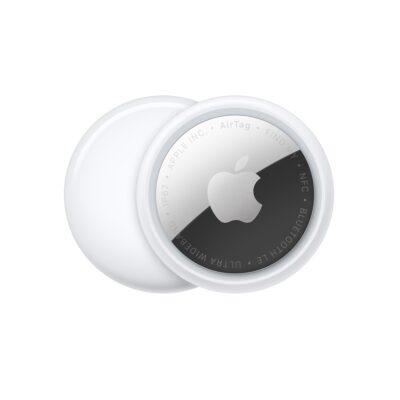
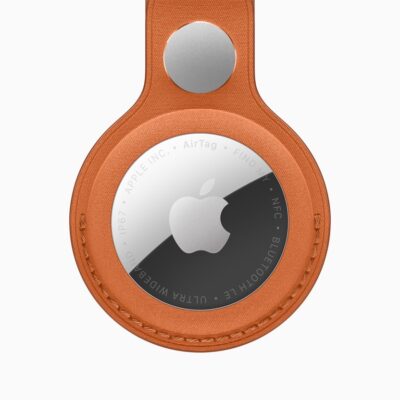
AirTags, third-party items, and associated accessories can be used in a lot of ways, some of them more obvious than others. Clearly, you might add them to a keychain (AirTags require a keychain holder), or zip them into the pocket of a purse, messenger bag, backpack, or luggage.
Less obvious might be placing them in an interior pocket of a jacket, sewing them into clothing, or putting one in a saddle bag on your bicycle—or on a pet’s collar.
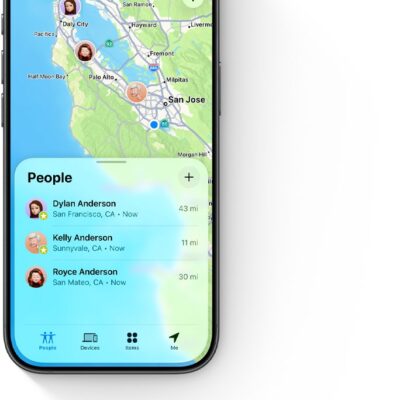
Apple differentiates between hardware that can use both the Find My Device options and Find My network and those, like AirTags, that can only use Find My network. The former, like Macs, iPads, and audio hardware, Apple always calls devices; the latter, items.
An AirTag is a powerful piece of always-on, always-broadcasting technology that can help you in four distinct ways:
- Track stuff you lose: If you routinely can’t find things, I would urge you to not be ashamed of it. All brains are different and, as I’ve learned from my wife—an ADHD/executive-function coach—some people are not wired to retain the location of objects. Hurray, technology can help!
- Track stuff that gets stolen: A sad fact of existence across all societies and in nature is that organisms steal from one another. If you’re concerned about theft or have been a victim of it, a Find My item can sometimes help with recovery.
- Tracking kids: Parents definitely overestimate the risk of a child being abducted by a stranger. But the number of children who go “missing” for an hour or a few hours is huge. They might take the wrong bus, get lost, or actually be perfectly safe with a family friend, relative, parent, or guardian other than the one who is legally responsible. Putting a tracking tag in a kid’s backpack or clothing may alleviate worries and reduce anxiety.
- Tracking animals: Those who have pets know they roam. Sometimes, we’re just curious where they get to. Other times, we need to rescue them when they’re stuck or lost. Except in quite rural areas, a lost or wayward pet is almost always quite near an Apple device possessed by people passing nearby.
Do not track adults
Tracking a child can be fraught with issues of agency, consent, and purpose, but it’s generally legal (this is not legal advice) and may be advisable. For adults, however, it’s nearly always unwarranted and unwelcome, and may violate civil statutes and constitute a crime unless one is in a guardianship relationship with the person (again, this is not legal advice). See how to check whether someone is tracking you for more on how Find My items can be misused.
Keys, wallets and small things
For items like keychains, wallets, and even non-Apple mobile devices like gaming consoles or Kindles, adding a Find My item can mean the difference between tearing your hair out while never finding something and easily recovering it.
Apple offers AirTag cases with key rings and other attachments from third parties at their online and retail stores, but there are many more, including those with built-in carabiners (and some of those with combination locks).
You might also consider a third-party Find My item that’s designed for attachment or fitting in a wallet. Many companies now make thin, wallet-sized trackers (3.35 by 2.1 inches or 85 by 54 mm), several of which can be wirelessly recharged using a Qi charger.
You can also “roll your own” solution. For an expensive pair of headphones one of my kids purchased and used away from the house, I attached a Chipolo ONE Spot: it’s thin, circular, matte, and flat—no bulge, unlike an AirTag. It blended in nearly invisibly with the headphones. We tested its weight by first attaching it with painter’s tape to wear around the house.
We paired it with their iPhone, and I attached it with an absurdly strong but removable acrylic adhesive film (3M’s 468MP). The ONE Spot has a remarkably similar black tint to the headphones, too.
Bags and luggage
We carry our lives in our purses, fanny packs/bum bags, messenger bags, and luggage. And they’re danged easy to lose, get stolen, or have an airport fling into the outer darkness, never to be seen again.
A Find My item is a chef’s-kiss match for bags. There are many ways to insert an AirTag or other item into a bag. Many AirTag cases are designed to snap onto, wrap around, or clip onto bag straps. Some even have adhesive to glue them inside a hidden area of your bag.
Even within an airport, the density of people with Apple devices and the precision of the Find My network can help you track down your luggage among thousands mounded all around you.
I started putting AirTags and Find My items in all my checked and carry-on bags—even in my wallet—when I resumed air travel in 2022. It’s worked like a charm. My family now uses about 15 AirTags across all our luggage and carry-on bags—and three trombones.
Starting in iOS 18.2/iPadOS 18.2 and macOS 15.2 Sequoia, you can opt to share a secure link that will allow them to track your item for up to seven days or until found. Apple added this to help airlines and other people recover your lost stuff that has a tracker in it. (See how to share an AirTag with someone else.)
Using iOS 26 and iPadOS 26 or later, you can add baggage to an airline flight record, so that you can see your tracked luggage at a glance. See how to track lost luggage with an AirTag.
Cars
A Find My item in a car won’t readily deter thieves because an item that’s separated from your paired device for any period of time or that travels with someone—i.e., thieves who have stolen your car—will alert a nearby iPhone, iPad, or Android device (see what an “AirTag Found Moving With You” alert means).
However, if you frequently have to park your car in different places in your neighborhood, in garages, or around work, using Find My can be a nice adjunct to dropping a pin in Maps.
My wife, who is savvy about privacy issues, opted to put an AirTag in the car she drives most often of our two after losing track of it in a badly designed, discontinuous, multi-part garage—with multiple identical-looking entrances to different subterranean floors. (I’ve lost my car in the same facility.) She was reassured by Apple’s security and privacy protocols with Find My items.
When someone else drives the car when you’re not in it, they would normally receive alerts about an AirTag moving with them. You can avoid that alert, however, by sharing the Find My item. You can share access to a Find My item with up to five other people; see how to share an AirTag. Everyone with shared access to a Find My item is treated like the owner: they don’t receive safety alerts and can track it.
Bikes
About 100 million bikes are in people’s homes in the United States, and a few tens of millions of people ride regularly. Annual thefts range from 150,000 (reported) to 2,000,000 (estimated). If you live in a high-theft area for bikes, the odds could be 5% or more that your bike will be stolen at some point across years of public use.
You can hide an AirTag in a lot of places on a bike—though I wouldn’t recommend it inside a bike, as the metal would prevent effective radio-signal transmission. I suggest an Elevation Lab TagVault: Bike. It’s a case that screws into a standard water-bottle cage mount. You can screw a cage in or use it by itself. It’s not obtrusive, and a thief might be unaware that it’s a tracker at all.
The Knog Scout is a hybrid option. It’s a Find My device that also offers Bluetooth-based alarm arming. Attached beneath a water bottle cage, you can use Find My to track it like any other item, and you can also arm it when within Bluetooth range to trigger a loud alarm. If you’re within range when the alarm goes off, you’re notified, too.
I got a deal on an Aventon e-bike several months ago, and—besides its excellent range and price—one of its selling points is a built-in GPS and cellular tracker. Even more remarkably, the first year is free, and subsequent years cost $20.
However, the Aventon tracker pushes the bike’s most recent location to your paired e-bike app only when the bike is powered down. You can activate Lost Mode, which then triggers location pings even when the bike is “off,” disabling the electric-motor assist, locking the bike’s rear wheel, and displaying an error code.
That’s all great, and I have insured the bike. But I also installed an AirTag using the Elevation Lab case. This gives me the best of both worlds: using an AirTag that’s difficult to remove, I can actively track the bike at any given time; if it’s stolen, I can engage the Aventon system to improve my odds of finding it or getting it back if a thief pries off the AirTag case.
Things that get wet
Depending on your item, you may need to consider whether it’s water-resistant—especially if it’s likely to be exposed to rain or even dunked. For portable items, here’s an incomplete selection of ratings:
- AirTags (2021 and 2026 models) have a rating of IP67, offering protection against water intrusion from sprays, rain, and high-pressure water jets. They can also survive immersion in water up to 3.3 feet (one meter) deep for up to 30 minutes.
- ElevationLab offers what it calls a “waterproof” TagVault in keychain and pet-collar attachment versions of AirTags. It doesn’t disclose an IP rating, but I tested one in a glass of water for several minutes with no ill effects.
- The Chipolo ONE Spot tracker has an IPX5 rating, or resistance from water up through low-pressure water jets or sprays. The Pebblebee Clip 5 tracker is even better at IP66, which protects against high-pressure jets. Neither protects against immersion.