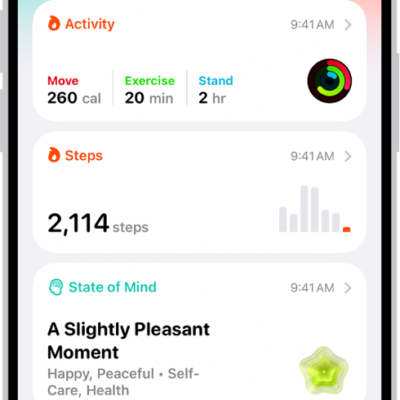
You can reflect on how you’re feeling and log your momentary emotions and daily moods to keep track of your mental wellbeing. You can also learn how your state of mind may correlate with lifestyle factors like exercise, sleep, time in daylight, and mindful minutes.
You can also view your state of mind history and set state of mind reminders.
Here’s how to log your state of mind in Health on iPhone.
Log your state of mind
- Open the Health app on your iPhone.
- Tap Browse, tap Mental Wellbeing, and then tap State of Mind.
- If this is your first time logging, tap Get Started. Otherwise, tap Log.
Quick tip: To log your state of mind for a previous day, tap the Calendar Button, tap a day, then tap Log.
- Choose one of the following:
- Log an emotion: Tap How you feel right now and then tap Next.
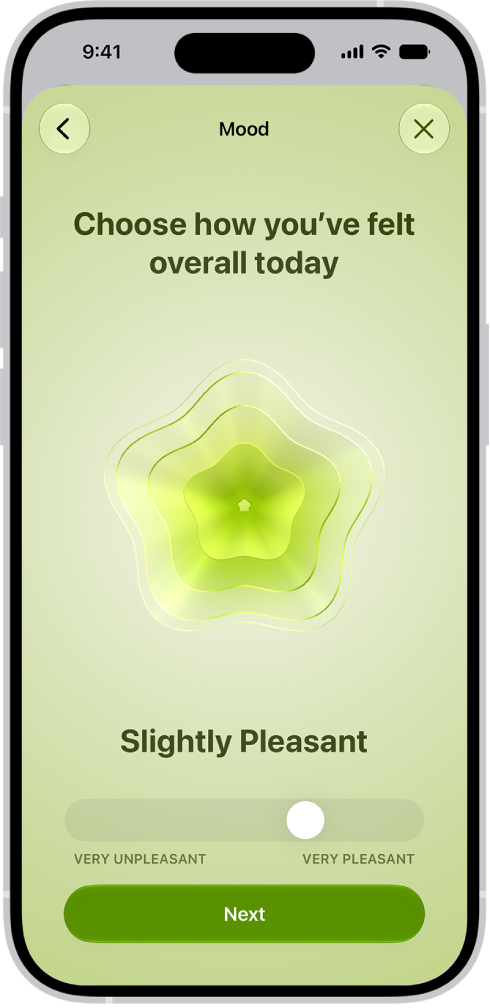
- Log a mood: Tap How you’ve felt overall today and then tap Next.
- Drag the slider to indicate how you’re feeling. Then tap Next.
- Tap any words that describe how you’re feeling (optional) and tap Next.
- Tap any words that describe what’s having the biggest impact on you (optional) and tap Done.
If you’ve described what’s having the biggest impact on you, you can tap Additional Context to enter more information.
View your state of mind history
- Open the Health app on your iPhone.
- Tap Browse, tap Mental Wellbeing, and then tap State of Mind.
- Tap Show in Charts, then do any of the following:
- View your state of mind over time: Tap an option from the time range selections at the top of the chart.
- View the types of entries you’ve logged: Tap States and then tap Daily Moods or Momentary Emotions to see those entries on the graph.
- View factors associated with your entries: Tap Associations. Then scroll through the different factors you logged in your state of mind entries.
- View lifestyle factors associated with your entries: Tap Life Factors and tap a lifestyle factor to see it alongside your state of mind entries.
You can also tap the Show Information button next to each lifestyle factor to learn more about how it can impact your mental wellbeing.
Set state of mind reminders
You can get reminders to log your state of mind.
- Open the Health app on your iPhone.
- Tap Browse, tap Mental Wellbeing, and then tap State of Mind.
- Scroll down to the bottom of the screen and then tap Options.
- Turn During Your Day and End of Day on or off.
You can also tap Add Reminder to create additional reminders.