Use the Find My app to erase an iPhone, iPad, iPod touch, Apple Watch, or Mac. In order to remotely erase a device, you must turn on Find My [device] before it’s lost.
Erasing doesn’t leave the device up for grabs. Activation Lock remains on to protect it, and your Apple Account password is required to reactivate it. If the device had iOS 15, iPadOS 15, or later, you can still locate it or play a sound on it afterward.
Here’s how to erase a device in Find My on iPhone.
What happens when you erase a device in Find My?
- A confirmation email is sent to your Apple Account email address.
- When you erase a device remotely using Find My, Activation Lock remains on to protect it. Your Apple Account password is required to reactivate it.
- If you erase a device that had iOS 15, iPadOS 15, or later installed, you can use Find My to locate or play a sound on the device. Otherwise, you won’t be able to locate or play a sound on it. You may still be able to locate your Mac or Apple Watch if it’s near a previously used Wi-Fi network.
Erase a device
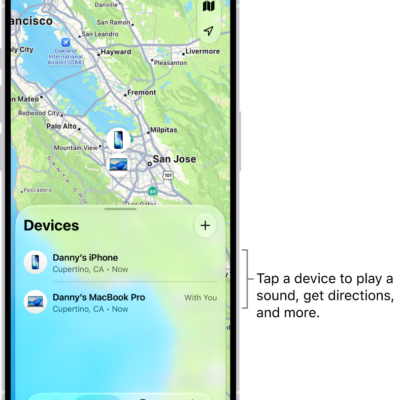
- Open the Find My app on your iPhone.
- Tap Devices, tap the name of the device you want to erase, and then tap the More button.
- Tap Erase and tap Continue.
-
If the device is a Mac, enter a passcode to lock it (you need to use the passcode to unlock it).
If the device is lost and you’re asked to enter a phone number or message, you may want to indicate that the device is lost or how to contact you. The number and message appear on the device’s Lock Screen.
- Tap Erase.
- Enter your Apple Account password, then tap Erase again.
Is your device offline? You’ll see Erase Pending, and the remote erase starts as soon as it next connects to a Wi-Fi or cellular network.
Cancel an erase
If you find an offline device you’ve erased before it comes online again, you can cancel the erase request.
- Open the Find My app on your iPhone.
- Tap Devices, tap the name of the device whose erase you want to cancel, and then tap the More button.
- Tap Cancel Erase, then enter your Apple Account password.
Lost your iPhone? Find Devices on iCloud.com can erase it.