Got a tip for us?

Abigail Shilets

Abigail is a staff writer for GeeksModo based in Pennsylvania. She covers news, how-tos, and user guides for iPhone, iPad, Mac, and Apple Watch. Before becoming a writer Abigail studied computer science at University and also worked at Apple for more than two years. When not creating masterpiece for GeeksModo, you can usually find Abigail hiking, climbing, or otherwise unplugged.

Abigail Shilets's Articles

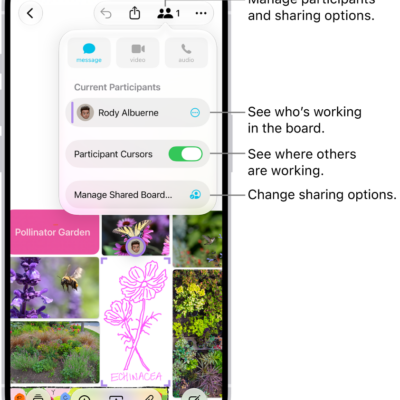
A shared Freeform board on iPhone with the collaboration menu open.

How to send a copy or PDF of a Freeform board on iPhone

You can send a link to a copy of a Freeform board from iPhone, or export the board as a PDF to share it.
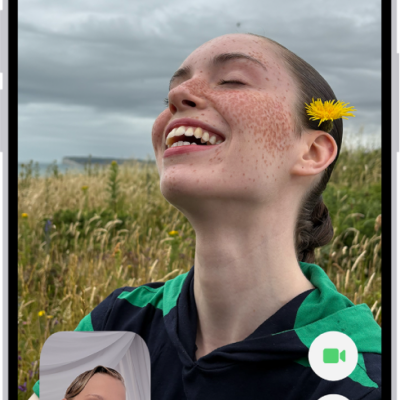
The FaceTime screen showing a call in progress. At the top of the screen is the name of the participant shown in the larger image. The other participant’s image appears in a small rectangle in the lower left, along with the Flip Camera button. The images of the other participants appear in tiles above it. Additional FaceTime controls are at the bottom right of the screen: Camera, Microphone, More, and End Call buttons.

How to get started with FaceTime on iPhone

You can use FaceTime on iPhone to make video calls over Wi-Fi or cellular, watch and listen together, and leave video messages.
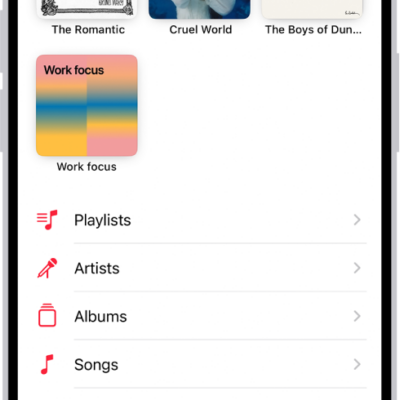
The Library tab showing a list of categories including Playlists, Artists, Albums, Songs, and Downloaded. The Recently Added heading appears below the list. The MiniPlayer showing the title of the current song and the Pause and Next buttons appear near the bottom.

How to add music to iPhone and listen offline

You can add songs to your library and download them to iPhone to listen offline if you subscribe to Apple Music.
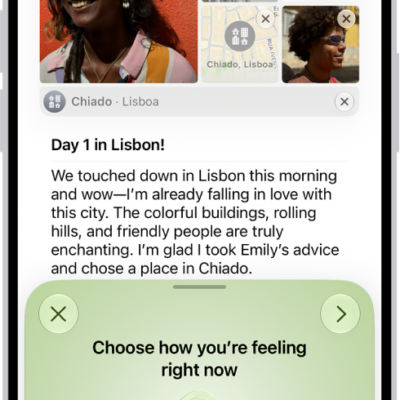
A screen in the Journal app showing an entry with a section at the bottom where you can log your state of mind.

How to log your state of mind with Journal on iPhone

You can log your state of mind in Journal on iPhone and add the time you spend journaling as mindful minutes in Health.
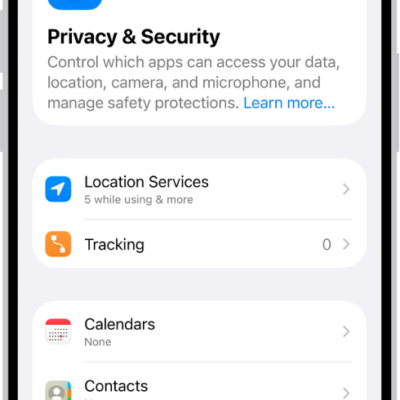
The Privacy & Security screen in Settings.

How to automatically install Background Security Improvements on iPhone

You can have your iPhone automatically install Background Security Improvements, which add protection in between software updates.
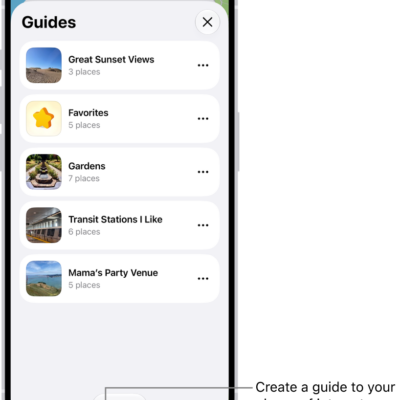
A list of several custom guides in Maps, including a Favorites category, and the New Guide button at the bottom right.

How to organize places with custom guides in Maps on iPhone

You can organize places into your own guides in Maps on iPhone, starting with Favorites, and share, edit, or remove them.

A list of all accounts with passwords that are stored in the Passwords app.

How to see the FileVault recovery key for your Mac in Passwords on iPhone

You can see and copy the FileVault recovery key for your Mac in the Passwords app on iPhone, in case you forget your Mac password.
A notification is shown on iPhone that Name Recognition recognized a sound that may be a name.

How to recognize sounds using iPhone

You can have iPhone recognize sounds like a doorbell, siren, or crying baby and notify you, and add custom sounds.
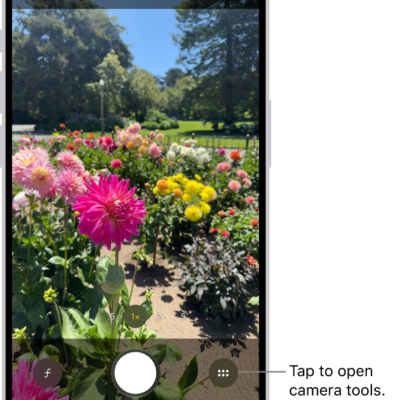
Camera is open in Photo mode. The Camera Controls button is in the top-right corner. The Photo and Video Viewer button is in the bottom-left corner. The Take Picture button is at the bottom center, and the Camera Chooser Back-Facing button is in the bottom-right corner.

How to customize the Main camera lens on iPhone

You can add 28 mm and 35 mm lenses to the Main camera and choose which one is the default on supported iPhone models.

The Photos app is open and the Library tab is selected at the bottom of the screen.

How to get started with Photos on iPhone

You can use Photos on iPhone to browse your library, enjoy your memories, and share your best shots.