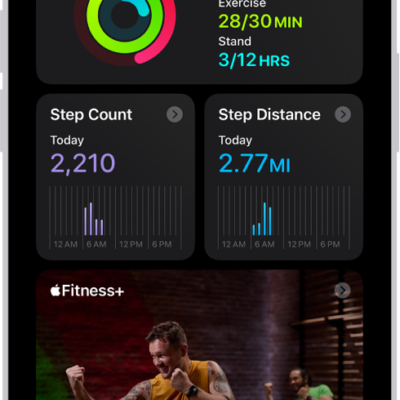
You can change your personal health details, change your Activity ring goals, and customize your Activity ring goals by the day of the week. You can also pause your Activity rings and resume at any time.
When you need a break, your Activity rings can be paused for up to 90 days without breaking your award streak. Every Monday, you’re notified about the previous week’s achievements, and goals are suggested based on your performance in the previous week.
Change your Activity ring goals
You can change the daily goal for each of your Activity rings, and it’s even possible to customize your Activity ring goals by the day of the week.
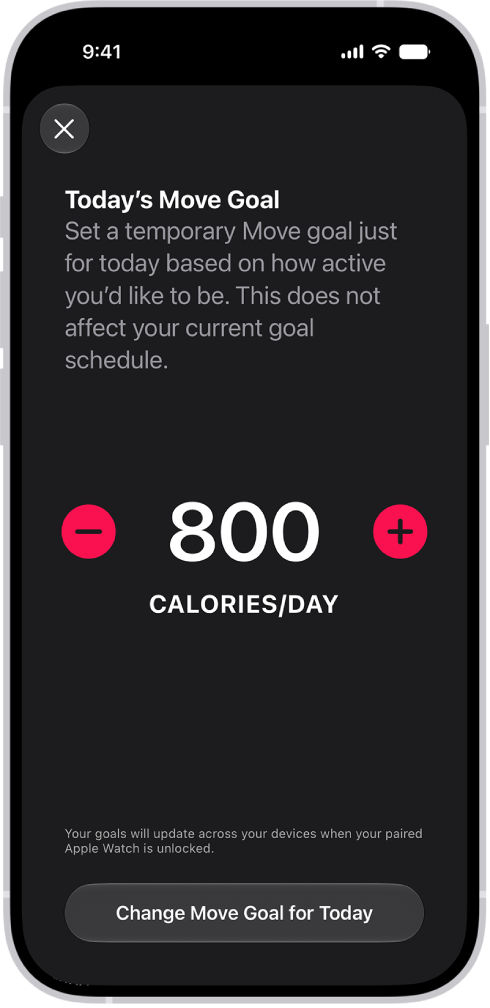
- Start the Fitness app on your iPhone.
- Tap the Activity rings and tap the Edit Goal button next to an Activity ring.
-
Tap one of the following:
- Adjust Goal for Today: Set a temporary goal for your Activity ring for today.
- Change Daily Goal: Set a goal based on how active you are, or how active you want to be, each day.
Tip: To customize your Activity ring goal by the day of the week, tap Change Daily Goal, then tap the Schedule button.
- Tap the Delete button or the Add button to adjust the goal.
- When you’re finished, tap Change [activity] Goal for Today, Change [activity] Goal, or Set [activity] Goal Schedule.
Every Monday, you’re notified about the previous week’s achievements and can adjust your goals for the upcoming week. The suggested goals are based on your performance in the previous week.
Pause your rings
If you need to take a break, pause your Activity rings for up to 90 days, and your award streak won’t break. Resume them at any time.
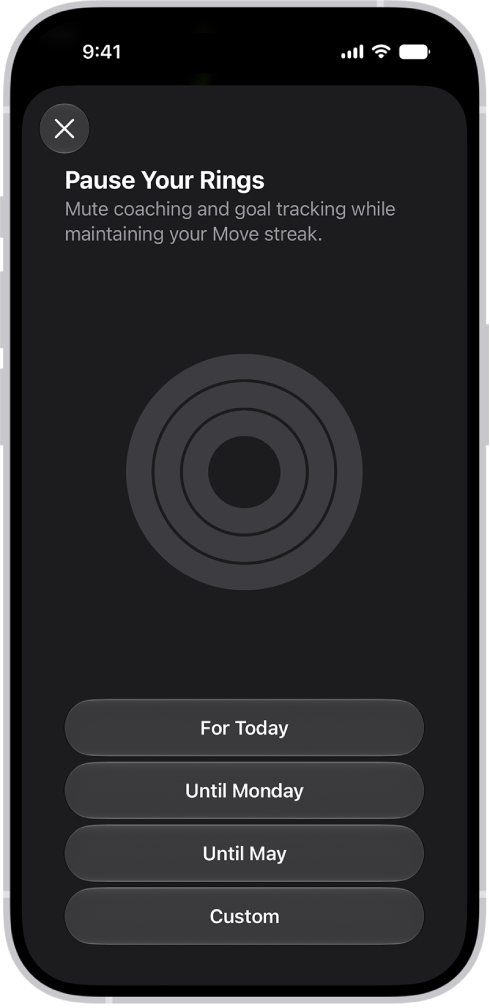
- Start the Fitness app on your iPhone.
- Tap the Activity rings, scroll down, and tap Pause Rings.
- Do one of the following:
- Pause for a preset duration of time: Tap a duration.
- Pause for a custom duration of time: Tap Custom, select a duration, and then tap Set.
To resume your rings, tap the Activity rings, then tap Resume Rings. To edit the duration of your pause, tap Edit Pause, set a custom duration, then tap Set.