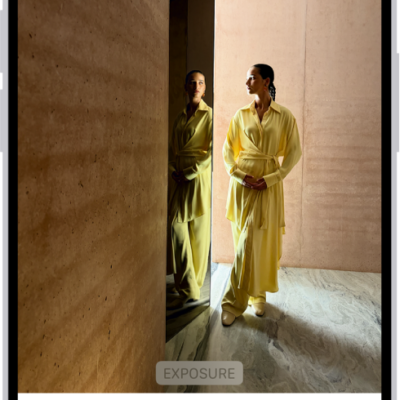
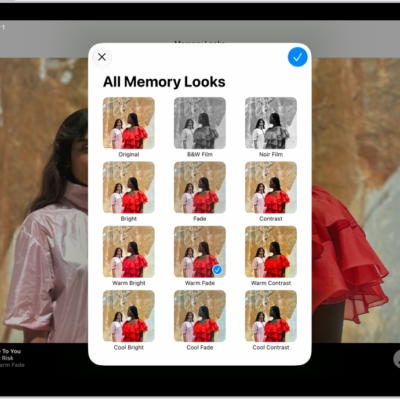
View each memory in your Memories collection as a movie that’s set to music. Every collection and album in the Photos app can play as a memory movie, too, which you can watch or edit to make more personal.
With Apple Intelligence, you can create a custom memory movie of the story you want to see. Just type a description, and Apple Intelligence chooses photos and videos, builds a storyline with unique chapters, and sets it to music. While a memory movie plays, you can pause it, mute it, or go backward or forward.
Note: Apple Intelligence on iOS 27 or later is available on an Apple Intelligence-enabled iPhone 15 Pro, iPhone 15 Pro Max, or iPhone 16 model or later. Apple Intelligence is not available in all languages or regions. Usage limits may apply.*
Play a memory movie
- Open the Photos app on your iPhone.
- Tap Collections.
- Swipe left under Memories to scroll through a selection of your memories, or tap Memories to view them all.
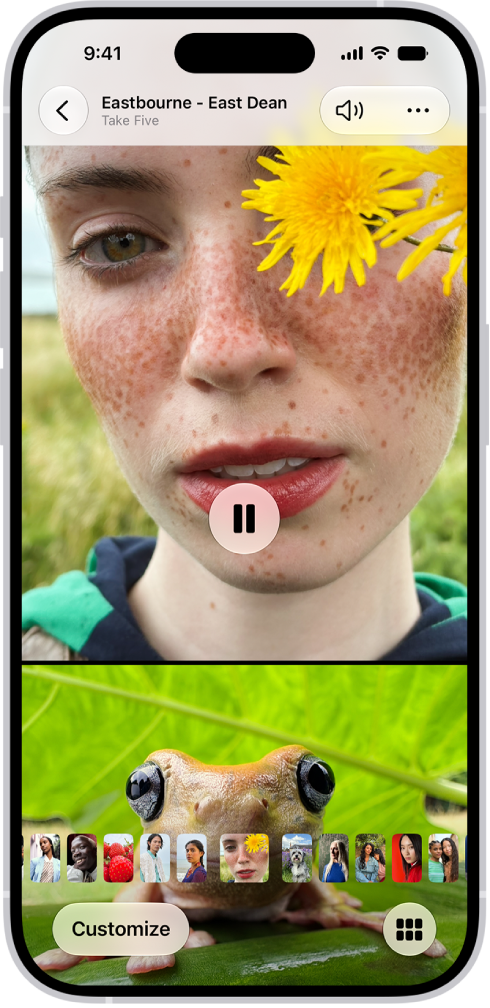
- Tap the Play button in the bottom-right corner of a memory to play it.
- As the memory movie plays, do any of the following:
- Pause: Tap the screen and tap the Pause button.
- Go backward or forward: Swipe left or right. Or tap the screen. Slide the frames at the bottom of the screen left or right.
- Mute: Tap the screen, then tap the Mute button.
- Close a memory: Tap the screen and tap the Close button.
Play a memory movie from a collection or album
The collections and albums you have in the Photos app can all be viewed as memory movies.
- Open the Photos app on your iPhone.
- Tap Collections.
- Select an existing collection or album. Then tap the Play button to watch the photos and videos as a memory movie.
Create a memory movie with Apple Intelligence
Want a custom memory movie of a particular story? Create one right in Photos. Type a description, and Apple Intelligence picks the best photos and videos and sets them to music, with a storyline built from unique chapters and a narrative arc.
- Open the Photos app on your iPhone.
- Tap Collections, tap Memories, and tap Create.
- Enter a description of the movie you want to create, then tap Done.
*Apple Intelligence is available with Siri and device language set to Chinese (Simplified), Chinese (Traditional), Danish, Dutch, English, French, German, Italian, Japanese, Korean, Norwegian, Portuguese, Spanish, Swedish, Turkish, or Vietnamese. Some features may not be available in all regions or languages. Some devices may not be available in all regions. Siri AI is available in beta in iOS 27, iPadOS 27, macOS 27, watchOS 27, and visionOS 27 and requires an Apple Intelligence–enabled device set to a supported language. Available in English to start. Siri AI will not be initially available in the EU on iOS, iPadOS, and watchOS. Certain Apple Intelligence features that rely on server-side models are subject to daily usage limits, including but not limited to Siri AI, Intelligent Photo Editing Tools, Image Playground, and AFM 3 Cloud models in Shortcuts. Daily limits may vary by feature, request complexity, system demand, system policies, and other factors. Expanded access to such features will be available for a fee in the future. Use of these features is subject to the Apple Intelligence Terms and Conditions.