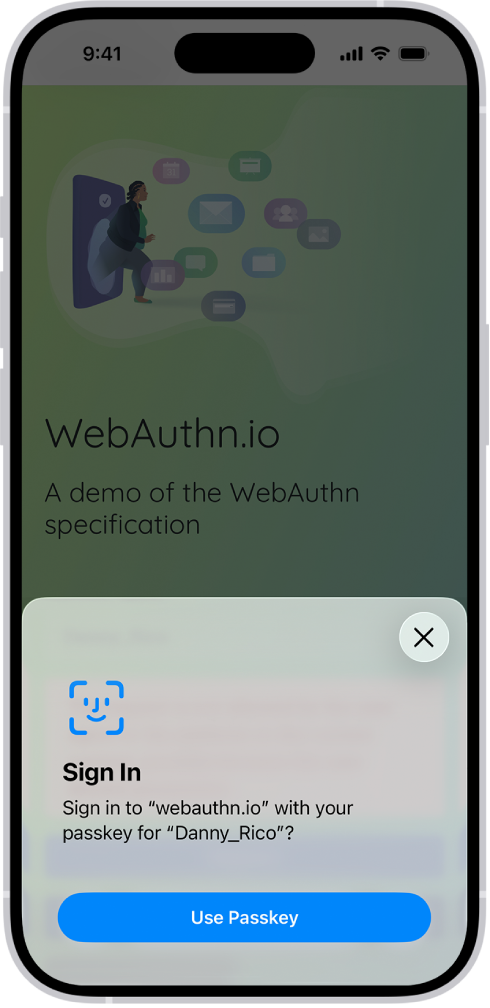
How to sign in with passkeys in Safari on iPhone
In the Safari app, you can use Face ID or Touch ID, on supported models, to securely sign in to supporting websites with a passkey. It’s quick. When a website supports it, the option to use a passkey to sign in appears at the bottom of the screen.
Read Next
You can get Safari extensions on iPhone from the App Store to find coupons, block content, and add features from other apps.
You can see the Safari tabs open on your other Apple devices from iPhone, and keep tabs and Tab Groups updated across them.
You can change the password for a website or app from the Passwords app on iPhone, or switch to Sign in with Apple where it's offered.