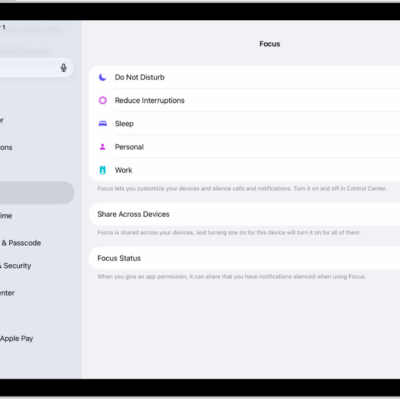
When you don’t want to get alerts and notifications for an extended period, you can turn on Silent Mode, Theater Mode, or Do Not Disturb. You can also use a Focus that you can customize with a schedule, allowable notifications, and more.
Silent Mode mutes alerts, but you still receive haptic notifications. Theater Mode goes further, keeping the display dark when you raise your wrist. Alarms and timers still sound when your watch is charging, even in Silent Mode.
To immediately silence something such as a phone call or alarm, see Use gestures for notifications and alerts on Apple Watch.
Choose a mode for extended silencing
| Silent Mode | Theater Mode | Do Not Disturb | Focus | |
|---|---|---|---|---|
| Sounds | Off | Off | Off | Off (with exceptions you set) |
| Haptics | On (if you allow) | On (if you allow) | Off | Off (with exceptions you set) |
| Visual notifications | On | Off | Off | Off (with exceptions you set) |
| Display | On | Off | On | On (except for customizable modes like Sleep) |
| Options | — | — | Can turn on for 1 hour, until you leave location, until event ends, or indefinitely | Can set schedules and customize allowed notifications |
| Good for | Quiet environments where you want to see and feel notifications | Dark venues like theaters and movies | Meetings, appointments, and instances when you want to prevent all notifications | Sleep, work, and other activities with specific notification needs |
| Learn More | Turn on Silent Mode | Turn on Theater Mode | Turn on Do Not Disturb | Turn on Focus |
Turn on Silent Mode
Silent Mode mutes all alerts, notifications, and sound effects, but you still receive haptic notifications.
Note: Even in Silent Mode, alarms and timers still sound while Apple Watch is charging.
- Press the side button to open Control Center on Apple Watch.
-
Tap the Silent Mode button.
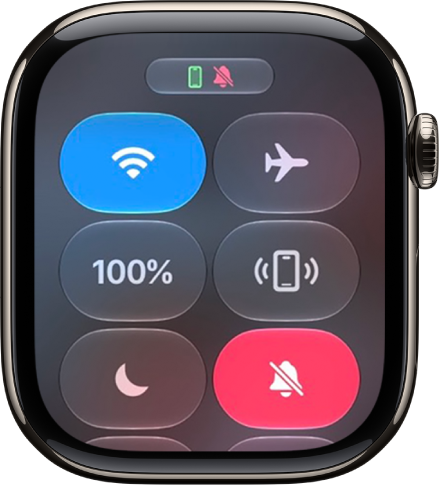
You can also go to the Apple Watch app on your iPhone, tap My Watch, tap Sounds & Haptics, then turn on Silent Mode.
Turn on Theater Mode
With Theater Mode, the Apple Watch display stays dark. It doesn’t turn on when you raise your wrist. Theater Mode turns on Silent Mode as well, and you still receive haptic notifications.
- Press the side button to open Control Center on Apple Watch.
-
Tap the Theater Mode button.
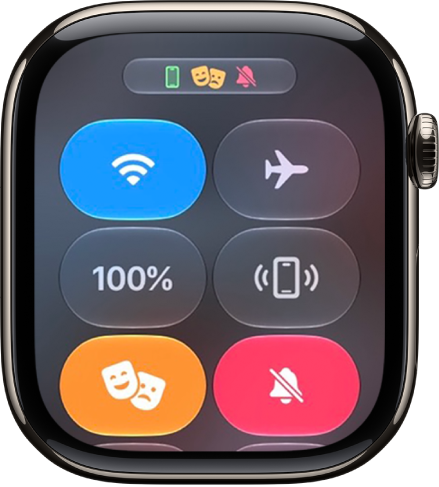
The Theater Mode status icon at the top of the screen shows when Theater Mode is on.
To wake Apple Watch when Theater Mode is on, tap the display, press the side button, or turn or press the Digital Crown.
Turn on Do Not Disturb or a Focus
To prevent sound and haptic notifications, do the following:
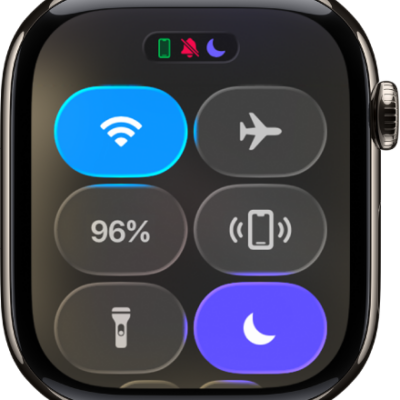
- Press the side button to open Control Center on Apple Watch.
- Tap the Do Not Disturb button and then choose Do Not Disturb or a Focus.
- Tap On or choose an ending point—such as On for 1 hour or On until I leave.
To set up your own Focus, read our guide, Create a custom Focus.
See also