Apple Watch makes it easy to communicate with friends, family, and coworkers, even when your iPhone isn’t with you.
You can send a message right from your wrist with Siri, make a call, and share your live location with a friend you’re meeting. With Apple Intelligence, you can even communicate across languages in Messages.

Send a message, right from your wrist
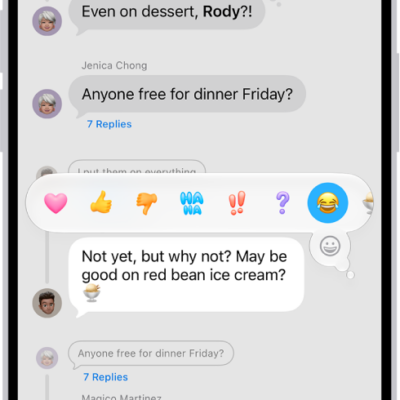
Quickly respond to a message with Siri. When Apple Watch is connected to Wi-Fi or cellular, just raise your wrist and say, “Tell Julie I’ll be there in five minutes.” Or touch and hold the message to give your friend a thumbs up with a Tapback reply.
Read and respond to messages >

Make a call
Siri can help you make a quick call. If your Apple Watch has a cellular or Wi-Fi connection, raise your wrist and say “Call Mom.” With a Wi-Fi connection, a simple “FaceTime Mom” does the trick, and you can also join a Group FaceTime audio call.
Share your live location
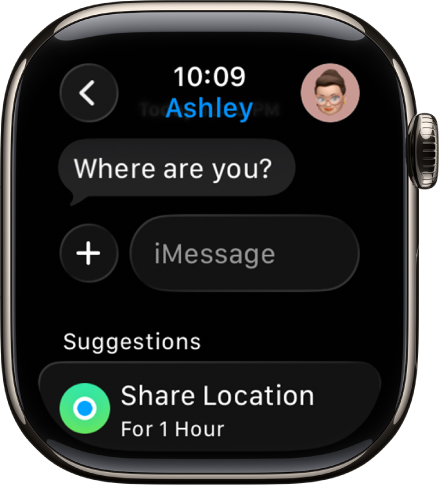
Meeting a friend? Apple Watch can let them know where you are and update your location automatically. Open the Messages app, start a new message or open a conversation, tap the Apps button, tap Location, then start sharing your location.
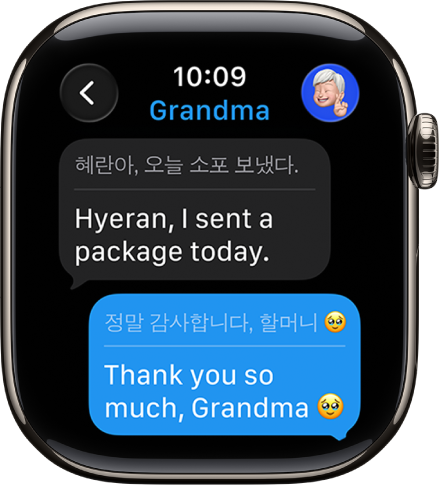
Communicate across languages
With Apple Intelligence,* you can automatically translate texts in Messages. Just open a conversation and send a message in a preferred language.
Use Live Translation in Messages
*Apple Intelligence is available with Siri and device language set to Chinese (Simplified), Chinese (Traditional), Danish, Dutch, English, French, German, Italian, Japanese, Korean, Norwegian, Portuguese, Spanish, Swedish, Turkish, or Vietnamese. Some features may not be available in all regions or languages. Some devices may not be available in all regions. Siri AI is available in beta in iOS 27, iPadOS 27, macOS 27, watchOS 27, and visionOS 27 and requires an Apple Intelligence–enabled device set to a supported language. Available in English to start. Siri AI will not be initially available in the EU on iOS, iPadOS, and watchOS. Certain Apple Intelligence features that rely on server-side models are subject to daily usage limits, including but not limited to Siri AI, Intelligent Photo Editing Tools, Image Playground, and AFM 3 Cloud models in Shortcuts. Daily limits may vary by feature, request complexity, system demand, system policies, and other factors. Expanded access to such features will be available for a fee in the future. Use of these features is subject to the Apple Intelligence Terms and Conditions.