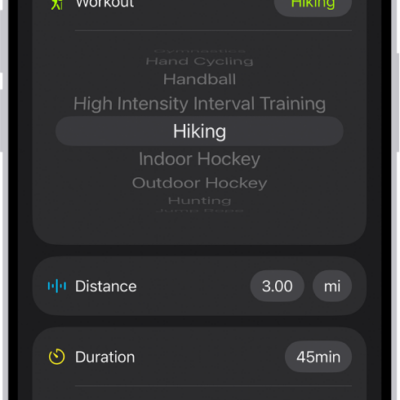
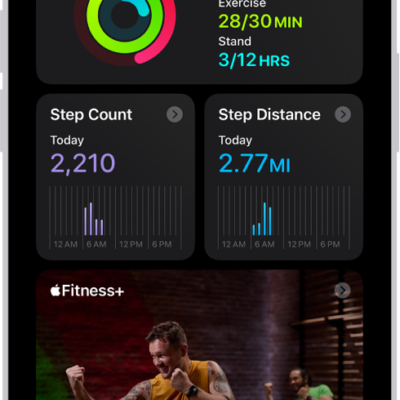
With Apple Intelligence, you can use Workout Buddy to get encouragement during your workouts based on real-time analysis of your fitness history and data from your current workout.
It also lets you know when you’ve hit a new milestone, like running your fastest 10K or crossing 500 miles. And you can receive insights on your progress for pace, distance, and workout duration. It works with workout types like runs, walks, rides, and hikes. You’ll need Bluetooth headphones and an iPhone 15 Pro, iPhone 15 Pro Max, or iPhone 16 model or later.
You can use Workout Buddy with any of these workout types:
- Outdoor and Indoor Run
- Outdoor and Indoor Walk
- Outdoor and Indoor Cycle
- Hiking
- Elliptical
- Stair Stepper
- High Intensity Interval Training (HIIT)
- Functional and Traditional Strength Training
Note: Workout Buddy on iOS 27 or later is an Apple Intelligence feature available on iPhone 15 Pro, iPhone 15 Pro Max, and iPhone 16 models or later with Bluetooth headphones when device language is set to English or Spanish. Apple Intelligence is not available in all regions or languages.*
Set Up Workout Buddy
- Start the Fitness app on your iPhone.
- Tap Workout and scroll to a workout type. Then tap the Waveform Bubble button.
- Turn on Use Workout Buddy, choose a voice, and then tap the Close button.
- When you’re ready to start your workout, tap the Start button.
Hit a milestone during your workout, like reaching your 100th mile for the year or closing all your Activity rings, and Workout Buddy may give you audio motivation. Once you end the workout, Workout Buddy gives you a summary, including metrics like the total time, calories burned, and more.
*Apple Intelligence is available with Siri and device language set to Chinese (Simplified), Chinese (Traditional), Danish, Dutch, English, French, German, Italian, Japanese, Korean, Norwegian, Portuguese, Spanish, Swedish, Turkish, or Vietnamese. Some features may not be available in all regions or languages. Some devices may not be available in all regions. Siri AI is available in beta in iOS 27, iPadOS 27, macOS 27, watchOS 27, and visionOS 27 and requires an Apple Intelligence–enabled device set to a supported language. Available in English to start. Siri AI will not be initially available in the EU on iOS, iPadOS, and watchOS. Certain Apple Intelligence features that rely on server-side models are subject to daily usage limits, including but not limited to Siri AI, Intelligent Photo Editing Tools, Image Playground, and AFM 3 Cloud models in Shortcuts. Daily limits may vary by feature, request complexity, system demand, system policies, and other factors. Expanded access to such features will be available for a fee in the future. Use of these features is subject to the Apple Intelligence Terms and Conditions.