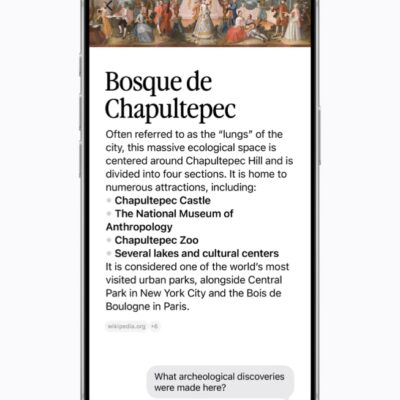
Once you invoke Siri using any of the many methods, you can start asking questions or asking Siri to perform tasks.
There’s a little nuance to how Siri answers. If you type your query in, for example, a Search or Ask field, then as you type—just as with previous versions—Spotlight finds local files and apps, images in Photos, tasks from Reminders, contact cards, App Store matches, and so forth. These start to display immediately.
If Siri identifies a search that appears Spotlight-focused, it presents a blue search button in the lower-right corner on an iPhone or iPad; on a Mac, there’s no indicator. More exact matches offer a suggestion as a completion after a long dash in gray text. If you type photoshop on a Mac with Adobe Photoshop installed, you see “photoshop — Adobe Photoshop 2025.a…” with everything after photoshop in gray.
However, if you type a question, more words, or something ambiguous, “— Ask Siri” appears in gray. On an iPhone or iPad, the search button turns into an arrow button—an Ask button, we assume. Tap the arrow button or, on a Mac, press Return, to trigger a Siri response to what you typed.
On all three kinds of devices, a Show Results button with overlapping icons—representing the kinds of items found—may appear below the Siri field. On the Mac, we saw it appear briefly before showing a scrolling results list as with Spotlight.
This automatic recognition of your query type means you don’t have to think about how you formulate a search or question: type what you want and let Siri figure it out. If the results list for a search doesn’t suffice, elaborate on what you’re asking.
You can broadly ask Siri these kinds of things:
- Find something or analyze something on my device or in my personal information that’s available on this device, like text in Notes, events in Calendar, text recognized in Photos, and so on. (See how Siri AI and Spotlight merged.)
- Provide me an answer about something that doesn’t necessarily include any of my personal data, or may not need to.
- Make me an image of something I describe.
That’s all very general. What are specific kinds of queries you might make? Remember that the data has to exist for Siri to answer. We rely on a third-party email client, so Siri seems to have limited access to our email stores for now. But nearly everything else we do is stored in and synced by iCloud.
Here are a handful of examples of the wide range of questions you can ask and commands you can make, as the list is effectively endless:
- What movie am I thinking of? It has Harry Lime in it. As you may have found with other chatbots, Siri can take a small amount of factual information and work like a memory aid by filling in the gaps, or asking clarifying questions. (Answer: The Third Man.)
- Summarize my conversation last week with *name*. We found this particularly useful because, in testing, Siri did seem to figure out the most important things talked about, provide a solid analysis of the topics, and link to individual messages.
- Start a timer for *time units. You can specify any time in any units. We tried 13 1/2* and it was interpreted correctly.
- How many times did I go out for lunch this year? Siri pulled information from one of our calendars but also from a shared calendar used by a spouse. It also didn’t necessarily identify things that weren’t labeled “lunch” but were midday meal dates.
- How do I clean a toilet that has a seemingly permanent stain inside the bowl? Siri can consult external sources and stuff that’s in its outboard LLM brain in the cloud to give you ideas for what to try.
- Create an album containing all the images that I took in June 2024. Siri adds an album to Photos, and provides a link you can click to view that album in Photos.
- Did I receive a birthday party invitation recently? Siri gave one of us a summary derived from a mix of emails and messages, correctly identifying two recent invitations for events that had already passed, while noting that it saw nothing upcoming.
- What are some times I have nothing scheduled between 10 and noon next week? Siri offers a list of days in which that condition is true, but also shows the conflicts that impinge on that range on some days.
- How do I feel about *person*? This is a question you might ask to test out the way Siri AI “thinks,” and we were surprised to find that it did a great job at accurately, if effusively, summarizing our interactions with a person by looking at email, messages, and other cues.
- Make a picture of a nice lasagna dinner in a photorealistic style. While we have all sorts of feelings about this, it’s definitely something you can do. (See the Apple Intelligence features to skip.)
One of us attended a 60th birthday party recently, where former officemates regaled attendees with the celebrant’s early use of voice-recognition software. He had trained it so he could say “paste”—or rather, “Paste. Paste. PASTE!!!”—to perform that command and so on. The wits in the office would walk by and yell “erase hard drive! OK! Approve! OK!”