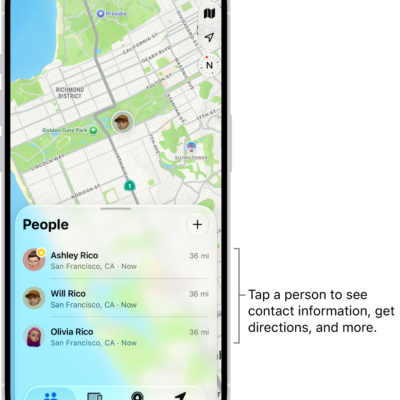
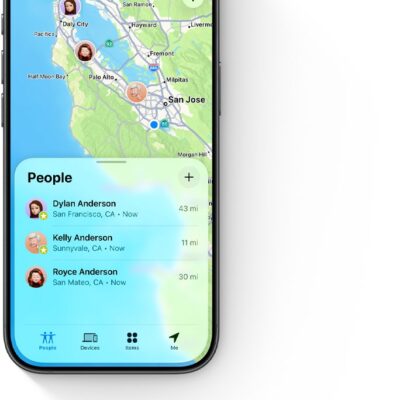
Use the Find My app to get a notification when your friend’s location changes. You can get notified when a friend arrives at a location, leaves a location, or isn’t at a location, and with a larger radius, you’re notified when they’re near it.
Your friend gets an alert after you set the notification up.
Here’s how to get notified when a friend’s location changes in Find My on iPhone.
Important: In order to receive a notification when your friend’s location changes, make sure you allow notifications for the Find My app.
You can also let friends know when your location changes.
Get notified when your friend arrives at or leaves a location
- Start the Find My app on your iPhone.
- Tap People, tap the name of the person you want to be notified about, and then tap the More button.
- Below Notify Me, tap Add Location Alert.
- Choose whether you want to be notified when a friend arrives at or leaves a location.
-
Choose a location, or tap New Location to create a new location and set a location radius.
With a larger radius, you’re notified when your friend is near the location instead of right at the location.
- Choose whether you want to be notified only once or every time.
- Tap the Done button, then tap OK.
When you set the notification, your friend receives an alert.
A recurring notification needs your friend’s approval before it’s set. The first time they arrive at or leave the location you chose, they get an alert asking for approval.
Get notified when your friend isn’t at a location
When you set a schedule, you can get a notification if a friend or family member isn’t at a specific location during it. You could be notified if your child isn’t at school during school hours, for example.
- Start the Find My app on your iPhone.
- Tap People, tap the name of the person you want to be notified about, and then tap the More button.
- Below Notify Me, tap Add Location Alert.
- Below When, tap [your friend’s name] Is Not At.
-
Choose a location, or tap New Location to create a new location and set a location radius.
With a larger radius, you’re notified when your friend is near the location instead of right at the location.
-
Select when you want to be notified.
- Time: Select a start and end time.
- Days: Select the days of the week.
- Tap the Done button, then tap OK.
Your friend has to approve the notification before it’s set. On the time and day the notifications start, they get an alert asking for approval.
Change or turn off a notification you set
- Start the Find My app on your iPhone.
-
Tap People, tap the name of the person you want to be notified about, and then tap the More button.
This could be a notification you receive about a friend, or a notification your friend receives about you.
- Tap the notification.
-
Do either of the following:
- Change a notification: Change any details and then tap the Done button.
- Turn off a notification: Tap Delete Notification and tap Delete Notification again.
You can create up to 25 Notify Me notifications.
Note: Recurring notifications only work for friends who have two-factor authentication turned on.