Check your training load on your Apple Watch to see how the intensity of your workouts may impact your body over time. In this way, you can make more informed decisions about how and when to adjust your workouts—especially when you’re training for a big event.
Training load compares your last 7 days of workouts to the previous 28 days. You can filter it by workout type, and see your overnight vitals for additional insights.
Review your training load
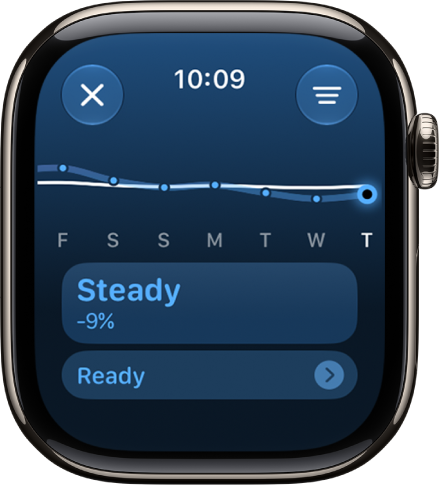
Training load looks at your workouts’ intensity and duration over the last 7 days and compares them to what you’ve done over the previous 28 days. Your current training load then gets classified on a scale from well below to well above, which helps you understand the relative strain on your body and judge whether it’s sustainable.
- Go to the Activity app on your Apple Watch.
- Tap the Workload button and then turn the Digital Crown to view your training load over the last 7 days.
-
Tap your training load below the graph. Then tap a workout to view its details.
To edit your effort on a workout, see Rate your effort.
When you’re viewing your training load on the current day, you can tap the Vitals data at the bottom of the screen to view your overnight vitals in the Vitals app. See View your overnight vitals.
Filter your training load
You can filter your training load by workout type.
- Open the Activity app on your Apple Watch.
- Tap the Workload button and then tap the Filter button.
- Turn the Digital Crown to view your training load for that workout over the last 7 days.
See also