









Now the sun’s out you may be wearing your sunglasses and wondering why your iPhone 18 Pro Max won’t unlock. If you are fed up with having to remove your sunglasses every time you need to unlock your iPhone. Here’s what you can do to speed up the process.
The reason why Face ID isn’t unlocking your iPhone is it can’t verify that you are looking at the phone. Face ID normally only unlocks the phone when you are looking at your phone–that way it offers you greater security as someone can’t just hold your phone at your face to unlock it without your authorization, it won’t unlock just sat on your desk beside you, and it can’t be unlocked while you are unconscious or asleep.
However, you can set your iPhone to unlock even if it can’t tell you are looking at it. If you do want your phone to unlock without detecting what your eyes are doing here’s what you need to do.
How to make Face ID work with sunglasses
There’s a simple setting that makes it a lot easier for Face ID to recognize you when you’re sporting your favorite shades (although it comes at the expense of sacrificing a bit of security). Here’s how you do it.
- Go to Settings.
- Tap Accessibility, then tap Face ID & Attention.
- Turn off Require Attention for Face ID.
- Tap on Ok.
That’s all! Face ID should now work when you’re wearing most sunglasses. The benefit is that by turning this requirement off Face ID will speed up in general.
How to set up Face ID while wearing sunglasses
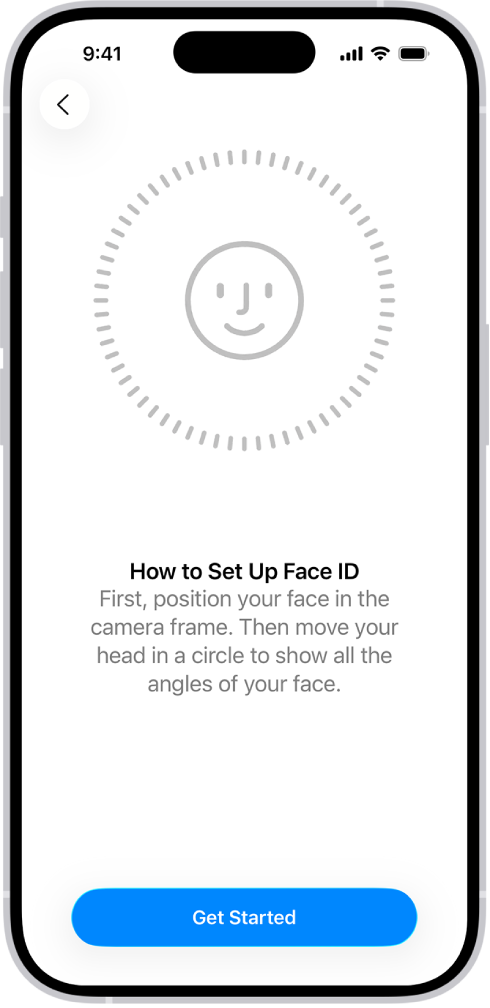
If you would rather not disable Require Attention for Face ID (reasons why you might not want to do this are below) you could set up an Alternate Appearance in your Face ID settings. As before, follow these steps:
- Go to Settings.
- Scroll down to Face ID & Passcode. Tap it.
- Enter your passcode.
- Scroll down to Set Up an Alternate Appearance and tap it.
-
Now follow the instructions to record your face while wearing your sun glasses.
What are the risks of disabling Require Attention for Face ID?
The option above comes with a warning that says, “TrueDepth camera will provide an additional level of security by verifying that you are looking at iPhone before unlocking. Some sunglasses may block attention detection.”
Basically, “attention” means that you’re looking directly at your iPhone with your eyes open. When attention detection is turned off, Face ID will still be “secure” in that your iPhone will only unlock if the TrueDepth sensors are sure that they’re seeing you, but now it also works if your eyes are closed.
That means someone could force you to unlock your iPhone 18 Pro or iPhone 18 Pro Max by merely lifting it up to your face, even if you shut your eyes. Someone could even unlock your iPhone if you’re asleep. You’ll have to decide if it’s worth the risk.
Fortunately, it’s easy to quickly disable Face ID for unlocking your iPhone if you know you’re about to be in a situation where this could be a problem. All you need to do is hold down the side button and either of the volume buttons at the same time for a couple of seconds. Anyone trying to access the phone after that will have to enter the passcode.

