Got a tip for us?

Apple Watch

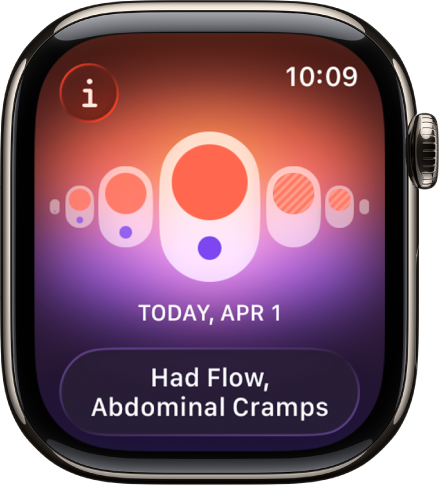
When worn to sleep each night, your Apple Watch can help track temperature changes and use this data to help improve period predictions and provide retrospective ovulation estimates (not available in all countries or regions).

You’ll start to see wrist temperature data after about five nights, but retrospective ovulation estimates take about two menstrual cycles.

Important: The Cycle Tracking app should not be used as a form of birth control. Data from the Cycle Tracking app should not be used to diagnose a health condition.

Set up wrist temperature tracking

  1. Set up Cycle Tracking and Sleep.
  2. To establish a temperature baseline, ensure the Sleep Focus is on and then wear your Apple Watch while sleeping.

    Wrist temperature data becomes available after about five nights.

  3. To view wrist temperature data, open the Health app on your iPhone, tap Browse and tap Body Measurements. Tap Wrist Temperature.

Wear your Apple Watch to sleep each night for about two menstrual cycles, and retrospective ovulation estimates should be available.

Note: Your body temperature naturally fluctuates, and can vary from night to night due to a number of variables. Wrist temperature can also be impacted by external factors like your sleep environment.

Turn off wrist temperature for Cycle Tracking

  1. Go to the Health app on your iPhone or iPad.
  2. Do one of the following:
    • On iPhone: Tap Browse, then tap Cycle Tracking.
    • On iPad: Tap the sidebar, then tap Cycle Tracking.
  3. Scroll down, tap Options, and turn off Use Wrist Temperature.

Turning off wrist temperature tracking means you no longer receive retrospective ovulation estimates, and period predictions stop using wrist temperature data.

See also

Tag: Health

In the Readiness app on Apple Watch, you can view a readiness score that helps you understand when you are likely ready to push yourself and when it’s time to take a rest. You’ll need to set up Activity and Sleep, and wear your watch to bed for at least 7 nights first.

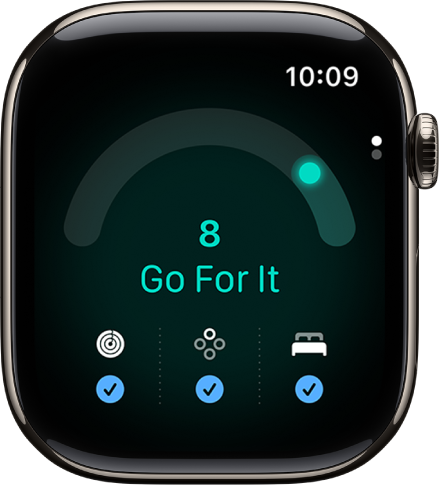
The Readiness app showing a readiness score.

Note: The Readiness app is available on Apple Watch Series 12 and Apple Watch Ultra 4 for ages 13 and older.

Ranging from 0-10, your readiness score takes into account the following metrics:

  • Activity: Recent Activity data including active calories, workout effort ratings, and training load data.
  • Vitals: Overnight metrics like heart rate, respiratory rate, wrist temperature, heart rate variability (HRV), and blood oxygen, and heart rate measured during the day. These are analyzed versus your recent baseline, which requires you to sleep with your watch at least 7 of the past 49 nights.
  • Sleep: Recent sleep score data.

Note: Readiness does not account for all health factors such as existing conditions or medications, and should not be solely relied on to determine whether and when it is safe to exercise. For important information about using the Readiness app safely, see Important safety information for Apple Watch. For models of Apple Watch purchased in the United States on or after January 18, 2024 with part numbers ending in LW/A or LS/A, Blood Oxygen is not available in the Vitals app.

Set up Readiness

Before you can see your readiness score, check that you’ve done the following:

View your readiness score

To view your readiness score, do the following:

  1. Open the Readiness app on your Apple Watch.
  2. Tap the Activity, Vitals, and Sleep buttons to learn more.

    Note: Your readiness score updates throughout the day based on calories burned, naps, and your daytime heart rate.

You can also view your readiness score in the Fitness app on iPhone to learn more. Go to the Fitness app, then tap Readiness (you may need to scroll to the bottom of the screen).

Possible readiness scores

Your readiness score, which ranges from 0-10, has the following breakdown:

  • Recover: 0-1
  • Pace Yourself: 2-4
  • Ready: 5-7
  • Go For It: 8-10

Not all features are available in all areas and on all models, Apple notes.

See also

Tag: Fitness

You can wear Apple Watch to bed and track nightly changes in your wrist temperature, which can provide insight into your wellbeing. In the Vitals app, you view wrist temperature and easily see if it’s out of your typical range.

Cycle Tracking can also use wrist temperature data to improve period predictions and receive ovulation estimates. To establish your temperature baseline, you wear your Apple Watch to bed with Sleep Tracking turned on, and data is available after about 5 nights.

Important: The temperature sensing feature is not a medical device, and is not intended for use in medical diagnosis, treatment, or for any other medical purpose.

Set up wrist temperature tracking

  1. Set up Sleep with Sleep Tracking turned on in the Settings app.
  2. To establish a temperature baseline, ensure the Sleep Focus is on and then wear your Apple Watch while sleeping.

    To gather wrist temperature data from Apple Watch, it must track your sleep for at least 4 hours each night. Wrist temperature data will be available after about 5 nights.

Note: Your body temperature naturally fluctuates, and can vary from night to night due to a number of variables. Wrist temperature can also be impacted by external factors like your sleep environment.

Review your wrist temperature

  1. Start the Health app on your iPhone.
  2. Tap Browse, tap Body Measurements, and tap Wrist Temperature.
  3. To show sample details, tap a point on the chart.

Turn off wrist temperature tracking

  1. Start the Settings app on your Apple Watch.
  2. Tap Privacy & Security and tap Health.
  3. Tap Wrist Temperature, then turn off Wrist Temperature.

You can also open the Apple Watch app on your iPhone, tap My Watch, tap Privacy, then turn off Wrist Temperature.

See also

Tag: Health

Check your training load on your Apple Watch to see how the intensity of your workouts may impact your body over time. In this way, you can make more informed decisions about how and when to adjust your workouts—especially when you’re training for a big event.

Training load compares your last 7 days of workouts to the previous 28 days. You can filter it by workout type, and see your overnight vitals for additional insights.

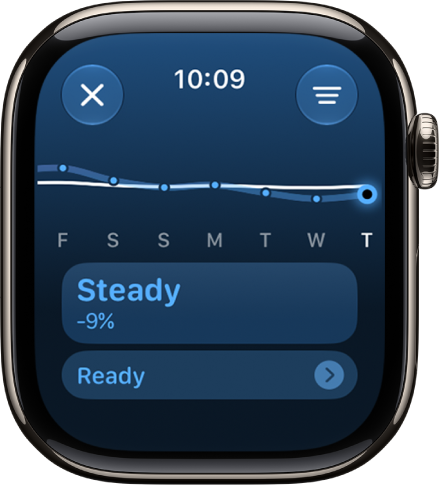
A screen in the Activity app showing a training load estimation.

Review your training load

Training load looks at your workouts’ intensity and duration over the last 7 days and compares them to what you’ve done over the previous 28 days. Your current training load then gets classified on a scale from well below to well above, which helps you understand the relative strain on your body and judge whether it’s sustainable.

  1. Go to the Activity app on your Apple Watch.
  2. Tap the Workload button and then turn the Digital Crown to view your training load over the last 7 days.
  3. Tap your training load below the graph. Then tap a workout to view its details.

    To edit your effort on a workout, see Rate your effort.

When you’re viewing your training load on the current day, you can tap the Vitals data at the bottom of the screen to view your overnight vitals in the Vitals app. See View your overnight vitals.

Filter your training load

You can filter your training load by workout type.

  1. Open the Activity app on your Apple Watch.
  2. Tap the Workload button and then tap the Filter button.
  3. Turn the Digital Crown to view your training load for that workout over the last 7 days.

See also

Tag: Fitness

In the Vitals app on your Apple Watch, you can view overnight health metrics—heart rate, respiratory rate, wrist temperature, blood oxygen*, and sleep duration—to get a better understanding of your daily health status. On Apple Watch Series 12 and Apple Watch Ultra 4, you see heart rate variability instead of sleep duration, plus metrics collected during the day, like heart rate and heart rate variability.

The Vitals app establishes a typical range for each of your health metrics collected as you sleep and during the day. When multiple metrics are outside your typical range, you receive a notification along with context for factors that may be involved, like medications, elevation changes, or illness, for example.

Note: Your Apple Watch is not a medical device. For important information about using the Vitals app safely, see Important safety information for Apple Watch. For models of Apple Watch purchased in the United States on or after January 18, 2024 with part numbers ending in LW/A or LS/A, Blood Oxygen is not available in the Vitals app.

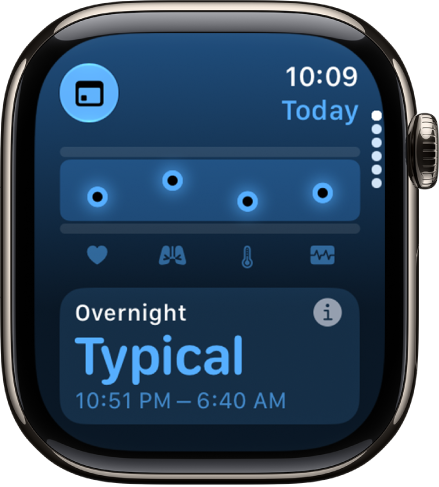
A screen in the Vitals app showing overnight health metrics.

View your overnight vitals

  1. Start the Vitals app on your Apple Watch.
  2. Do any of the following:

    • Learn more about your overnight vitals: Tap Overnight Vitals. Then tap More Info to learn more about the health results you may see, and what it means when your vitals are within their typical ranges or if there has been a change between one of your metrics compared with your recent history.
    • View your health metrics: Turn the Digital Crown to a metric and tap the metric to learn more about the metric and factors that may cause an increase or decrease.

      Note: When you view your overnight vitals on Apple Watch Series 12 and Apple Watch Ultra 4, you can see your overnight heart rate variability instead of sleep duration.

    • View your training load: Turn the Digital Crown to Training Load. Tap Training Load to view it in the Activity app.

To view your overnight vitals for the last 7 days, tap the Calendar button at the top-left corner. To return to your overnight vitals summary, tap the Summary button.

View your daytime vitals

Your daytime vitals on Apple Watch Series 12 and Apple Watch Ultra 4 take into account your heart rate and heart rate variability measurements, helping highlight when something may be off or impacting your readiness score.

A screen in the Vitals app showing daytime health metrics.

  1. Start the Vitals app on your Apple Watch.
  2. Tap the Overnight Vitals button to switch to daytime vitals.
  3. Do any of the following:
    • Learn more about your daytime vitals: Tap Daytime, then tap More Info. You can learn more about your health results, what it means when your vitals are within their typical ranges, or if one of them has changed from your recent history.
    • View your health metrics: Turn the Digital Crown to a metric and tap the metric to learn more about the metric and factors that may cause an increase or decrease.
  4. To return to overnight vitals, tap the Daytime Vitals button.

To view your daytime vitals for the last 7 days, tap the Calendar button at the top-left corner. To return to your daytime vitals summary, tap the Summary button.

View your vitals on iPhone or iPad

  1. Go to the Health app on your iPhone or iPad.
  2. Tap Browse and tap Vitals.
  3. Tap a health metric to learn more.

Turn on Vitals notifications

You get notifications by default when at least two of your overnight metrics fall outside of your typical range, and you can turn them back on if you’ve turned off notifications for Vitals.

  1. Start the Settings app on your Apple Watch and then tap Vitals.
  2. Turn on Notifications.

Note: The back of your Apple Watch needs skin contact for features like wrist detection, haptic notifications, blood oxygen level measurements, and the heart rate sensor. Wearing your Apple Watch with the right fit—not too tight, not too loose, and with room for your skin to breathe—keeps you comfortable and lets the sensors do their job.

*Not all features are available in all areas and on all models.

See also

Tag: Health

The Mindfulness app on your Apple Watch encourages you to set aside a few minutes a day to focus, center, and connect as you breathe.

In a Reflect session, you read a theme and focus your attention, and in a Breathe session, you inhale as the animation grows and exhale as it shrinks. Sessions last between 1 and 5 minutes.

Here’s how to start a Reflect or Breathe session on Apple Watch.

Start a Reflect or Breathe session

  1. Start the Mindfulness app on your Apple Watch.
  2. Do one of the following:
    • Start a Reflect session: Tap Reflect, read the theme, focus your attention and then tap Begin.
    • Start a Breathe session: Tap Breathe, inhale slowly as the animation grows. Exhale as it shrinks.

To end a session before it completes, swipe right, then tap End.

The Mindfulness app showing a thought you can reflect on. A Begin button is below.

Set the duration of a session

  1. Start the Mindfulness app on your Apple Watch.
  2. Tap the More Options button next to Reflect or Breathe.
  3. Tap Duration, then choose an option.

    You can choose a time between 1 and 5 minutes.

Adjust mindfulness settings

Mindfulness reminders can come as frequently as you choose, and you can change your breath rate, choose haptics settings, and mute mindfulness reminders for the day.

  1. Start the Settings app on your Apple Watch.
  2. Tap Mindfulness and then do any of the following:
    • Set mindfulness reminders: Below Reminders, turn Start of Day and End of Day on or off; tap Add Reminder to create additional reminders.
    • Get or stop a weekly summary: Turn Weekly Summary on or off.
    • Mute mindfulness reminders: Turn on Mute for today.
    • Change your breath rate: Tap Breath Rate to change the number of breaths per minute.
    • Choose haptics settings: Tap Haptics, then choose None, Minimal, or Prominent.

You can also open the Apple Watch app on your iPhone, tap My Watch, tap Mindfulness, then adjust a setting.

See your heart rate during mindfulness sessions

Complete a Reflect or Breathe session. Your heart rate appears in the Summary screen.

  1. Start the Mindfulness app on your Apple Watch.
  2. Complete a Reflect or Breathe session.

    Your heart rate appears in the Summary screen.

You can also review your heart rate later. Go to the Health app on your iPhone, tap Browse, tap Heart, then tap Heart Rate. Tap Show More Heart Rate Data, swipe up, then tap Breathe.

See also

Tag: Health

In the Music app on Apple Watch, you can find Radio. It features Apple Music 1, Apple Music Hits, Apple Music Country, Apple Music Club, Apple Música Uno, and Apple Music Chill.

These six stations offer the latest music from various genres and exclusive interviews, and you don’t need a subscription to enjoy them. You just need your Apple Watch near your iPhone or connected to a Wi-Fi or cellular network.

Siri: You can also use Siri to listen to broadcast radio and curated stations by music experts. For example, ask Siri something like, “Play Apple Music 1” See Use Siri to listen to broadcast radio.

Listen to Apple Music radio

The Radio screen showing three Apple Music stations. The Now Playing button is at the top right. The Back button is at the top left.

To listen to Apple Music radio, your Apple Watch needs to be near your iPhone or connected to a Wi-Fi network. A cellular network works too, if your Apple Watch has a cellular plan.

  1. Open the Music app on your Apple Watch.
  2. From the Home screen, tap the Back button, tap Radio, and then tap an Apple Music station.

Listen to a featured or genre station

  1. Open the Music app on your Apple Watch.
  2. From the Home screen, tap the Back button and tap Radio. Turn the Digital Crown to scroll through stations and genres created by music experts.
  3. Tap a genre to see its stations. Tap a station to play it.

Explore radio options

When playing a radio station, you can see what’s playing next, add music to your library or a playlist, share songs and stations, mark what you do and don’t like, and go to an artist or album screen.

  1. Open the Music app on your Apple Watch.
  2. Tap Radio and tap a station to play it.
  3. Tap the More Options button, then choose an option.

See also

Tag: Music

You can use Siri to play music, audiobooks, podcasts, and control playback. On your Apple Watch, you just activate Siri and make a request, like “Skip ahead three minutes” or “Continue playing podcast.” You can even use Siri to listen to broadcast radio.

Use Siri with Audiobooks and Podcasts

Siri: On your Apple Watch, activate Siri, then see the ideas below for requests you can make.

  • “Skip ahead three minutes”
  • “Continue playing podcast”
  • “Play the next chapter of this audiobook”

Use Siri with Music

Siri: On your Apple Watch, activate Siri, then see the ideas below for requests you can make.

  • “Play ‘Cruel World’ by Holly Humberstone”
  • “Play more songs from this album”
  • “Play my workout playlist”
  • “What song is this?”
  • “Play R&B Now Radio”
  • “Play Apple Music 1”
  • “Play cool jazz”
  • “Play the dinner party playlist”
  • “Play a playlist to help me relax”
  • “Play more like this”

Use Siri to listen to broadcast radio

To listen to broadcast radio stations on your Apple Watch, use Siri.

Siri: On your Apple Watch, activate Siri, then see the ideas below for requests you can make.

  • “Play Wild 94.9”

Stations can be requested by name, call sign, frequency, and nickname.

Note: You don’t need a subscription to Apple Music to listen to broadcast radio. Broadcast radio isn’t available in all countries or regions. Not all stations are available in all countries or regions.
See also

Tags: Music, Siri

Use the Music app to choose and play music on your paired iPhone, paired Bluetooth headphones or speakers, or the Apple Watch speaker (supported models). See Choose an audio destination on Apple Watch.

You can play music stored on Apple Watch, control music on your iPhone, and stream music from Apple Music if you’re a subscriber. You can also open the queue, shuffle or repeat music, and play music on a different device.

Siri: Ask Siri something like, “Play ‘Cruel World’ by Holly Humberstone” See Ask Siri to play audio.

Play music

After you connect Apple Watch to Bluetooth headphones or speakers, then follow these steps:

  1. Open the Music app on your Apple Watch.
  2. Do any of the following:

    • Play music on your Apple Watch: Turn the Digital Crown to scroll through the Home screen and then tap an album, playlist, or category.

      Use the Apple Watch app on your iPhone to choose which songs to add to Apple Watch.

    • Play music from your music library: From the Home screen, tap the Back button, tap Library, tap a category such as Playlists, Albums, Downloaded, or a recently added item, and choose the music you want to play.
    • Request music from Apple Music (Apple Music subscription required): Raise your wrist and then request an artist, album, song, genre, or portion of a song lyric.
    • Search the Apple Music library: From the Home screen, tap the Back button, tap Search, enter what you’re looking for, and then tap Search. Tap a result to play it.

Play music for you

As an Apple Music subscriber, you get to play music chosen just for you.

  1. Open the Music app on your Apple Watch.
  2. Scroll down to view music you’ve recently added to your Apple Watch, as well as a curated feed of playlists and albums based on your likes and dislikes.
  3. Tap a category, tap an album or playlist, and tap the Play button.

The Now Playing screen in the Music app. Album art is in the middle, the song title and artist are below. At the bottom of the screen are the Previous, Play/Pause, and Next buttons. The More Options button is at the top right. The Back button is at the top left.

Open the queue

While music is playing, you can see a list of upcoming songs in the queue.

  1. Open the Music app on your Apple Watch.
  2. Play an album or playlist, tap the More Options button and tap Playing Next.
  3. To play a track in the queue, tap it.

By default, Auto Play adds music to the end of the queue that’s similar to what you’re playing. To turn off Auto Play, tap the Auto Play button.

Note: If you turn off Auto Play on one device that uses your Apple Account, like your Apple Watch, it’s off only for that device. Your other devices keep using Auto Play until you turn it off on each one.

To add music you choose to the queue, swipe left on a song, playlist, or album; tap the More button; then tap Play Next or Play Last. Music you choose to play last is added to the end of the queue.

Control playback

To adjust volume, turn the Digital Crown. These controls play music on your Apple Watch and iPhone:

  • the Play button Play the current song.
  • the Pause button Pause playback.
  • the Next button Skip to the next song.
  • the Previous button Skip to the beginning of the song; double-tap to skip to the previous song.

Quick tip: To hide the controls, tap the Now Playing screen.

Shuffle or repeat music

  • Shuffle or repeat music from the playback screen: While viewing the playback screen, tap the More Options button, tap Playing Next, then tap the Shuffle button or the Repeat button.

    Tap the Repeat button twice to repeat a song.

    By default, if you’re an Apple Music subscriber, AutoPlay adds music similar to what you last played to the end of the queue. To turn off AutoPlay, tap the AutoPlay button.

    The tracklist window showing Shuffle, Repeat, and Auto Play buttons at the top, and one track directly below. Near the bottom, another track appears below Playing Next. A Close button is at the top left.

  • Shuffle music in your library: On the Now Playing screen, tap the Back button, tap Library, tap Artists, Albums, or Songs, then tap Shuffle.

Play music on a different device

Your Apple Watch can stream music to paired headphones and to other Bluetooth-compatible devices like headphones and speakers. It can also control music on AirPlay-compatible devices, including HomePod speakers and Apple TV 4K.

On the Now Playing screen, tap the More Options button at the top right, then do any of the following:

  • Connect to a Bluetooth device: Tap AirPlay, tap Connect a Device, then choose a Bluetooth device.
  • Connect to an AirPlay device: Tap AirPlay, tap Control Other Speakers & TVs, choose a device, then choose some music to play.

Quickly return to the Now Playing screen

From any screen in the Music app, tap the Now Playing button in the top-right corner. If the watch face is showing, turn the Digital Crown up, then tap the currently playing song in the Smart Stack or tap the Music button at the top of the screen.

See also

Tag: Music

Your Apple Watch comes with a variety of watch faces, most of which you can customize. See Change Apple Watch faces to learn more.

The set that follows might differ from what you see on your Apple Watch, since not all watch faces are available in all countries or regions or on all models. To see the latest set, make sure your software is up to date. Activity Analog, for example, shows your Activity progress over a traditional analog clock.

Activity Analog

Your Activity progress is superimposed over a traditional analog clock. You can see your Activity rings as subdials or in the familiar stacked design.

The Activity Analog watch face showing the time as well as Move, Exercise, and Stand goal progress. There are also three complications: Weather at the top left, Workout at the top right, and Weather Conditions at the bottom.

  • Customizable features: Color • Style (Rings, Subdials)
  • Available complications: Activity • Alarms • Astronomy • Audiobooks • Battery • Blood Oxygen • Calculator • Calendar • Camera Remote • Cellular • Compass • Compass Waypoints • Contacts • Cycle Tracking • Depth • ECG • Find My • Heart Rate • Home • Mail • Maps • Medications • Messages • Mindfulness • Music • Music Recognition • News • Noise • Notes • Phone • Podcasts • Reminders • Remote • Shortcuts • Sleep • Stocks • Stopwatch • Tides • Timers • Tips • Translate • Voice Memos • Wallet • Weather • Workout • World Clock

Activity Digital

This one shows the time in a digital format with large, uniform fonts, along with your Activity progress.

The Activity Digital watch face showing the time as well as Move, Exercise, and Stand goal progress. There are also three complications: Weather at the top left, Workout at the top right, and the Weather Conditions complication at the bottom.

  • Customizable features: Color • Seconds time
  • Available complications: Activity • Alarms • Astronomy • Audiobooks • Battery • Blood Oxygen • Calculator • Calendar • Camera Remote • Cellular • Compass • Compass Waypoints • Contacts • Cycle Tracking • Depth • ECG • Find My • Heart Rate • Home • Mail • Maps • Medications • Messages • Mindfulness • Music • Music Recognition • News • Noise • Notes • Phone • Podcasts • Reminders • Remote • Shortcuts • Sleep • Stocks • Stopwatch • Tides • Time • Timers • Tips • Translate • Vitals • Voice Memos • Wallet • Weather • Workout • World Clock

Artist

This visually engaging face algorithmically changes every time you tap the display, and there are millions of combinations.

The Artist watch face, which displays the time. Tap the watch face to change the design.

Astronomy

If you pick the earth, moon, or solar system, this face shows a continuously updating 3D model of it.

Quick tip: Tap the watch face and turn the Digital Crown to go forward or back in time on earth, show the moon’s phases, or see where the solar system’s planets are.

The Astronomy watch face, which displays the day, date, and current time. A timer complication is at the bottom. Tap the watch face, then turn the Digital Crown to move forward or back in time.

  • Customizable features: Font • View (Earth, Moon, Solar System, Random) • Style (Full, Random)
  • Available complications: Activity • Alarms • Astronomy • Audiobooks • Battery • Calendar • Compass • Find My • Heart Rate • Medications • Messages • Music • Music Recognition • News • Noise • Notes • Now Playing • Podcasts • Reminders • Shortcuts • Stocks • Stopwatch • Tides • Timers • Translate • Weather • Workout • World Clock

Quick tip: Add the Moon complication to a corner of any watch face that includes it, and you’ll see the time of the next moonrise or moonset. Say it shows 11:44 PM, 12H 4M: That means the moon sets below the horizon at your location at 11:44 in the evening, 12 hours and 4 minutes from the current time.

Breathe

This watch face encourages you to relax and breathe mindfully. Just tap the display to begin.

The Breathe watch face.

  • Customizable features: Style (Classic, Calm, Focus)
  • Available complications: Activity • Alarms • Astronomy • Audiobooks • Battery • Blood Oxygen • Calculator • Calendar • Camera Remote • Cellular • Compass • Compass Waypoints • Contacts • Cycle Tracking • Depth • ECG • Find My • Heart Rate • Home • Mail • Maps • Medications • Messages • Mindfulness • Music • Music Recognition • News • Noise • Notes • Phone • Podcasts • Reminders • Remote • Shortcuts • Sleep • Stocks • Stopwatch • Tides • Timers • Tips • Translate • Voice Memos • Weather • Workout • World Clock

California

Roman and Arabic numerals mix together on this face.

The California watch face, showing a mix of Roman and Arabic numerals. It shows the date and a Moon Phase complication.

  • Customizable features: Color • Numerals (Pills, Roman, California, Arabic, Arabic Indic, Devanagari) • Dial (Full Screen, Circular)
  • Available complications: Activity • Alarms • Astronomy • Audiobooks • Battery • Blood Oxygen • Calculator • Calendar • Camera Remote • Cellular • Compass • Compass Waypoints • Contacts • Cycle Tracking • Depth • ECG • Find My • Heart Rate • Home • Mail • Maps • Medications • Messages • Mindfulness • Monogram • Music • Music Recognition • News • Noise • Notes • Now Playing • Phone • Podcasts • Reminders • Remote • Shortcuts • Sleep • Stocks • Stopwatch • Tides • Time • Timers • Tips • Translate • Vitals • Voice Memos • Weather • Workout • World Clock

Chronograph Pro

Tap the outer edge surrounding the main 12-hour dial on this watch face, and it transforms into a chronograph. Record time on scales of 60, 30, 6, or 3 seconds. Or select the tachymeter timescale to measure speed based on time travel over a fixed distance.

The Chronograph Pro watch face, where you can adjust the face color and details of the dial. It shows four complications: Messages at the top left, Workout at the top right, Timers at the bottom left, and Music at the bottom right.

  • Customizable features: Color • Timescale
  • Available complications: Activity • Alarms • Astronomy • Audiobooks • Battery • Blood Oxygen • Calculator • Calendar • Camera Remote • Cellular • Compass • Compass Waypoints • Contacts • Cycle Tracking • Depth • ECG • Find My • Heart Rate • Home • Mail • Maps • Medications • Messages • Mindfulness • Music • Music Recognition • News • Noise • Notes • Phone • Podcasts • Reminders • Remote • Shortcuts • Sleep • Stocks • Stopwatch • Tides • Timers • Tips • Translate • Voice Memos • Weather • Workout • World Clock

Color

The time, plus any features you add, appears in your choice of bright colors.

The Color watch face, where you can adjust the color of the watch face. It shows four complications: Translate at the top left, Workout at the top right, Music at the bottom left, and Calendar at the bottom right.

  • Customizable features: Color • Style (Circular or Dial. Includes a full-screen facet) • Monogram
  • Available complications: Activity • Alarms • Astronomy • Audiobooks • Battery • Blood Oxygen • Calculator • Calendar • Camera Remote • Cellular • Compass • Compass Waypoints • Contacts • Cycle Tracking • Depth • ECG • Find My • Heart Rate • Home • Mail • Maps • Medications • Messages • Mindfulness • Music • Music Recognition • News • Noise • Notes • Phone • Podcasts • Reminders • Remote • Shortcuts • Sleep • Stocks • Stopwatch • Tides • Timers • Tips • Translate • Voice Memos • Weather • Workout • World Clock

Contour

This watch face (not available on Apple Watch SE) gradually changes to highlight the current hour. The numerals are a custom font designed to fit into the edge of the display and move seamlessly from 1 hour to the next. Tap the watch face, then turn the Digital Crown to expand numbers other than the current hour.

The Contour watch face with the Workout complication in the middle.

  • Customizable features: Color • Style (Regular, Rounded) • Dial Color
  • Available complications: Activity • Alarms • Astronomy • Audiobooks • Battery • Blood Oxygen • Calculator • Calendar • Camera Remote • Cellular • Compass • Compass Waypoints • Contacts • Cycle Tracking • Depth • ECG • Find My • Heart Rate • Home • Mail • Maps • Medications • Messages • Mindfulness • Monogram • Music • Music Recognition • News • Noise • Notes • Phone • Podcasts • Reminders • Remote • Shortcuts • Sleep • Stocks • Stopwatch • Tides • Time • Timers • Tips • Translate • Vitals • Voice Memos • Weather • Workout • World Clock

Count Up

You can use this face to track elapsed time.

The Count Up watch face. It shows four complications: Workout at the top left, Messages at the top right, Mindfulness at the bottom left, and Music at the bottom right.

  • Customizable features: Color
  • Available complications: Activity • Alarms • Astronomy • Audiobooks • Battery • Blood Oxygen • Calculator • Calendar • Camera Remote • Cellular • Compass • Compass Waypoints • Contacts • Cycle Tracking • Depth • ECG • Find My • Heart Rate • Home • Mail • Maps • Medications • Messages • Mindfulness • Monogram • Music • Music Recognition • News • Noise • Notes • Phone • Podcasts • Reminders • Remote • Shortcuts • Sleep • Stocks • Stopwatch • Tides • Timers • Tips • Translate • Voice Memos • Weather • Workout • World Clock

To start timing, tap the main 12-hour dial to align the marker on the outer edge with the minute hand, turn the Digital Crown to set the length of time, then tap Start. To return the face to its default state, tap the red elapsed time button, then tap Stop.

Exactograph

This watch face separates hours, minutes, and seconds onto separate dials for precise timekeeping. Tapping the face expands each dial by 5 times, revealing smaller increments of time for even more precision.

The Exactitudes watch face. It shows four complications: Workout at the top left, the date at the top right, Timers at the bottom left, and Music at the bottom right.

  • Customizable features: Color • Background (On, Off) • Style (Closed, Open I, Open II)
  • Available complications: Activity • Alarms • Astronomy • Audiobooks • Battery • Blood Oxygen • Calculator • Calendar • Camera Remote • Cellular • Compass • Compass Waypoints • Contacts • Cycle Tracking • Depth • ECG • Find My • Heart Rate • Home • Mail • Maps • Medications • Messages • Mindfulness • Music • Music Recognition • News • Noise • Notes • Phone • Podcasts • Reminders • Remote • Shortcuts • Sleep • Stocks • Stopwatch • Tides • Timers • Tips • Translate • Voice Memos • Weather • Workout • World Clock

Flow

Liquid Glass comes to your wrist with this face, whose colorful, abstract background swirls in response to movement.

The Flow watch face showing the time in very large numbers.

  • Customizable features: Color • Typeface (I, II) • Background (On, Off)

Flux

Typography, color, and movement come together to show the passing time. As seconds count up, color fills the face from the bottom, and when the minute changes, the numerals snap into new forms.

The Flux watch face.

  • Customizable features: Color • Numerals (Arabic Western, Arabic Eastern, Devanagari)

GMT

Two dials share this face, with the 12-hour inner dial displaying local time and the 24-hour outer dial letting you track a second time zone.

The GMT watch face, where you can adjust the face color. It shows four complications: Workout at the top left, Translate at the top right, Messages at the bottom left, and Music at the bottom right.

  • Customizable features: Color
  • Available complications: Activity • Alarms • Astronomy • Audiobooks • Battery • Blood Oxygen • Calculator • Calendar • Camera Remote • Cellular • Compass • Compass Waypoints • Contacts • Cycle Tracking • Depth • ECG • Find My • Heart Rate • Home • Mail • Maps • Medications • Messages • Mindfulness • Music • Music Recognition • News • Noise • Notes • Phone • Podcasts • Reminders • Remote • Shortcuts • Sleep • Stocks • Stopwatch • Tides • Timers • Tips • Translate • Voice Memos • Weather • Workout • World Clock

To set a second time zone, tap the watch face, then turn the Digital Crown to choose a time zone. Tap the Confirm button to confirm your choice and return to the watch face. The red hand shows you the hour in the second time zone.

Infograph

To fit up to eight rich, full-color complications and subdials, choose this face.

The Infograph watch face showing complications in each corner and four subdials in the middle.

  • Customizable features: Color
  • Available complications: Activity • Alarms • Astronomy • Audiobooks • Battery • Blood Oxygen • Calculator • Calendar • Camera Remote • Cellular • Compass • Compass Waypoints • Contacts • Cycle Tracking • Depth • ECG • Find My • Heart Rate • Home • Mail • Maps • Medications • Messages • Mindfulness • Monogram • Music • Music Recognition • News • Noise • Notes • Phone • Podcasts • Reminders • Remote • Shortcuts • Sleep • Stocks • Stopwatch • Tides • Timers • Tips • Translate • Voice Memos • Weather • Workout • World Clock

Kaleidoscope

Select a photo to create a watch face with evolving patterns of shapes and colors. Tap the watch face, then turn the Digital Crown to change the pattern.

The Kaleidoscope watch face, where you can add complications and adjust the watch face patterns.

  • Customizable features: Image • Style (Includes a full-screen facet)
  • Available complications (Facet, Radial, and Rosette styles): Activity • Alarms • Astronomy • Audiobooks • Battery • Blood Oxygen • Calculator • Calendar • Camera Remote • Cellular • Compass • Compass Waypoints • Contacts • Cycle Tracking • Depth • ECG • Find My • Heart Rate • Home • Mail • Maps • Medications • Messages • Mindfulness • Music • Music Recognition • News • Noise • Notes • Phone • Podcasts • Reminders • Remote • Shortcuts • Sleep • Stocks • Stopwatch • Tides • Timers • Tips • Translate • Voice Memos • Weather • Workout • World Clock

Lunar

This watch face depicts the relationship of the date and time to the phases of the moon. Tap the watch face, then turn the Digital Crown to move ahead or back in time.

The Lunar watch face showing the Chinese configuration. Phases of the moon are in the inside dial. Complications are in each corner—Workout at the top left, Translate at the top right, Timers at the bottom left, and Messages at the bottom right.

  • Customizable features: Color • Calendar (Chinese, Hebrew, Islamic) • Time (Analog, Digital)
  • Available complications: Activity • Alarms • Astronomy • Audiobooks • Battery • Blood Oxygen • Calculator • Calendar • Camera Remote • Cellular • Compass • Compass Waypoints • Contacts • Cycle Tracking • Depth • ECG • Find My • Heart Rate • Home • Mail • Maps • Medications • Messages • Mindfulness • Music • Music Recognition • News • Noise • Notes • Phone • Podcasts • Reminders • Remote • Shortcuts • Sleep • Stocks • Stopwatch • Tides • Timers • Tips • Translate • Voice Memos • Weather • Workout • World Clock

Memoji

This face features Memoji you’ve created, plus all the Memoji characters.

The Memoji watch face, where you can adjust the Memoji character and a bottom complication. Tap the display to animate the Memoji. The date and time are at the top and the Timer complication is at the bottom.

  • Customizable features: Character
  • Available complications: Activity • Alarms • Astronomy • Audiobooks • Battery • Calendar • Compass • Compass Waypoints • Heart Rate • Medications • Messages • Music • Music Recognition • News • Noise • Notes • Now Playing • Phone • Podcasts • Reminders • Remote • Shortcuts • Stocks • Stopwatch • Tides • Timers • Translate • Weather • Workout • World Clock

Meridian

This full-screen face’s classic look comes with four subdials.

The Meridian watch face, where you can adjust the face color and details of the dial. It shows four complications inside an analog clock face: Date at the top, Translate at the right, Messages at the bottom, and Workout on the left.

  • Customizable features: Color • Dial (Black, White)
  • Available complications: Activity • Alarms • Audiobooks • Battery • Blood Oxygen • Calculator • Calendar • Camera Remote • Cellular • Compass • Compass Waypoints • Contacts • Cycle Tracking • Depth • ECG • Find My • Heart Rate • Home • Mail • Maps • Medications • Messages • Mindfulness • Monogram • Music • Music Recognition • News • Noise • Notes • Phone • Podcasts • Reminders • Remote • Shortcuts • Sleep • Stocks • Stopwatch • Tides • Time • Timers • Tips • Translate • Vitals • Voice Memos • Weather • Workout • World Clock

Metropolitan

This classic, type-driven watch face features custom-designed numbers that dynamically change in style and weight when you tap the watch face, then turn the Digital Crown. The numerals rotate to become pills when your wrist is down.

The Metropolitan watch face, where you can turn the Digital Crown to change the look of the type. It shows four complications—Workout at the top left, Music at the top right, Timer at the bottom left, and the date at the bottom right.

  • Customizable features: Color • Style • Dial
  • Available complications: Activity • Alarms • Astronomy • Audiobooks • Battery • Blood Oxygen • Calculator • Calendar • Camera Remote • Cellular • Compass • Compass Waypoints • Contacts • Cycle Tracking • Depth • ECG • Find My • Heart Rate • Home • Mail • Maps • Medications • Messages • Mindfulness • Music • Music Recognition • News • Noise • Notes • Phone • Podcasts • Reminders • Remote • Shortcuts • Sleep • Stocks • Stopwatch • Tides • Timers • Tips • Translate • Voice Memos • Weather • Workout • World Clock

Mickey Mouse and Minnie Mouse

Let Mickey Mouse or Minnie Mouse give you a whimsical view of the time—their arms rotate to indicate the hours and minutes, while their feet tap out each second.

The Mickey Mouse watch face where you can add many complications. It shows three complications: Messages at the top left, Workout at the top right, and the date at the bottom.

  • Customizable features: Color • Character
  • Available complications: Activity • Alarms • Astronomy • Audiobooks • Battery • Blood Oxygen • Calculator • Calendar • Camera Remote • Cellular • Compass • Compass Waypoints • Contacts • Depth • ECG • Find My • Heart Rate • Home • Mail • Maps • Medications • Messages • Mindfulness • Music • Music Recognition • News • Noise • Notes • Phone • Podcasts • Reminders • Remote • Shortcuts • Sleep • Stocks • Stopwatch • Tides • Timers • Tips • Translate • Voice Memos • Weather • Workout • World Clock

To hear Mickey Mouse or Minnie Mouse tell you the time, go to the Settings app on your Apple Watch, tap Clock, then turn on Speak Time. Raise your wrist, then place two fingers on the watch face to hear the time.

Modular

There’s an easy-to-read typographic interface with six complication slots.

Modular watch face showing the date and time at the top right, and six complications: Earth at the top left, Timers in the middle, and Workout, Compass, and State of Mind along the bottom.

  • Customizable features: Color • Background
  • Available complications: Activity • Alarms • Astronomy • Audiobooks • Battery • Blood Oxygen • Calculator • Calendar • Camera Remote • Cellular • Compass • Compass Waypoints • Contacts • Cycle Tracking • Depth • ECG • Find My • Heart Rate • Home • Mail • Maps • Medications • Messages • Mindfulness • Music • Music Recognition • News • Noise • Notes • Phone • Podcasts • Reminders • Remote • Shortcuts • Sleep • Stocks • Stopwatch • Tides • Time • Timers • Tips • Translate • Vitals • Voice Memos • Weather • Workout • World Clock

Modular Compact

You can choose a digital or analog dial, plus up to three complications.

The Modular Compact watch face showing a digital clock near the top right, the day and date at the top left, and two complications: Workout at the middle left, and State of Mind at the bottom.

  • Customizable features: Color • Dial (Analog, Digital)
  • Available complications: Activity • Alarms • Astronomy • Audiobooks • Battery • Blood Oxygen • Calculator • Calendar • Camera Remote • Cellular • Compass • Compass Waypoints • Contacts • Cycle Tracking • Depth • ECG • Find My • Heart Rate • Home • Mail • Maps • Medications • Messages • Mindfulness • Music • Music Recognition • News • Noise • Notes • Phone • Podcasts • Reminders • Remote • Shortcuts • Sleep • Stocks • Stopwatch • Tides • Time • Timers • Tips • Translate • Vitals • Voice Memos • Weather • Workout • World Clock

Modular Duo

Digital time and up to three complications appear on this face, which isn’t available on Apple Watch SE. Two of the complications are large, rectangular options, so you see more details in the ones you care about most.

The Modular Duo watch face showing a digital clock near the top right, and three complications: Workout at the top left, Moon Phase in the middle, and Mindfulness at the bottom.

  • Customizable features: Color
  • Available complications: Activity • Alarms • Astronomy • Audiobooks • Battery • Blood Oxygen • Calculator • Calendar • Camera Remote • Cellular • Compass • Compass Waypoints • Contacts • Cycle Tracking • Depth • ECG • Find My • Heart Rate • Home • Mail • Maps • Medications • Messages • Mindfulness • Music • Music Recognition • News • Noise • Notes • Phone • Podcasts • Reminders • Remote • Shortcuts • Sleep • Stocks • Stopwatch • Tides • Time • Timers • Tips • Translate • Vitals • Voice Memos • Weather • Workout • World Clock

Modular Ultra

If you have an Apple Watch Ultra model, this face offers seven complications and six options for the time’s size and layout. Important information, like your compass heading or a running stopwatch, is easy to see in the large complication in the middle.

The outer edges, or bezel, can show the seconds counting up to a minute, or real-time depth or elevation data. There’s also the Training bezel, with Vitals data on the left outer edge and training load data on the right outer edge.

The Modular Ultra watch face showing elevation on the left and right (feet on the left and meters on the right), Music, Compass, and Compass Waypoints complications along the top, a digital clock below, a Compass Heading complication in the middle, and the Messages, Sunrise, and Workout complications near the bottom. At the very bottom is the current elevation.

  • Customizable features: Color • Bezel (Elevation, Training) • Style • Night Mode
  • Available complications: Activity • Alarms • Astronomy • Audiobooks • Battery • Blood Oxygen • Calculator • Calendar • Camera Remote • Cellular • Compass • Compass Waypoints • Contacts • Cycle Tracking • Depth • ECG • Find My • Heart Rate • Home • Mail • Maps • Medications • Messages • Mindfulness • Music • Music Recognition • News • Noise • Notes • Phone • Podcasts • Reminders • Remote • Shortcuts • Sleep • Stocks • Stopwatch • Tides • Time • Timers • Tips • Translate • Vitals • Voice Memos • Weather • Workout • World Clock

The Modular Ultra watch face also includes Night Mode—a feature that turns all elements on the watch face red to help preserve your night vision. Touch and hold the watch face, tap Edit, swipe to Night Mode, then choose Auto.

Motion

A beautiful animated theme fills this face.

The Motion watch face showing a jellyfish. You can choose which object is in motion and add several complications. A Timer complication is at the top right, the time and date are below, and a Stopwatch complication is at the bottom.

  • Customizable features: Animated object (Butterflies, Flowers, Jellyfish)
  • Available complications: Activity • Alarms • Astronomy • Audiobooks • Battery • Calendar • Compass • Find My • Heart Rate • Medications • Messages • Music • Music Recognition • News • Noise • Notes • Now Playing • Podcasts • Reminders • Shortcuts • Stocks • Stopwatch • Tides • Timers • Translate • Weather • Workout • World Clock

Nike Analog

Large numerals prominently display the time on this analog-style face, designed in partnership with Nike.

The Nike Analog watch face with the Workout complication at the top left and a Messages complication at the top right. In the center is an analog watch face.

  • Customizable features: Color • Style
  • Available complications: Activity • Alarms • Astronomy • Audiobooks • Battery • Blood Oxygen • Calculator • Calendar • Camera Remote • Cellular • Compass • Compass Waypoints • Contacts • Cycle Tracking • Depth • ECG • Find My • Heart Rate • Home • Mail • Maps • Medications • Messages • Mindfulness • Music • Music Recognition • News • Noise • Now Playing • Phone • Podcasts • Reminders • Remote • Shortcuts • Sleep • Stocks • Stopwatch • Tides • Timers • Tips • Translate • Voice Memos • Weather • Workout • World Clock

Nike Bounce

This watch face moves with you. The digital numerals react to every step, jump, or move of your wrist. You can tap the display or turn the Digital Crown to also set things in motion.

The Nike Bounce watch face with the digital time in large numerals at the center.

  • Customizable features: Color • Background

Nike Compact

Based on Modular Compact, this face has a custom dial with three designs, and each design lets you choose up to three complications.

The Nike Compact watch face showing the day and date at the top left, the time at the top right, the Workout complication at the middle left, and the Timers complication.

  • Customizable features: Color • Style
  • Available complications: Activity • Alarms • Astronomy • Audiobooks • Battery • Blood Oxygen • Calculator • Calendar • Camera Remote • Cellular • Compass • Compass Waypoints • Contacts • Cycle Tracking • Depth • ECG • Find My • Heart Rate • Home • Mail • Maps • Medications • Messages • Mindfulness • Music • Music Recognition • News • Noise • Notes • Now Playing • Phone • Podcasts • Reminders • Remote • Shortcuts • Sleep • Stocks • Stopwatch • Tides • Time • Timers • Tips • Translate • Vitals • Voice Memos • Weather • Workout • World Clock

Nike Digital

This digital-style face, another Nike collaboration, prominently displays the time and has a permanent complication for launching the Nike Run Club app.

The Nike Digital watch face. The time is in large numerals on the right. On the left, the Nike app complication is at the top left, the Workout complication is in the middle, and the Messages complication is below.

  • Customizable features: Color
  • Available complications: Activity • Alarms • Astronomy • Audiobooks • Battery • Blood Oxygen • Calculator • Calendar • Camera Remote • Cellular • Compass • Compass Waypoints • Contacts • Cycle Tracking • Depth • ECG • Find My • Heart Rate • Home • Mail • Maps • Medications • Messages • Mindfulness • Music • Music Recognition • News • Noise • Notes • Now Playing • Phone • Podcasts • Reminders • Remote • Shortcuts • Sleep • Stocks • Stopwatch • Tides • Time • Timers • Tips • Translate • Vitals • Voice Memos • Weather • Workout • World Clock

Nike Globe

There’s a retro sci-fi-inspired design here that includes up to four complications.

The Nike Globe watch face showing a digital clock in the middle with four complications: Workout at the top left, Messages at the top right, Timer at the bottom left, and Music at the bottom right.

  • Customizable features: Color
  • Available complications: Activity • Alarms • Astronomy • Audiobooks • Battery • Blood Oxygen • Calculator • Calendar • Camera Remote • Cellular • Compass • Compass Waypoints • Contacts • Cycle Tracking • Depth • ECG • Find My • Heart Rate • Home • Mail • Maps • Medications • Messages • Mindfulness • Music • Music Recognition • News • Noise • Notes • Phone • Podcasts • Reminders • Remote • Shortcuts • Sleep • Stocks • Stopwatch • Tides • Timers • Tips • Translate • Voice Memos • Wallet • Weather • Workout • World Clock

Nike Hybrid

With analog, digital, and Windrunner-inspired designs to choose from, it includes up to five complications and is customizable in a variety of ways.

The Nike Hybrid watch face with large numerals showing the time in the middle. There are four complications shown: Phone is at the top left, Workout is at the top right, Messages is at the bottom left, and Music is at the bottom right.

  • Customizable features: Color • Time • Dial
  • Available complications: Activity • Alarms • Astronomy • Audiobooks • Battery • Blood Oxygen • Calculator • Calendar • Camera Remote • Cellular • Compass • Compass Waypoints • Contacts • Cycle Tracking • Depth • ECG • Find My • Heart Rate • Home • Mail • Maps • Medications • Messages • Mindfulness • Music • Music Recognition • News • Noise • Notes • Now Playing • Phone • Podcasts • Reminders • Remote • Shortcuts • Sleep • Stocks • Stopwatch • Tides • Time • Timers • Tips • Translate • Voice Memos • Weather • Workout • World Clock

Numerals Duo

This face uses large numbers in an Apple-designed font, one made specifically for Apple Watch.

The Numerals Duo watch face showing the time in very large numbers.

  • Customizable features: Colors • Symbols (Arabic, Arabic Indic, Devanagari) • Style (Filled, Hybrid, Outline)

Numerals Mono

Large numbers fill this face in an Apple-designed font made specifically for Apple Watch.

The Numerals Mono watch face showing analog hands over a large number, indicating the hour.

  • Customizable features: Color • Symbols (Arabic, Arabic Indic, Devanagari, Roman) • Style (Filled, Outline)

Palette

Dynamic color highlights different elements of Palette, and gradients follow the hands, changing as the second hand sweeps around the face.

The Palette watch face showing an analog clock in the middle and four complications: Workout at the top left, Translate at the top right, Timer at the bottom left, and Mail at the bottom right.

  • Customizable features: Color
  • Available complications: Activity • Alarms • Astronomy • Audiobooks • Battery • Blood Oxygen • Calculator • Calendar • Camera Remote • Cellular • Compass • Compass Waypoints • Contacts • Cycle Tracking • Depth • ECG • Find My • Heart Rate • Home • Mail • Maps • Medications • Messages • Mindfulness • Music • Music Recognition • News • Noise • Notes • Phone • Podcasts • Reminders • Remote • Shortcuts • Sleep • Stocks • Stopwatch • Tides • Timers • Tips • Translate • Voice Memos • Wallet • Weather • Workout • World Clock

Playtime

This watch face is a dynamic piece of art that’s unique to Apple Watch. Rotating the Digital Crown changes the background, and the characters react when you tap the face.

The Playtime watch face showing the time in cartoonish characters.

Pride Analog

This face is inspired by the rainbow flag. The threads of color move when you tap the face.

The Pride Analog watch face using the full-screen facet of rainbow colors.

  • Customizable features: Style (Includes a full-screen facet)
  • Available complications (Circular style only): Activity • Alarms • Astronomy • Audiobooks • Battery • Blood Oxygen • Calculator • Calendar • Camera Remote • Cellular • Compass • Compass Waypoints • Contacts • Cycle Tracking • Depth • ECG • Find My • Heart Rate • Home • Mail • Maps • Medications • Messages • Mindfulness • Music • Music Recognition • News • Noise • Notes • Phone • Podcasts • Reminders • Remote • Shortcuts • Sleep • Stocks • Stopwatch • Tides • Timers • Tips • Translate • Voice Memos • Weather • Workout • World Clock

Pride Celebration

The colors of the Pride Flag make their way onto the watch face through three different styles. Tap on the watch face to briefly ripple the pattern.

The Pride Celebration watch face showing Pride colors as confetti and the date and time in the center.

  • Customizable features: Style (Motion, Hour Marks, Numerals)
  • Available complications (Hour Marks and Numerals styles only): Activity • Alarms • Astronomy • Audiobooks • Battery • Blood Oxygen • Calculator • Calendar • Camera Remote • Cellular • Compass • Compass Waypoints • Contacts • Cycle Tracking • Depth • ECG • Find My • Heart Rate • Home • Mail • Maps • Medications • Messages • Mindfulness • Monogram • Music • Music Recognition • News • Noise • Notes • Phone • Podcasts • Reminders • Remote • Shortcuts • Sleep • Stocks • Stopwatch • Tides • Timers • Tips • Translate • Voice Memos • Weather • Workout • World Clock

Pride Digital

This face is inspired by the rainbow flag. The threads of color move when you tap the face.

The Pride Digital watch face showing vertical rainbow stripes with the date and time at the top right.

  • Customizable features: Style (I, II, III)
  • Available complications: Activity • Alarms • Astronomy • Audiobooks • Battery • Calendar • Compass • Find My • Heart Rate • Medications • Messages • Music • Music Recognition • News • Noise • Notes • Now Playing • Podcasts • Reminders • Shortcuts • Stocks • Stopwatch • Tides • Timers • Translate • Weather • Workout • World Clock

Pride Harmony

Inspired by the rainbow flag, this face uses blocks of color that come together as numerals representing the hour. When you lower your wrist, the solid blocks dim into colorful lines.

The Pride Harmony watch face.

  • Available complications: Activity • Alarms • Audiobooks • Battery • Calendar • Compass • Find My • Heart Rate • Home • Medications • Messages • Music Recognition • News • Noise • Notes • Reminders • Shortcuts • Stocks • Stopwatch • Tides • Timers • Translate • Weather • World Clock

Pride Luminance

Celebrating the vibrancy, spirit, and individuality of the LGBTQ+ community, this face lets you choose background colors for various Pride flags and create a unique expression.

The Pride Luminance watch face.

  • Customizable features: Style (Rectangle, Circle)
  • Available complications (Circular style only): Activity • Alarms • Astronomy • Audiobooks • Battery • Blood Oxygen • Calculator • Calendar • Camera Remote • Cellular • Compass • Compass Waypoints • Contacts • Cycle Tracking • Depth • ECG • Find My • Heart Rate • Home • Mail • Maps • Medications • Messages • Mindfulness • Music • Music Recognition • News • Noise • Notes • Phone • Podcasts • Reminders • Remote • Shortcuts • Sleep • Stocks • Stopwatch • Tides • Timers • Tips • Translate • Voice Memos • Wallet • Weather • Workout • World Clock

Pride Radiance

Another face inspired by the rainbow flag, it stacks beams of light on top of each other to trace each numeral.

The Pride Radiance watch face.

  • Customizable features: Color

Pride Threads

This face is inspired by the rainbow flag. The threads of color shimmer when you tap the face.

The Pride Threads watch face.

  • Customizable features: Background (Light, Dark)

Pride Woven

This face is inspired by the rainbow flag. The threads of color move when you tap the face, then change when you turn the Digital Crown.

The Pride Woven watch face using the full-screen style.

  • Customizable features: Style (Full Screen, Circle)
  • Available complications (Circular style only): Activity • Alarms • Astronomy • Audiobooks • Battery • Blood Oxygen • Calculator • Calendar • Camera Remote • Cellular • Compass • Compass Waypoints • Contacts • Cycle Tracking • Depth • ECG • Find My • Heart Rate • Home • Mail • Maps • Medications • Messages • Mindfulness • Music • Music Recognition • News • Noise • Notes • Phone • Podcasts • Reminders • Remote • Shortcuts • Sleep • Stocks • Stopwatch • Tides • Timers • Tips • Translate • Voice Memos • Weather • Workout • World Clock

Reflections

Light and a metallic surface interact in digital form on this face, where 3D animated cylinders on the dial respond to light in real time.

The Reflections watch face.

  • Customizable features: Color • Dial (Full Screen, Circle)
  • Available complications (Circular style only): Activity • Alarms • Astronomy • Audiobooks • Battery • Blood Oxygen • Calculator • Calendar • Camera Remote • Cellular • Compass • Compass Waypoints • Contacts • Cycle Tracking • Depth • ECG • Find My • Heart Rate • Home • Mail • Maps • Medications • Messages • Mindfulness • Music • Music Recognition • News • Noise • Notes • Phone • Podcasts • Reminders • Remote • Shortcuts • Sleep • Stocks • Stopwatch • Tides • Timers • Tips • Translate • Voice Memos • Weather • Workout • World Clock

Simple

On this minimalist and elegant face, you can add detail to the dial and features to the corners.

The Simple watch face, where you can adjust the color of the second hand and adjust the numbering and detail of the dial. There are four complications shown: Podcasts at the top left, Messages at the top right, Workout at the bottom left, and Music at the bottom right.

  • Customizable features: Color • Style (I, II, III, IV)
  • Available complications: Activity • Alarms • Astronomy • Audiobooks • Battery • Blood Oxygen • Calculator • Calendar • Camera Remote • Cellular • Compass • Compass Waypoints • Contacts • Cycle Tracking • Depth • ECG • Find My • Heart Rate • Home • Mail • Maps • Medications • Messages • Mindfulness • Music • Music Recognition • News • Noise • Notes • Phone • Podcasts • Reminders • Remote • Shortcuts • Sleep • Stocks • Stopwatch • Tides • Timers • Tips • Translate • Voice Memos • Weather • Workout • World Clock

Siri Modular

With this watch face, Siri centers information that’s most important to you. It displays the top Smart Stack widget for that moment and surfaces other widgets as you turn the Digital Crown. It also offers a Siri complication that you can use to ask Siri with just a tap.

Note: Siri AI is available in beta on watchOS 27 or later on Apple Watch Series 9 and later, Apple Watch Ultra 2 and later, and Apple Watch SE 3 when paired with an Apple Intelligence-enabled iPhone 15 Pro, iPhone 15 Pro Max, or iPhone 16 model or later with Siri and device language set to a supported language. Available in English to start. Siri AI will not initially be available in the EU on iOS and watchOS. Usage limits may apply.*

The Siri Modular watch face. The date appears at the top of the screen, followed by the time. Workout, Siri, and Music complications appear at the bottom of the screen.

  • Customizable features: Style (I, II, III, IV) • Font (Modern, Classic, Rounded)
  • Available complications: Activity • Alarms • Astronomy • Audiobooks • Battery • Calculator • Calendar • Camera Remote • Cellular • Compass • Contacts • Cycle Tracking • Depth • ECG • Find My • Hearing Devices • Heart Rate • Home • Mail • Maps • Medications • Messages • Mindfulness • Music • Music Recognition • News • Noise • Notes • Phone • Podcasts • Reminders • Remote • Shortcuts • Siri • Sleep • Stocks • Stopwatch • Tides • Time • Timers • Tips • Translate • Vitals • Voice Memos • Wallet • Weather • Workout • World Clock

Snoopy

The world-famous beagle, Snoopy, shows off the Peanuts canine’s playful spirit here, interacting with Woodstock and the hands of the watch. If you choose the Sunday Surprise color setting, the background cycles through different colors on Sundays as a nod to Sunday comic strips.

The Snoopy watch face showing Snoopy smiling at a typewriter.

  • Customizable features: Color • Style

Solar Analog

Light and shadows on Solar Analog shift throughout the day, responding to the position of the sun.

The Solar Analog watch face with the date at the top middle and a Messages complication below.

  • Customizable features: Color • Style • Light
  • Available complications: Activity • Alarms • Astronomy • Audiobooks • Battery • Blood Oxygen • Calculator • Calendar • Camera Remote • Cellular • Compass • Compass Waypoints • Contacts • Cycle Tracking • Depth • ECG • Find My • Heart Rate • Home • Mail • Maps • Medications • Messages • Mindfulness • Monogram • Music • Music Recognition • News • Noise • Notes • Phone • Podcasts • Reminders • Remote • Shortcuts • Sleep • Stocks • Stopwatch • Tides • Time • Timers • Tips • Translate • Vitals • Voice Memos • Wallet • Weather • Workout • World Clock

Solar Dial

A 24-hour circular dial tracks the sun on this face, while an analog or digital dial moves opposite to the sun’s path.

Quick tip: Tap the watch face to see the day’s length, and then turn the Digital Crown to see when sunrise and sunset occur.

The Solar Dial watch face with a round dial that indicates the position of the sun. An inner dial displays the analog time. There are four complications shown: Moon at the top left, Calendar at the top right, Workout at the bottom left, and Music Recognition at the bottom right.

  • Customizable features: Dial (Analog, Digital)
  • Available complications: Activity • Alarms • Astronomy • Audiobooks • Battery • Blood Oxygen • Calculator • Calendar • Camera Remote • Cellular • Compass • Compass Waypoints • Contacts • Cycle Tracking • Depth • ECG • Find My • Heart Rate • Home • Mail • Maps • Medications • Messages • Mindfulness • Music • Music Recognition • News • Noise • Notes • Phone • Podcasts • Reminders • Remote • Shortcuts • Sleep • Stocks • Stopwatch • Tides • Timers • Tips • Translate • Voice Memos • Weather • Workout • World Clock

Solar Graph

Along with the day, date, and current time, this face displays the sun’s position in the sky based on your current location and time of day.

Quick tip: For the day’s length, tap the watch face, and turn the Digital Crown to find out when sunrise and sunset occur.

The Solar Graph watch face displays the day, date, and current time, which can’t be modified. A Timer complication appears at the bottom right. Tap the watch face, then turn the Digital Crown to move the sun in the sky to dusk, dawn, zenith, sunset, and darkness.

  • Available complications: Activity • Alarms • Astronomy • Audiobooks • Battery • Calendar • Camera Remote • Compass • Heart Rate • Medications • Messages • Music • Music Recognition • News • Noise • Notes • Now Playing • Podcasts • Reminders • Shortcuts • Stocks • Stopwatch • Tides • Timers • Translate • Weather • Workout • World Clock

Stripes

You can select the number of stripes you want on this face, choose colors, and rotate the angle.

The Stripes watch face showing horizontal stripes of many colors.

  • Customizable features: Style • Number of stripes • Color of stripes
  • Available complications (Circular style only): Activity • Alarms • Astronomy • Audiobooks • Battery • Blood Oxygen • Calculator • Calendar • Camera Remote • Cellular • Compass • Compass Waypoints • Contacts • Cycle Tracking • Depth • ECG • Find My • Heart Rate • Home • Mail • Maps • Medications • Messages • Mindfulness • Music • Music Recognition • News • Noise • Notes • Phone • Podcasts • Reminders • Remote • Shortcuts • Sleep • Stocks • Stopwatch • Tides • Timers • Tips • Translate • Voice Memos • Weather • Workout • World Clock

Timelapse

This face shows a timelapse video of a natural setting or cityscape you’d like.

The Timelapse watch face showing a timelapse video of a scenic locale. At the bottom is the Compass Heading complication.

  • Customizable features: Location (Mack Lake, New York, Hong Kong, London, Paris, Shanghai)
  • Available complications: Activity • Alarms • Astronomy • Audiobooks • Battery • Calendar • Compass • Heart Rate • Medications • Messages • Music • Music Recognition • News • Noise • Notes • Now Playing • Podcasts • Reminders • Shortcuts • Stocks • Stopwatch • Tides • Timers • Translate • Weather • Workout • World Clock

Typograph

This watch face features three custom fonts.

The Typograph watch face showing the time using Arabic numerals.

  • Customizable features: Color • Dial • Style • Symbols
  • Available complications (Dial II only): Date • Monogram • Stopwatch • Digital Time • Timers

Unity

Inspired by the colors of the Pan-African Flag, this face has shapes that change as you move, creating a face that’s unique to you.

The Unity watch face showing the current time in the center of the screen.

  • Customizable features: Color
  • Available complications: Activity • Alarms • Astronomy • Audiobooks • Battery • Calendar • Compass • Heart Rate • Medications • Messages • Music • Music Recognition • News • Noise • Notes • Now Playing • Podcasts • Reminders • Shortcuts • Stocks • Stopwatch • Tides • Timers • Translate • Weather • Workout • World Clock

Unity Bloom

This face’s floral design signifies the pursuit of a more equitable world.

The Unity Bloom watch face showing the current time in the center of the screen.

  • Customizable features: Color • Style (Single Bloom, Full Bloom)
  • Available complications (Single Bloom style only): Activity • Alarms • Astronomy • Audiobooks • Battery • Blood Oxygen • Calculator • Calendar • Camera Remote • Cellular • Compass • Compass Waypoints • Contacts • Cycle Tracking • ECG • Find My • Heart Rate • Home • Mail • Maps • Medications • Messages • Mindfulness • Music • Music Recognition • News • Noise • Notes • Phone • Podcasts • Reminders • Remote • Shortcuts • Sleep • Stocks • Stopwatch • Tides • Timers • Tips • Translate • Voice Memos • Wallet • Weather • Workout • World Clock

Unity Lights

Afrofuturism, a philosophy exploring the experience of the African diaspora through technology, science, and self-empowerment, inspires this face.

The Unity Lights watch face showing the current time in the center of the screen.

  • Customizable features: Color • Dial • Style (Rectangle, Circle)
  • Available complications (Circular style only): Activity • Alarms • Astronomy • Audiobooks • Battery • Blood Oxygen • Calculator • Calendar • Camera Remote • Cellular • Compass • Compass Waypoints • Contacts • Cycle Tracking • Depth • ECG • Find My • Heart Rate • Home • Mail • Maps • Medications • Messages • Mindfulness • Music • Music Recognition • News • Noise • Notes • Phone • Podcasts • Reminders • Remote • Shortcuts • Sleep • Stocks • Stopwatch • Tides • Timers • Tips • Translate • Voice Memos • Weather • Workout • World Clock

Unity Mosaic

Inspired by the creative process of mosaic, this face is a symbol of the vibrancy of Black communities and the power of unity.

The Unity Mosaic watch face showing the current time in the center of the screen.

  • Customizable features: Color • Background

Unity Rhythm

You’ll see custom numerals formed by intertwined threads of red, green, and yellow.

The Unity Rhythm watch face showing the current time in the center of the screen.

  • Customizable features: Color
  • Available complications: Activity • Alarms • Astronomy • Audiobooks • Battery • Blood Oxygen • Calculator • Calendar • Camera Remote • Cellular • Compass • Compass Waypoints • Contacts • Cycle Tracking • ECG • Find My • Heart Rate • Home • Mail • Maps • Medications • Messages • Mindfulness • Music • Music Recognition • News • Noise • Notes • Phone • Podcasts • Reminders • Remote • Shortcuts • Sleep • Stocks • Stopwatch • Tides • Time • Timers • Tips • Translate • Vitals • Voice Memos • Wallet • Weather • Workout • World Clock

Utility

You can add up to three complications to this practical and functional face to display what you want to see at a glance.

The Utility watch face, where you can adjust the color of the second hand and adjust the numbering and detail of the dial. Three complications appear: Music at the top left, Mindfulness at the top right, and Workout at the bottom.

  • Customizable features: Color • Style • Typeface
  • Available complications: Activity • Alarms • Astronomy • Audiobooks • Battery • Blood Oxygen • Calculator • Calendar • Camera Remote • Cellular • Compass • Compass Waypoints • Contacts • Cycle Tracking • Depth • ECG • Find My • Heart Rate • Home • Mail • Maps • Medications • Messages • Mindfulness • Music • Music Recognition • News • Noise • Notes • Now Playing • Phone • Podcasts • Reminders • Remote • Shortcuts • Sleep • Stocks • Stopwatch • Tides • Timers • Tips • Translate • Voice Memos • Weather • Workout • World Clock

Wayfinder

As a face available on Apple Watch Ultra models, it provides information important to runners, hikers, and underwater enthusiasts.

The Wayfinder watch face showing an analog clock, with the Battery complication at the top left, Workout at the top right, Timers at the bottom left, and Music at the bottom right. There are four complications near the middle of the watch face—Date at the top, Earth at the right, Compass at the bottom, and Compass Waypoints at the left.

  • Customizable features: Color • Style (Hour, Minute) • Bezel (Latitude/Longitude, Elevation/Incline, None)
  • Available complications: Activity • Alarms • Astronomy • Audiobooks • Battery • Blood Oxygen • Calculator • Calendar • Camera Remote • Cellular • Compass • Compass Waypoints • Contacts • Cycle Tracking • Depth • ECG • Find My • Heart Rate • Home • Mail • Maps • Medications • Messages • Mindfulness • Music • Music Recognition • News • Noise • Notes • Phone • Podcasts • Reminders • Remote • Satellite • Shortcuts • Sleep • Stocks • Stopwatch • Tides • Timers • Tips • Translate • Voice Memos • Weather • Workout • World Clock

By default, when you tap the outer edges of the Wayfinder watch face (the ring that displays minutes or hours), it becomes a compass and your current latitude and longitude coordinates appear within the ring. To show Elevation/Incline instead, touch and hold the watch face, tap Edit, swipe left to the Bezel screen, turn the Digital Crown up, then choose Elevation/Incline.

Note: Coordinates aren’t available in all countries or regions.

The Wayfinder watch face also includes Night Mode—a feature that turns all elements on the watch face red to help preserve your night vision. Touch and hold the watch face, tap Edit, swipe to Night Mode, then choose Auto.

Quick tip: Multiple versions of the Wayfinder watch face are possible, so you can swipe to the one that fits the activity you’re doing.

Waypoint

When you’re exploring with an Apple Watch Ultra model, this face gives you a sense of direction.

The Waypoint watch face showing a digital clock, with a weather complication at the top left, Compass parked car waypoint complication at the top right, and Satellite at the bottom left. A larger Depth complication is at the bottom right. Several Compass waypoints appear in the inner ring.

  • Customizable features: Color • Time Style (Analog, Digital) • POI Filter • Dial Style (Left, Right, None)
  • Available complications: Activity • Alarms • Astronomy • Audiobooks • Battery • Blood Oxygen • Calculator • Calendar • Camera Remote • Cellular • Compass • Compass Waypoints • Contacts • Cycle Tracking • Depth • ECG • Find My • Heart Rate • Home • Mail • Maps • Medications • Messages • Mindfulness • Music • Music Recognition • News • Noise • Notes • Phone • Podcasts • Reminders • Remote • Satellite • Shortcuts • Sleep • Stocks • Stopwatch • Tides • Timers • Tips • Translate • Voice Memos • Weather • Workout • World Clock

The Waypoint watch face also includes Night Mode—a feature that turns all elements on the watch face red to help preserve your night vision. Touch and hold the watch face, tap Edit, swipe to Night Mode, then choose Auto.

World Time

This watch face lets you track the time in 24 time zones at once. The locations around the outer dial represent the different time zones, while the inner dial shows the current time in each location. Tapping the globe centers it to the time zone you’re in, which is also noted by the arrow at 6 o’clock.

As night and day move across the earth, the globe’s light and dark zones reflect them, and the sun and moon icons stand for sunrise and sunset where you are.

The World Time watch face showing an analog clock. In the middle is a map of the globe, showing day and night. Numbers and city names appear around the dial, indicating the time in each location. There are complications in each corner: Music at the top left, Translate at the top right, Timer at the bottom left, and the date at the bottom right.

  • Customizable features: Analog or digital time
  • Available complications: Activity • Alarms • Astronomy • Audiobooks • Battery • Blood Oxygen • Calculator • Calendar • Camera Remote • Cellular • Compass • Compass Waypoints • Contacts • Cycle Tracking • Depth • ECG • Find My • Heart Rate • Home • Mail • Maps • Medications • Messages • Mindfulness • Music • Music Recognition • News • Noise • Notes • Phone • Podcasts • Reminders • Remote • Shortcuts • Sleep • Stocks • Stopwatch • Tides • Timers • Tips • Translate • Voice Memos • Weather • Workout • World Clock

X-Large

When you need the largest available display, use this face, where any complication you add fills the screen.

The X-Large watch face displays the time in digital format.

  • Customizable features: Color
  • Available complications: Activity • Alarms • Astronomy • Audiobooks • Battery • Blood Oxygen • Calculator • Calendar • Camera Remote • Cellular • Compass • Compass Waypoints • Contacts • Cycle Tracking • Depth • ECG • Find My Devices • Find Items • Find People • Heart Rate • Home • Mail • Maps • Messages • Mindfulness • Music • Music Recognition • News • Noise • Notes • Phone • Podcasts • Reminders • Remote • Shortcuts • Sleep • Stocks • Stopwatch • Tides • Timers • Tips • Translate • Voice Memos • Weather • Workout • World Clock

*Apple Intelligence is available with Siri and device language set to Chinese (Simplified), Chinese (Traditional), Danish, Dutch, English, French, German, Italian, Japanese, Korean, Norwegian, Portuguese, Spanish, Swedish, Turkish, or Vietnamese. Some features may not be available in all regions or languages. Some devices may not be available in all regions. Siri AI is available in beta in iOS 27, iPadOS 27, macOS 27, watchOS 27, and visionOS 27 and requires an Apple Intelligence–enabled device set to a supported language. Available in English to start. Siri AI will not be initially available in the EU on iOS, iPadOS, and watchOS. Certain Apple Intelligence features that rely on server-side models are subject to daily usage limits, including but not limited to Siri AI, Intelligent Photo Editing Tools, Image Playground, and AFM 3 Cloud models in Shortcuts. Daily limits may vary by feature, request complexity, system demand, system policies, and other factors. Expanded access to such features will be available for a fee in the future. Use of these features is subject to the Apple Intelligence Terms and Conditions.